


AI agents are moving into small business admin

Small businesses do not usually struggle because they lack ideas. They struggle because the admin around those ideas keeps expanding.
A lead comes in and needs a reply. A quote needs to be created. A customer question needs context from the CRM. An invoice needs a follow-up. A new client needs onboarding tasks. A support issue needs to move from inbox to operations without someone manually copying the same details into three places.
This is where AI agents are starting to become more interesting for small teams. Not as another chatbot on the side, but as a layer inside the tools where work already happens.
That shift matters. But it also creates a risk: if the workflow is unclear, AI will not magically create operational clarity. It may simply move messy work faster.
Start with the admin job, not the AI tool
The first mistake is asking, “Which AI agent should we use?” too early.
A better starting point is: “Which repeated admin job is taking time, delaying customers, or causing errors?”
Good candidates are usually boring. That is a positive sign. Look for tasks such as:
- Drafting invoice reminders from accounting or payment data
- Summarizing lead notes before a sales follow-up
- Turning form submissions into CRM records and internal tasks
- Preparing onboarding checklists for new clients
- Classifying support requests before routing them
- Creating first drafts of customer replies using approved context
- Updating task descriptions from emails or call notes
These tasks often have a clear input, a predictable output, and a repeatable destination. That makes them easier to validate than broad instructions like “handle customer operations.”
Define the boundary between preparation and execution
For small businesses, the safest first version of an AI workflow is often not full autonomy. It is assisted preparation.
That means the AI can prepare the work, but a person still approves the action. For example, the system might draft an invoice reminder, prepare the CRM note, or summarize the support issue. Then the owner, manager, or team member decides whether to send, save, or adjust it.
This boundary builds trust. It also helps the business learn where AI is reliable and where the process still needs more structure.
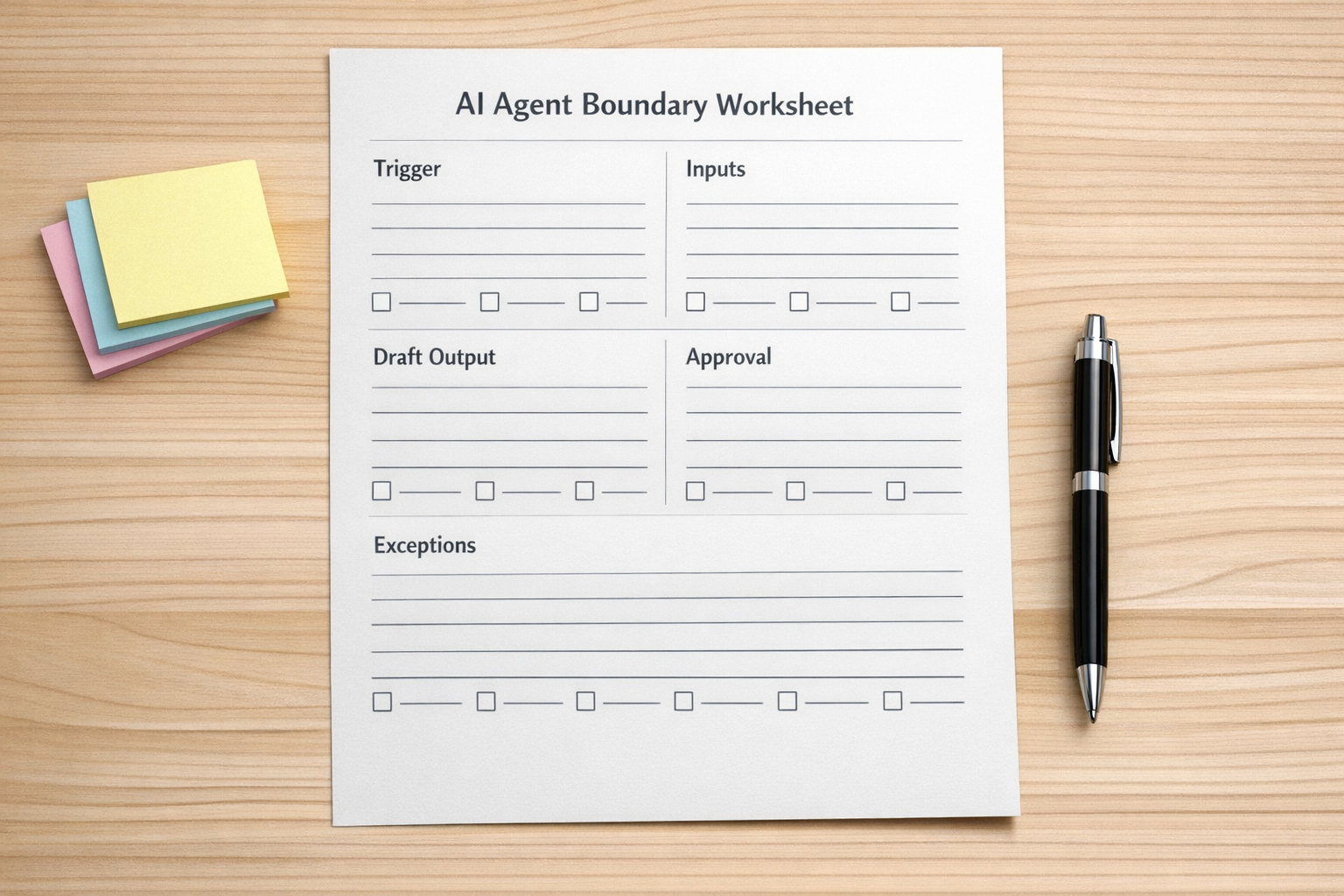
A simple AI agent boundary worksheet should answer five questions:
- Trigger: What starts the workflow?
- Inputs: What information must be available?
- Draft output: What should the AI prepare?
- Approval: Who reviews or confirms the action?
- Exceptions: What happens when data is missing or unclear?
If you cannot answer these questions, the workflow is not ready for automation yet. That does not mean the idea is bad. It means the process needs to be clarified first.
Map the handoff before connecting apps
Many automation problems are actually handoff problems.
A website lead enters the CRM, but nobody owns the next step. A customer pays, but fulfillment does not receive the right details. A sales call happens, but operations only gets a vague note. A support message is answered, but the product or account team never sees the pattern.
AI agents can help with these handoffs, but only when the handoff itself is defined.

Before building, write out the path in plain language:
- When a lead submits the form, create or update the CRM contact.
- If the lead includes a budget and service interest, prepare a sales summary.
- If the summary is complete, notify the assigned person.
- If required fields are missing, create a review task instead of guessing.
- After the sales call, turn notes into an operations handoff draft.
This kind of map is not glamorous, but it prevents a common failure: automating the happy path while ignoring all the edge cases that happen every week.
Use AI where judgment is structured
AI is useful when it can work inside a clear frame. It can classify, summarize, draft, compare, extract, and prepare. It performs better when the business provides examples, rules, tone, required fields, and a known destination.
It performs worse when the instruction is vague and the source data is scattered.
For example, “follow up with unpaid clients” is too broad for a first workflow. A better version would be:
- Check invoices that are more than seven days overdue.
- Exclude clients marked as payment plan or disputed.
- Draft a polite reminder using the approved tone.
- Add the draft to a review queue.
- Notify the owner before anything is sent.
This gives the AI a narrow job. It also gives the human a clear review point.
Do not skip the cleanup step
If your CRM is full of duplicates, missing fields, unclear stages, and old automations nobody understands, adding AI will expose the mess quickly.
The same applies to ClickUp spaces, HubSpot pipelines, GoHighLevel workflows, Shopify operations, Make scenarios, and Zapier zaps. AI can assist, but it still depends on the quality of the process and the data around it.
Before building an agent, check:
- Are the required fields clear?
- Are stages or statuses being used consistently?
- Are there duplicate automations doing similar things?
- Does the team know where to review AI-prepared work?
- Is there an error path when the workflow cannot continue?
This cleanup work is often where the real ROI begins. The AI is only one part of the system.
A practical first project
If you want a safe first AI admin workflow, choose one process that is frequent, annoying, and low-risk if reviewed by a human.
A good example is lead intake summarization:
- A form submission enters the CRM.
- The AI summarizes the request, urgency, and fit.
- The system checks whether required fields are present.
- A task is created for the sales owner with the summary included.
- If key information is missing, the task is marked for manual review.
This removes manual reading and copying without giving the AI authority to make promises, quote pricing, or send final messages without approval.
Once the team trusts that workflow, you can extend the system into proposal prep, onboarding, support routing, or finance reminders.
The real goal is less admin drag
The best AI workflows for small businesses are not flashy. They reduce the drag around everyday work.
They help owners stop doing admin late at night. They help teams avoid retyping the same details. They make handoffs clearer. They prepare the next step so a human can make a better decision faster.
At ConsultEvo, we help businesses design and build these workflows across tools like ClickUp, Make, Zapier, HubSpot, GoHighLevel, Shopify, and WordPress. If your team is considering AI agents, start with the process map. The tool choice becomes much easier after that.