


AI task management works better when the process comes first
Connecting an AI assistant to a task tool can be useful. It can help create tasks, break down work, suggest next steps, and reduce the copy-paste between notes, chats, emails, and project systems.
But the connection itself is not the system.
The real value comes from deciding how work should be processed before the AI ever touches it. Without clear rules, AI can create more tasks, more subtasks, and more noise. With clear rules, it can act like an operations assistant that helps turn scattered work into something a person can actually execute.

A task list is usually a decision backlog
Many teams think their task problem is a tool problem. They move from one app to another, rename folders, add labels, rebuild boards, and create new views. Sometimes that helps. Often, the same problem returns a few weeks later.
The issue is usually not where the tasks live. The issue is that the tasks are under-processed.
A raw task often hides several decisions:
- What exactly needs to happen?
- Is this one task or five smaller tasks?
- Who owns the outcome?
- When does the work need to happen?
- Is there a deadline, or just a preference?
- What information is missing?
- Is the task blocked by another person, system, or approval?
If those questions are answered manually every morning, the task tool is not reducing cognitive load. It is storing cognitive load.
Where AI agents can actually help
An AI agent is most useful when it handles repeatable thinking around a defined workflow. In task management, that usually means helping with intake, cleanup, classification, breakdown, and routing.
For example, an AI-assisted task workflow could review incoming tasks and apply simple rules:
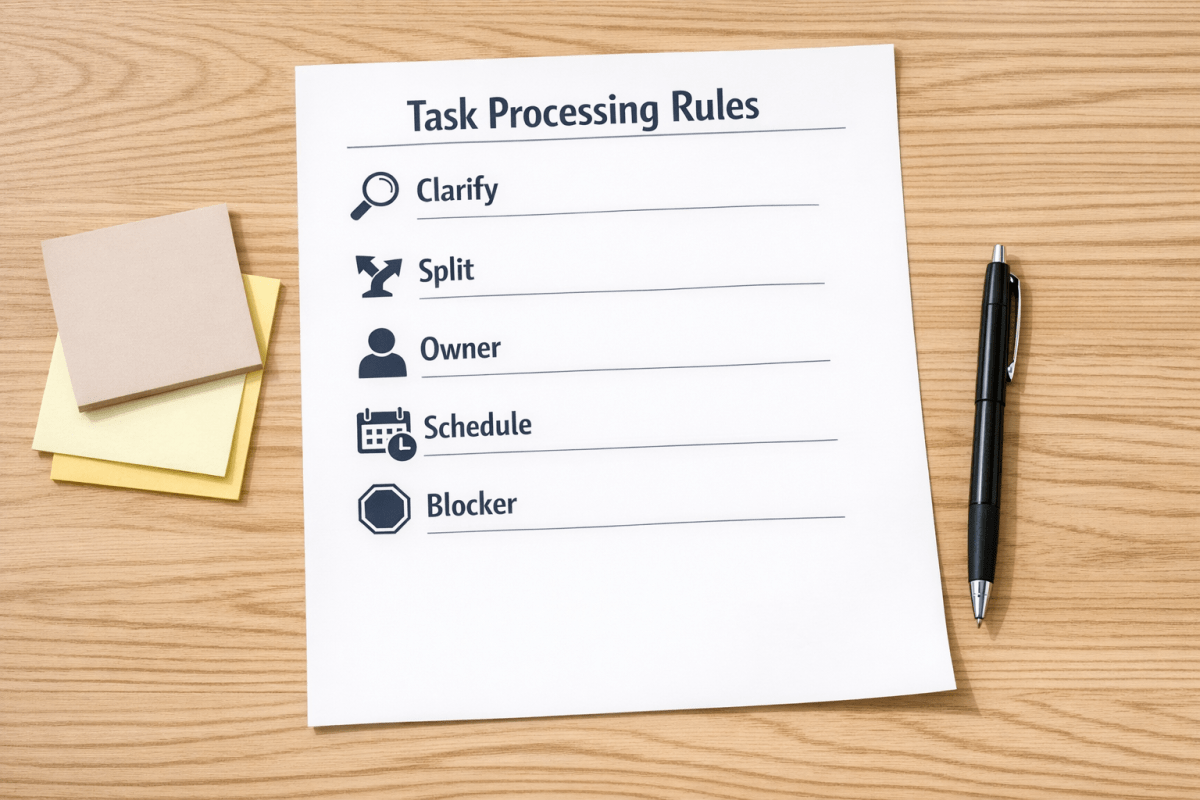
- If the task is vague, rewrite it as a clear action.
- If the task is too large, suggest smaller steps.
- If the owner is missing, flag it for assignment.
- If the deadline is present but no work session exists, suggest scheduling time.
- If the task depends on someone else, mark it as waiting.
- If it belongs to a client, project, or department, route it to the right workspace.
This is not about letting AI run the business. It is about removing small repetitive planning decisions that slow down execution.
Start with operating rules, not automation
Before building anything in ClickUp, Make, Zapier, HubSpot, GoHighLevel, or another system, define what a clean task means in your business.
A clean task does not need to be complicated. It needs enough structure that someone can act without asking five follow-up questions.
A practical task standard
Here is a simple standard you can adapt:
- Action: The task starts with a clear verb, such as review, send, draft, update, call, approve, or test.
- Owner: One person is responsible for moving it forward.
- Context: The task includes the client, project, order, ticket, or deal it belongs to.
- Due date: The due date reflects a real commitment, not a random reminder.
- Next step: The task explains the first visible action.
- Size: If it is too large for one focused work session, it gets split.
Once this standard exists, AI has something concrete to enforce. Without it, AI is guessing your preferences from inconsistent examples.
Build a small task triage workflow
You do not need to redesign your whole operation first. Start with one intake source.
Good starting points include:
- Tasks created from sales calls
- Tasks created from support requests
- Tasks created from client emails
- Tasks created from internal Slack or chat messages
- Tasks created after form submissions
- Tasks created from CRM deal stage changes
Pick the source that creates the most messy follow-up work. Then design a triage step before tasks land in the main execution board.
The triage step can ask five questions
- Is this task clear?
- Is it assigned?
- Is it small enough?
- Is it scheduled or prioritized correctly?
- Is it connected to the right project, client, or record?
This can begin as a manual checklist. That is not a step backward. Manual validation helps you learn the real rules before you automate them.
Then connect the tools
After the workflow is proven, the technical build becomes easier. You can use automation platforms to move tasks between systems, enrich task details, notify the right person, or create follow-up steps.
For example, a workflow might look like this:
- A client form is submitted.
- An automation creates a draft task.
- AI reviews the submission and suggests a clearer task title and next action.
- The workflow assigns the task based on service type or client owner.
- If required details are missing, the task is marked for review instead of being pushed into active work.
- Once approved, the task appears in the right project with the right context.
This type of workflow is simple in concept, but powerful in practice because it protects the team from messy intake.

Do not automate confusion
The biggest mistake is using AI to speed up a workflow that nobody has defined.
If your team does not agree on what counts as urgent, what information a task needs, who owns each type of work, or when a task should be split, automation will only move the confusion faster.
That is why process comes before tools. The tool can enforce the workflow, but it cannot decide the workflow for you.
A simple implementation plan
If you want to make your task system smarter, use this sequence:
- Audit: Review 30 to 50 recent tasks and identify the common issues.
- Define: Write a clean-task standard your team can understand.
- Test: Apply the standard manually for one week.
- Prompt: Create AI instructions that reflect your real operating rules.
- Automate: Connect the task source, AI step, and project system.
- Review: Check the output weekly and adjust the rules.
This keeps the build practical. You are not trying to create a perfect AI project manager. You are creating a reliable assistant for the repetitive parts of task processing.
The goal is calmer execution
A good task system should make the next action easier to see. It should reduce manual copy-paste, prevent missing context, and help work move from intake to ownership without constant chasing.
AI can help with that, but only when the workflow is clear enough to guide it.
If your task system has become a pile of decisions, start by defining the operating rules. Then use AI and automation to apply those rules consistently.
ConsultEvo helps teams design and build practical automation workflows across ClickUp, Make, Zapier, HubSpot, GoHighLevel, CRM systems, and internal operations. If you want help turning messy task intake into a cleaner execution system, we can help you map it and build it properly.