


AI Agents Need Cost Accounting Before They Scale
AI agents and automation workflows are becoming easier to build. That is good news for operators, but it also creates a new problem: workflows can now perform more actions, call more tools, generate more content, and make more decisions without anyone clearly seeing what each run costs.
For a small test, this might not matter. For a live business process, it matters quickly.
If an AI-assisted workflow drafts sales follow-ups, updates CRM records, creates tasks, summarizes calls, checks order data, or routes support requests, it should not only be measured by whether it ran. It should be measured by whether it completed a valuable business outcome at an acceptable cost.

The hidden cost of useful automation
A workflow can look productive while still creating operational waste. It may complete many steps, but those steps might include unnecessary retries, duplicate updates, low-quality drafts, unclear handoffs, or manual cleanup afterward.
This is especially true when AI is part of the process. Traditional automations usually follow a fixed path. AI agents can make more flexible decisions, which is useful, but that flexibility needs boundaries. Without measurement, an agent can keep using tools, asking for more context, rewriting output, or sending work into the wrong queue.
The point is not to avoid AI workflows. The point is to build them with an operating meter from the beginning.
Start with the unit of work
Before discussing tools, define the unit of work. This is the completed business result the automation is responsible for producing.
Examples include:
- A qualified lead routed to the right salesperson
- A CRM record cleaned and updated
- A support ticket categorized and assigned
- A Shopify order exception flagged for review
- A project task created with enough context for the assignee
- A sales call summarized and attached to the correct contact
This sounds simple, but it changes how the workflow is designed. Instead of asking, “Can AI do this task?” you ask, “What outcome should this process produce, and how will we know it was completed well?”
That shift prevents teams from adding clever steps that do not contribute to the result.
Track cost in more than one way
Cost accounting for AI workflows should include more than software usage. Depending on the workflow, you may want to track:
- AI usage cost: The cost of model calls or AI processing.
- Automation run volume: How often the scenario, zap, workflow, or agent runs.
- Tool calls: How many systems are touched during one completed result.
- Retries and failures: How often the workflow needs to try again or exits early.
- Human review time: How much manual checking is still required.
- Cleanup cost: Whether the workflow creates duplicate, incomplete, or low-quality records.
In practical terms, a workflow that costs a little more per run may still be the better system if it reduces review time and prevents mistakes. A cheaper workflow may be expensive if it creates cleanup work for the team.
Create a simple accounting worksheet
You do not need a complex reporting system on day one. A simple worksheet can clarify the logic before anything is built.
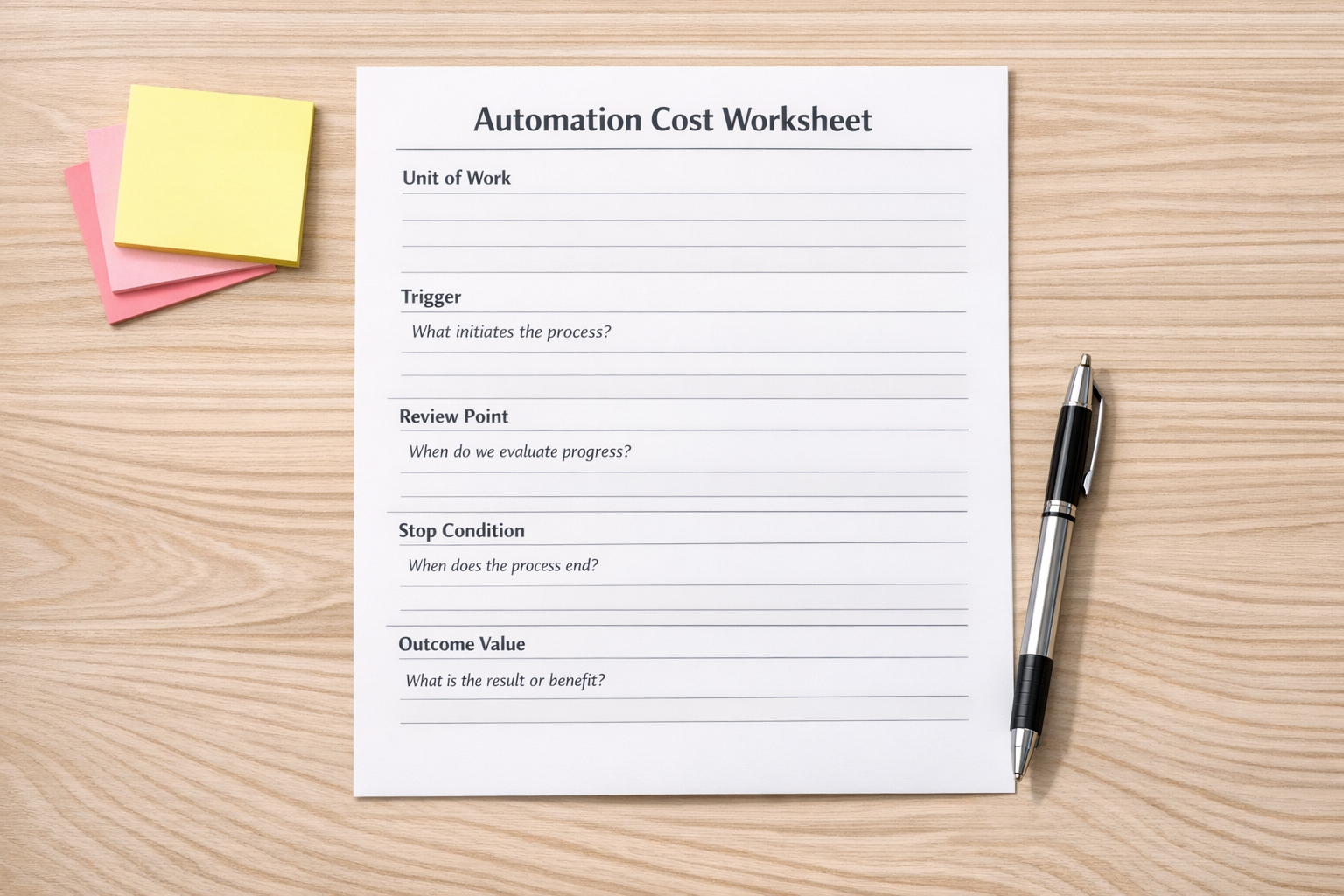
For each workflow, define:
- Trigger: What starts the workflow?
- Unit of work: What counts as one completed result?
- Expected value: What manual work, delay, or error does this reduce?
- Systems touched: Which tools does the workflow read from or write to?
- Review point: When should a person approve or correct the output?
- Stop condition: When should the automation stop instead of continuing?
- Failure path: Where does the work go when required data is missing?
The stop condition is particularly important. Many workflow issues come from automations trying to continue when the input is incomplete. A good system knows when to pause, flag the issue, and ask for human judgment.
Example: a sales handoff workflow
Imagine a sales handoff process where a new inquiry comes in through a form. The workflow enriches the contact, checks the CRM, summarizes the request, creates a task, and notifies the right person.
That sounds useful, but the real question is whether it creates a clean handoff.
You might track:
- How many inquiries were routed correctly
- How many contacts matched an existing CRM record
- How many tasks had enough context to act on
- How many handoffs required manual correction
- How many duplicate records were created
- How long the process took from inquiry to assignment

This kind of measurement makes improvement much easier. If the routing is accurate but CRM matching is messy, the next project is not “add more AI.” It is CRM cleanup, better matching rules, or clearer required fields. If the summary is useful but the task assignment is inconsistent, the issue might be ownership logic rather than the AI prompt.
Build visibility into the workflow
Once the workflow is live, each run should leave enough of a trail to answer basic operational questions. You do not need to overbuild this, but you should be able to see what happened.
Useful run-level information may include:
- The trigger source
- The record or request ID
- The automation path used
- The AI step used, if applicable
- The final status
- The error reason, if it failed
- The person or queue assigned for review
This can live in a CRM note, ClickUp custom fields, a Make data store, a Zapier table, a Google Sheet, an internal log, or a dashboard. The tool matters less than the habit: every meaningful workflow should produce enough evidence to improve it.
Use thresholds before problems grow
Cost accounting also helps define thresholds. For example:
- If a workflow fails three times for the same record, stop and create a review task.
- If required CRM fields are missing, do not generate the next step.
- If the AI output confidence is unclear, route to a person.
- If daily run volume spikes unexpectedly, notify operations.
- If manual edits are still high after launch, revisit the workflow design.
These thresholds protect the team from silent drift. They also make automation feel more trustworthy because people know where the boundaries are.
Process before tools
The biggest mistake is treating cost visibility as something to add later. It should be part of the workflow design. Before choosing the automation tool, define the outcome, the expected savings, the failure paths, and the review points.
Then choose the simplest implementation that gives you enough control and enough visibility.
At ConsultEvo, we help teams design and fix workflows across ClickUp, Make, Zapier, HubSpot, GoHighLevel, Shopify, WordPress, and AI agent systems. Often, the best improvement is not a more complicated automation. It is a clearer operating model: what should happen, what should stop, what should be measured, and who owns the exception.
If your automations are running but you are not sure whether they are saving enough time or creating hidden cleanup work, ConsultEvo can help you map the process, validate the workflow, and build the right measurement layer.