

How to Write AI Agent Instructions That Actually Fit the Workflow
AI agent prompts are often treated like longer chat prompts. That is where many automation projects start to wobble.
A chat prompt usually answers a question. An AI agent instruction set has to guide work. It needs to understand the job, the available context, the rules, the boundaries, and the handoff.
If you are using AI inside sales, support, operations, CRM updates, content production, or project workflows, this distinction matters.
A chat prompt asks. An agent prompt delegates.
When you ask an AI tool a question in chat, you are still there. You can clarify, correct, redirect, and add missing context. The model can misunderstand something, and you can fix it in the next message.
An agent is different. It may run after a form is submitted, a lead enters a pipeline, a support ticket is created, a call transcript is saved, or a task changes status. In those cases, the agent may not have a person guiding it moment by moment.
That means the instruction set needs to act more like onboarding documentation for a new team member.
It should explain what the agent owns, what it should avoid, how it should handle missing information, when it should stop, and where the work goes next.
Start with the job, not the prompt
Before writing instructions, define the exact job the agent is expected to do.
For example, “help with leads” is too broad. “Review a new inbound lead, classify the inquiry type, draft a first response, and flag anything that needs human review” is much clearer.
The narrower version gives you something you can design, test, and improve.
Useful questions include:
- What event starts the workflow? A form, email, CRM stage change, message, order, ticket, or task update?
- What work should the agent complete? Classification, summarization, drafting, routing, enrichment, validation, or task creation?
- What information will it receive? Contact details, transcript, order data, message history, CRM fields, or project context?
- What output should it produce? A note, email draft, JSON object, task comment, CRM field update, or checklist?
- What should happen after the output? Human review, automatic update, Slack notification, CRM log, or project task?
These questions turn prompting into workflow design. That is where the quality comes from.
Give the agent the context it needs every time
One of the easiest ways to get inconsistent agent behavior is to provide inconsistent context.
If the agent sometimes receives a full transcript and sometimes only a short note, its output will vary. If it needs CRM fields but the automation does not pass them in, it may guess. If the business rules are hidden in someone’s head, the agent cannot follow them.
A better setup is to define a standard context package.
For a sales follow-up agent, that might include lead source, inquiry type, budget range if available, previous messages, product interest, owner, and current pipeline stage.
For a support triage agent, it might include customer plan, issue category, message body, urgency indicators, account status, and previous ticket summary.
The agent instruction should be written around the context it will reliably receive, not the context you wish it had.
Use an agent instruction canvas
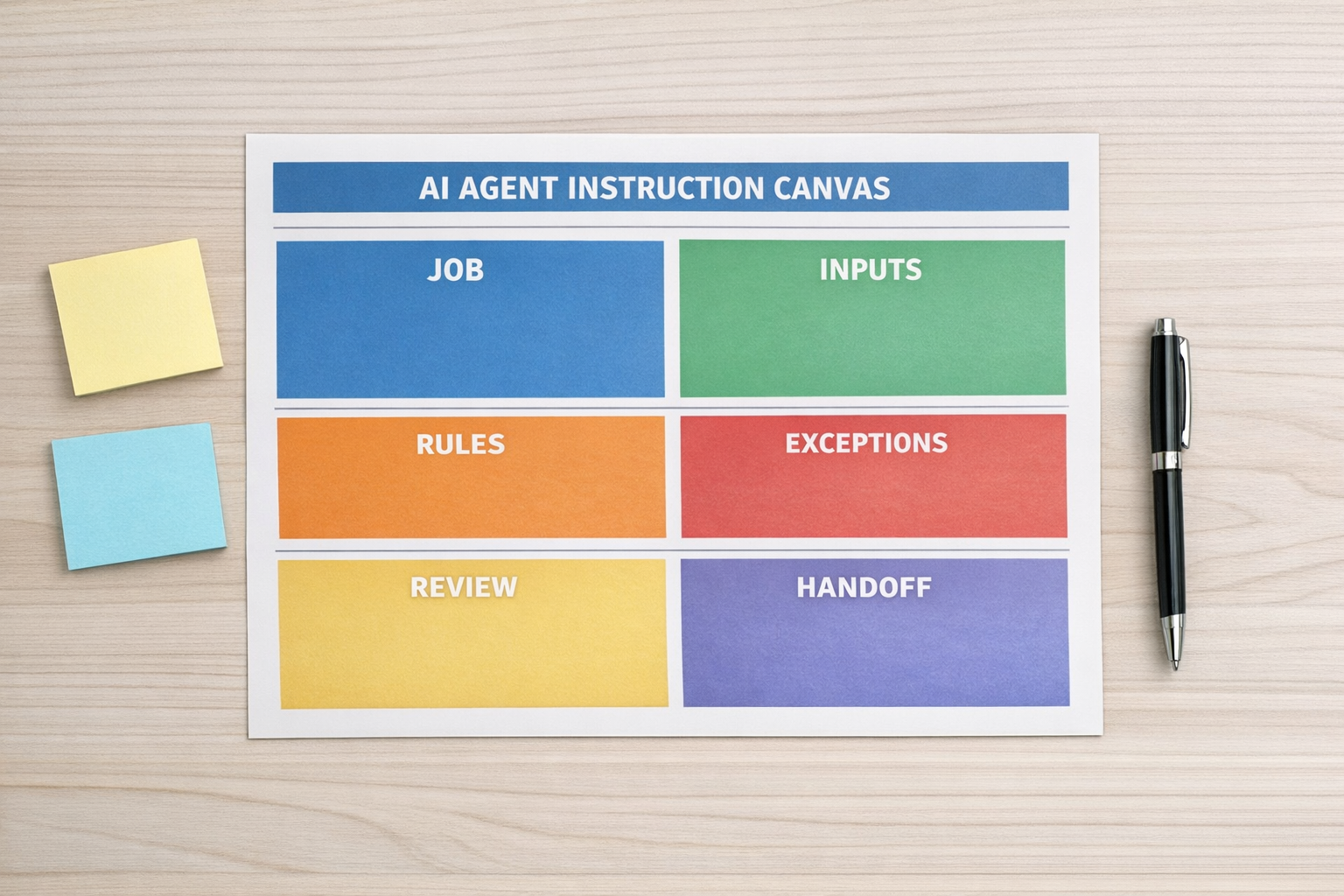
A simple canvas can prevent a lot of rework. You do not need anything complicated. You just need a shared way to define the operating logic.
Use these sections:
- Role: What is the agent responsible for?
- Goal: What outcome should it create?
- Inputs: What data will it receive from the workflow?
- Rules: What business logic must it follow?
- Examples: What does a good answer or action look like?
- Exceptions: What should it do when the situation does not fit?
- Boundaries: What should it never do automatically?
- Output format: How should the response be structured?
- Handoff: Where does the result go next?
This makes the prompt easier to review with the team. It also makes it easier to test because you can compare the agent’s output against clear expectations.
Build in human review where judgment matters
Not every step should be automated fully.
For many businesses, the safest and most useful agent is not one that completes the entire process. It is one that removes the repetitive preparation work so a human can make the final decision faster.
Examples include:
- Drafting a reply but not sending it
- Summarizing a call before a salesperson reviews the next step
- Suggesting a support category before a ticket is assigned
- Preparing CRM updates for approval
- Creating project tasks from a client email, then asking a manager to confirm them
This is not a weakness. It is good workflow design.
The goal is not to make AI look impressive. The goal is to reduce manual work without creating hidden risk.
Connect the agent to the right operational system
An agent is rarely valuable on its own. The value appears when it is connected to the right workflow.
That might mean a CRM workflow, a Make or Zapier automation, a ClickUp task process, a support queue, a Shopify operations flow, or a GoHighLevel follow-up sequence.
The surrounding automation should handle the practical steps: collect the trigger data, format the context, call the AI step, validate the response, route the output, and log what happened.
If those pieces are not designed carefully, the agent may create more work than it removes.

Test the workflow, not just the prompt
A prompt can look good in isolation and still fail inside the real process.
Test it with real examples from your business. Include easy cases, messy cases, missing information, edge cases, and situations that should be escalated.
Then check:
- Did the agent use the right context?
- Did it follow the business rules?
- Did it avoid guessing when information was missing?
- Did it produce the output in the correct format?
- Did the next step in the workflow receive what it needed?
- Did the human reviewer know what to approve or change?
This is where many teams find the real issue. Sometimes the prompt is fine, but the CRM fields are messy. Sometimes the automation is missing a key input. Sometimes the handoff is unclear. Sometimes the team has not agreed on the rule the agent is supposed to follow.
That is why AI agent work often becomes operational cleanup work.
The better way to think about AI agents
A useful AI agent is not just a clever prompt. It is a small operating role inside a larger system.
Give it a clear job. Feed it consistent context. Define the rules. Add examples. Set boundaries. Create a review point where needed. Connect the output to the next step.
When you do that, the agent has a better chance of removing real work instead of creating a new place for confusion to hide.
ConsultEvo note: If you are building AI agents for sales, support, CRM cleanup, ClickUp operations, Make scenarios, Zapier workflows, or HighLevel follow-up systems, ConsultEvo can help you design the process and implement the automation around it.