


AI agents need a clear handoff before they need a tool
AI agents are becoming a serious topic for operators, not just a demo topic for tech events. More teams are asking where agents can help with sales, support, admin, customer experience, reporting, and internal operations.
That is a good conversation to have. But it often starts in the wrong place.
The first question should not be “Which AI agent platform should we use?” The first question should be “What exact piece of work are we ready to hand over?”

At ConsultEvo, we build automations, AI agents, CRM workflows, ClickUp systems, Make and Zapier scenarios, and operational workflows. The projects that work best usually have one thing in common: the process is clear before the tool is chosen.
The projects that struggle usually have the opposite problem. The team wants an agent, but the workflow is vague. The trigger is unclear. The data is scattered. Nobody knows who reviews the output. The definition of a good result lives in someone’s head.
AI can help a lot, but it cannot magically fix an undefined handoff.
The handoff is the real design problem
An AI agent is not just a smarter chatbot. In a business workflow, an agent is usually expected to do one or more of these things:
- Read information from one place
- Interpret or classify that information
- Create a draft, summary, recommendation, or next step
- Update another system
- Notify a person
- Escalate work that needs human judgment
That sounds simple until you ask the operational questions. Where does the information come from? Is the CRM clean enough? What happens if a field is missing? Who is allowed to approve the result? Should the agent act automatically, or should it only prepare work for review?
These questions are not technical details. They are the workflow.
If the handoff between human, system, and agent is unclear, the automation will feel unreliable even if the AI model is strong.
Start with boring work
The best first agent use cases are often boring. That is not a problem. It is usually a positive signal.
Boring work tends to be repeatable. Repeatable work can be measured. Measured work can be improved.
Good first use cases might include:
- Lead intake: Review a new inquiry, check required fields, summarize the need, and suggest the next sales step.
- Support triage: Read a ticket, classify the issue, summarize context, and route it to the right person.
- CRM cleanup: Identify missing fields, duplicate-looking records, or inconsistent status values for human review.
- Order operations: Flag unusual order details, missing shipping information, or requests that need manual review.
- Meeting follow-up: Turn notes or transcripts into tasks, follow-up drafts, and CRM updates.
None of these require the agent to “run the business.” They ask the agent to remove friction from a defined slice of work.
Use a validation worksheet before you build
Before building an AI agent, run the use case through a simple validation pass. This keeps the project grounded and helps avoid building something impressive that nobody trusts.
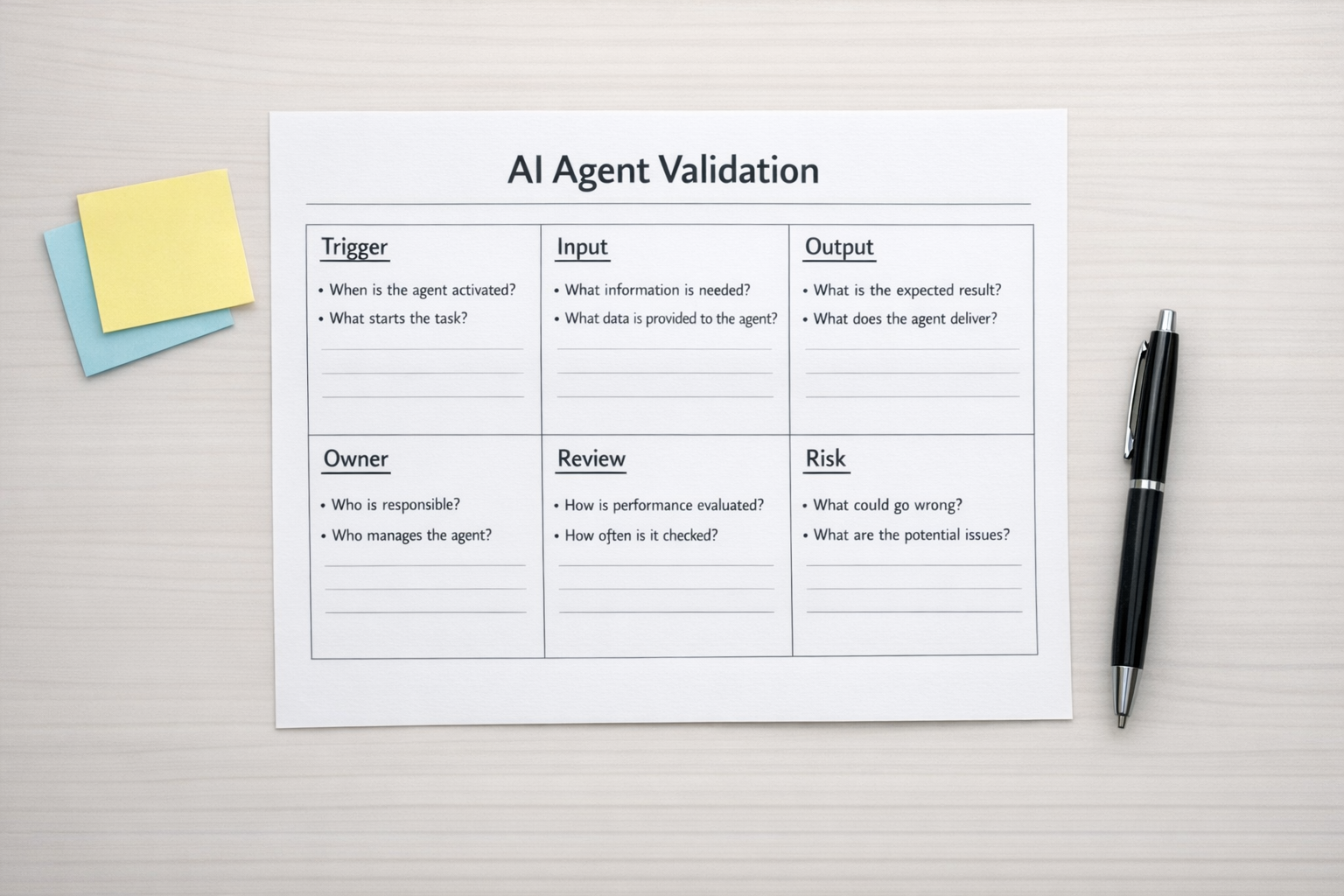
Here is the worksheet we would start with:
- Trigger: What starts the workflow? A form submission, new CRM deal, support ticket, email, order, task, or scheduled check?
- Input: What information does the agent need to do the job properly?
- Source of truth: Which system should the agent trust if data conflicts?
- Output: What should the agent produce? A summary, task, draft message, status update, risk flag, or recommendation?
- Owner: Who is responsible for accepting, editing, or rejecting the output?
- Review level: Can the agent act automatically, or should a human approve the next step?
- Failure risk: What happens if the agent gets it wrong?
- Measurement: How will you know the workflow is better after the agent is added?
If these answers are hard to define, do not rush into the build. Clean up the process first. That may mean clarifying status names, improving CRM fields, documenting handoffs, simplifying ClickUp task flows, or separating work that needs human judgment from work that is just admin.
Decide where the agent should stop
One of the most useful design decisions is deciding where the agent should not act.
For example, an agent might be allowed to summarize a sales call and draft the follow-up email, but not send it. It might be allowed to classify a support ticket, but not issue a refund. It might be allowed to flag a risky deal, but not change the forecast.
This is not a lack of ambition. It is good operational design.
Clear stopping points make agents easier to trust. They also make it easier to test quality, collect feedback, and improve prompts or workflow rules over time.
Build the workflow around review loops
An AI agent should not be treated as a one-time setup. It needs a review loop, especially in the early stage.
That review loop can be simple:
- Capture the agent output
- Let the owner approve, edit, or reject it
- Track common corrections
- Adjust the prompt, data inputs, or workflow rules
- Gradually increase automation only where the output is consistently useful
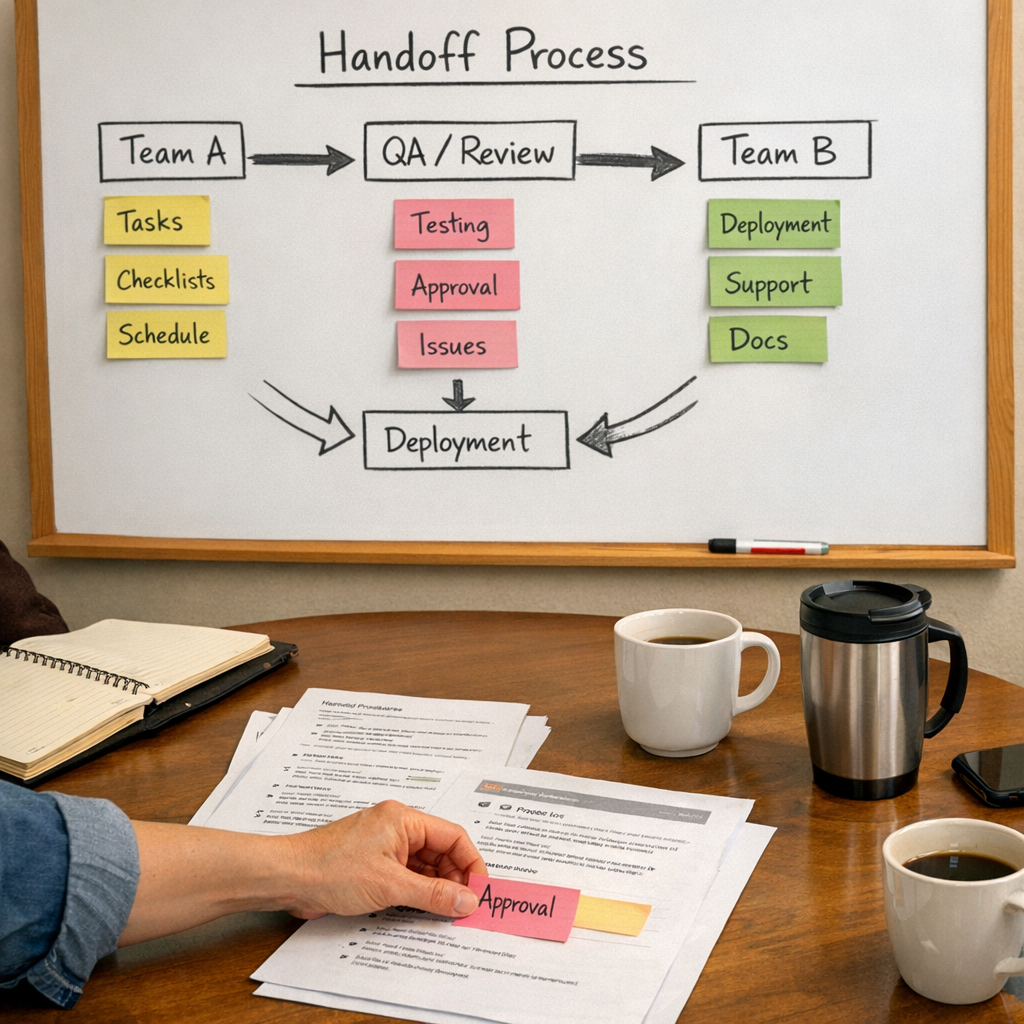
This is where tools like CRM workflows, Make scenarios, Zapier automations, ClickUp tasks, and internal notification systems become valuable. They are not just moving data around. They are creating a controlled path for work to move from intake, to agent assistance, to human review, to completion.
A practical example
Imagine a service business receives new leads through a website form. The team wants an AI agent to help sales respond faster.
A vague version of the project would be: “Use AI to handle leads.”
A better version would be:
- When a new form is submitted, check whether the lead included company name, budget range, service interest, and timeline.
- Summarize the request in three bullet points.
- Classify the lead as urgent, standard, or incomplete based on agreed rules.
- Create or update the CRM contact and deal.
- Create a follow-up task for the sales owner.
- Draft an email response, but require human approval before sending.
This version is buildable because the handoff is clear. The agent has defined inputs, a useful output, a review step, and a safe boundary.
Process before tools still applies
AI agents are powerful, but the old operations rule still applies: process before tools.
If your CRM is messy, your handoffs are inconsistent, or your team does not agree on what should happen next, an AI agent may simply make the confusion faster.
But when the process is clear, an agent can remove real work. It can reduce copy-paste, prepare better context, speed up routing, clean up admin steps, and help humans spend more time on decisions instead of chasing information.
That is the practical opportunity.
If you are planning an AI agent project, start smaller than you think. Pick one repeatable workflow. Define the handoff. Decide where human review belongs. Measure whether the work gets faster, cleaner, or easier to manage.
ConsultEvo helps businesses design and build practical AI agents, CRM workflows, ClickUp systems, Make and Zapier automations, and operational processes that remove work without adding chaos. If you want help choosing the right first use case or fixing an automation that already feels messy, we are happy to help.