


AI Agents Need Controlled Improvement, Not Endless Prompt Rewrites
When an AI agent fails inside a real business workflow, the first reaction is usually simple: add more instructions.
The agent skipped a CRM field, so we add a warning. It created the wrong task, so we add another rule. It misunderstood a support handoff, so we paste in three more examples. A few weeks later, the prompt has become a long, fragile document that nobody wants to edit and nobody fully trusts.
This is where many agent projects get stuck. The issue is not always the model. Often, the issue is that the team has no controlled process for improving the agent’s working instructions.

A prompt is not an operating system
A prompt can start the process, but it should not carry the entire weight of the operation. If the agent is helping with sales follow-up, support routing, CRM cleanup, task creation, reporting, or internal handoffs, the instructions need to behave more like an operating procedure.
That means they should be:
- Auditable: A human should be able to understand what the agent is being told to do.
- Specific: The instructions should focus on the actual workflow, not broad motivational language.
- Testable: A proposed change should be checked against real examples before it is accepted.
- Stable: One bad result should not trigger a full rewrite of the system.
This is the practical difference between prompt writing and agent operations. Prompt writing asks, “What should we tell the agent?” Agent operations asks, “How do we improve the agent safely based on what happens in real work?”
The danger of reacting to every failure
Real workflows are messy. A lead might have missing fields. A support ticket may be vague. A ClickUp task may be created from an email thread with too much context and not enough structure. A Shopify operations request may mix inventory, fulfillment, and customer service details in one message.
If every confusing case leads to a new paragraph in the agent instructions, the system becomes noisy. The agent may start over-prioritizing rare exceptions. It may follow a new rule that accidentally breaks a normal case. Or the prompt may become so long that the most important operating rules are buried.
A better approach is to treat agent instructions as a living skill document, but not an uncontrolled one. Changes should be small, deliberate, and validated.
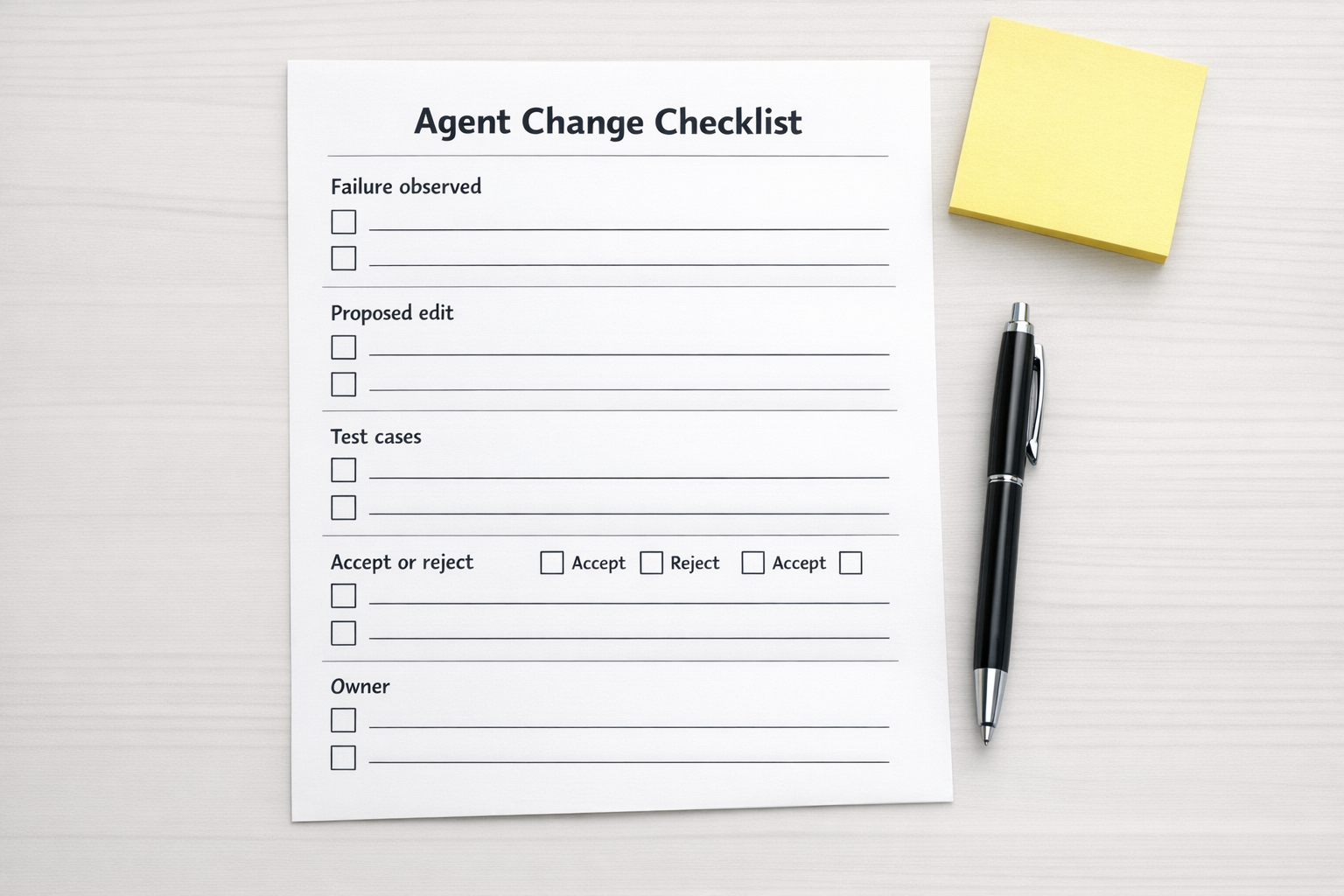
A simple validation loop for agent instructions
You do not need a complex research setup to apply this idea in business operations. You need a practical improvement loop.
1. Capture the failure clearly
Do not start by rewriting. Start by documenting what happened.
- What was the input?
- What did the agent do?
- What should it have done instead?
- Which part of the workflow was affected?
- Was this a one-off edge case or a repeatable pattern?
This step matters because many agent failures are not instruction failures. Sometimes the source data is unclear. Sometimes the CRM is messy. Sometimes the workflow itself has no defined owner or acceptance rule.
2. Propose one small edit
The best improvements are usually specific procedural rules. For example:
- Before updating a CRM contact, check for an existing matching email address.
- If a required field is missing, ask for clarification instead of guessing.
- When creating a support handoff, include customer issue, current status, next owner, and deadline.
- Before assigning a task, confirm whether the request is sales, support, billing, or operations.
These are not flashy instructions. They are operating rules. That is why they work.
3. Test the edit against real examples
Before accepting a change, test it against a small set of examples. Include the case that failed, but also include normal cases that were already working.
This prevents a common problem: fixing one issue while damaging another. In automation and CRM workflows, this happens often. A rule added to catch one exception may create extra friction for every standard record that passes through the system.
4. Accept or reject the change
Every proposed edit should have a decision. If it improves the workflow without causing new problems, accept it. If it sounds good but creates confusion, reject it and record why.
Rejected edits are useful. They help the team avoid repeating the same idea later. They also create a clearer history of how the agent’s behavior was shaped over time.
5. Keep the instruction set compact
A longer prompt is not automatically a better prompt. In many business workflows, a compact instruction set is easier to maintain and easier to trust.
The goal is not to explain every possible scenario. The goal is to define the agent’s role, the workflow boundaries, the required checks, and the handoff format.
Where this applies in operations
This controlled improvement process is useful anywhere AI agents touch repeatable work. A few examples:
- CRM cleanup: Agents can flag duplicates, missing fields, stale lifecycle stages, and inconsistent notes, but they need clear rules for what they can edit versus escalate.
- Sales handoffs: Agents can summarize call notes and create follow-up tasks, but the output format and ownership rules must be validated.
- Support routing: Agents can categorize tickets and suggest next steps, but they need checks for urgency, account status, and missing context.
- ClickUp workflows: Agents can create or update tasks, but they need structure around lists, statuses, custom fields, and assignees.
- Make and Zapier automations: Agents can prepare structured data for automations, but the downstream scenarios need predictable fields and error handling.

The real ROI is less rework
AI agent ROI is not only about speed. Speed without control can create cleanup work. The better measure is whether the agent reduces manual checking, repeated clarification, copy-paste, and handoff confusion.
That requires more than a clever prompt. It requires a workflow that says:
- What does good output look like?
- What should the agent never decide alone?
- What data must be checked before action?
- Who reviews exceptions?
- How are instruction changes approved?
Once those rules exist, the agent becomes much easier to improve. You are no longer guessing. You are tuning the workflow based on evidence.
Start with the process around the agent
If your agent works well in demos but breaks in daily operations, do not rush to replace the tool. First, inspect the process around it.
Is the workflow clear? Are the acceptance rules defined? Are failures being reviewed? Are instruction changes tested before they are added? Is there a difference between an approved rule and a one-time reaction?
These questions are not glamorous, but they are what make AI agents useful in real business systems.
At ConsultEvo, we help teams design and fix the operational layer around AI agents, CRM workflows, ClickUp systems, Make and Zapier automations, and handoff processes. If your automation is close but still creating too much manual review, we can help you map the workflow, define the validation rules, and build a cleaner system around it.