

AI agents need handoff rules before they need more tool access
AI inside business tools is useful, but the real operational value rarely comes from one app doing one clever thing.
The value shows up when work moves from one place to another without losing its meaning.
A sales call becomes CRM notes. CRM notes become follow-up tasks. Follow-up tasks become a project handoff. A spreadsheet becomes a memo. A memo becomes a client update. A support thread becomes an escalation summary. These are not just content tasks. They are handoff tasks.
And handoffs are where business operations quietly leak time.
Someone copies information from one system into another. Someone rewrites the same summary for a different audience. Someone checks whether the numbers in the report match the message in the email. Someone asks, “Where did this conclusion come from?”
AI agents can help here, but only when the workflow is designed around source material, output format, and human review. Without that structure, AI can make messy work move faster while making the cleanup harder to spot.
The problem is not the app. It is the space between apps.
Many teams think about automation as a tool question:
- Should this live in ClickUp?
- Should we use Make or Zapier?
- Should the CRM trigger the workflow?
- Should an AI agent write the summary?
Those questions matter, but they are not the first questions.
The better starting point is the handoff itself. What information is moving? Why is it moving? Who needs it next? What should be excluded? Where does the human approve the result?
When those questions are skipped, automations become fragile. A workflow might technically run, but the output still feels untrustworthy. The team starts checking everything manually, and the automation becomes another thing to manage.
That is why process needs to come before tools.
What a handoff rule actually is
A handoff rule is a simple operating agreement for how information moves from one step to the next.
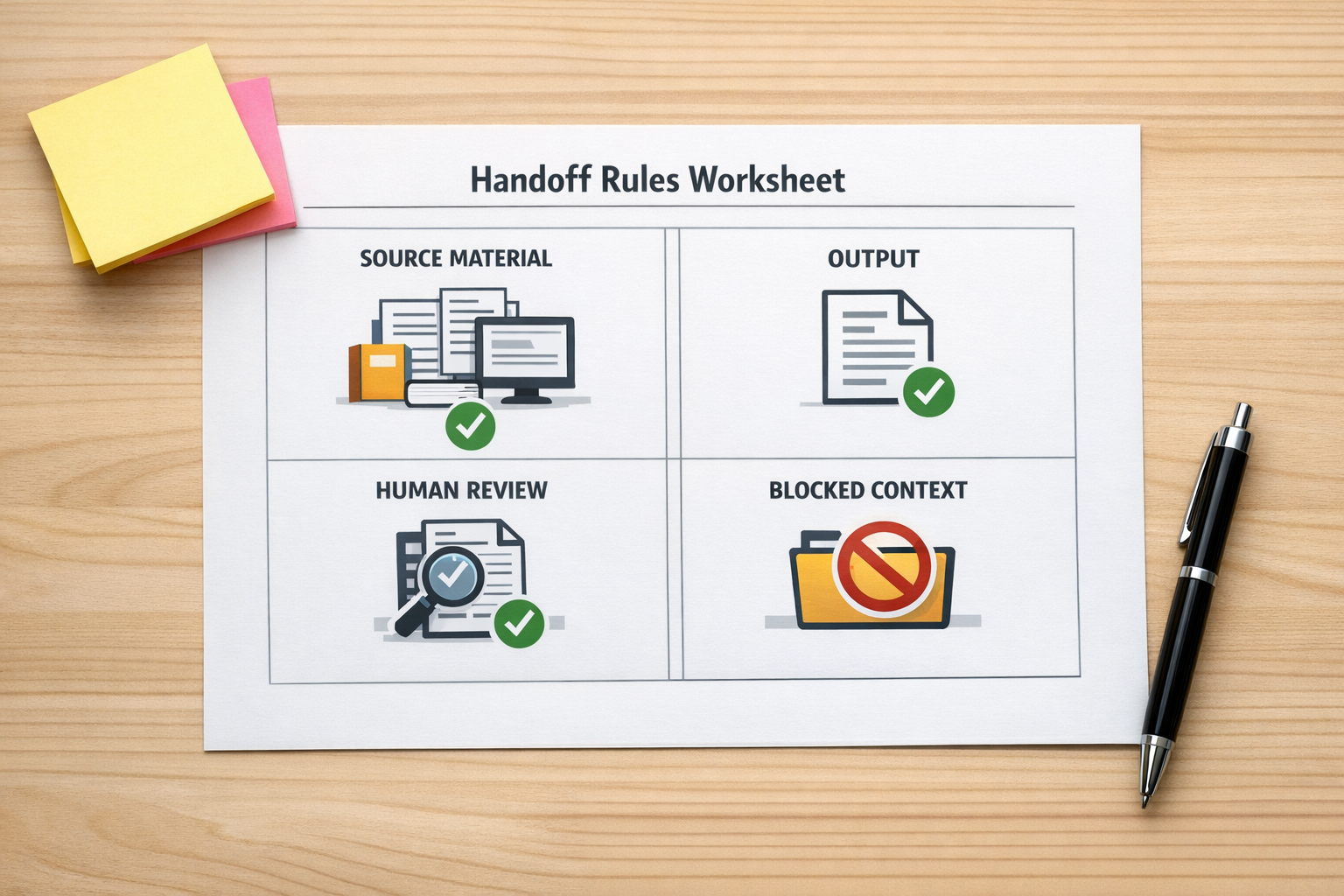
It does not need to be complicated. In most cases, it should answer four questions:
- Source: What can the workflow read or use?
- Output: What should the workflow create, update, or prepare?
- Review: Where does a human check the result before it continues?
- Blocked context: What should not be carried forward?
This structure is especially important when AI is involved because AI can make a draft feel more complete than it really is.
A tidy summary can hide a missing caveat. A confident task description can hide an assumption. A polished client email can make an internal note sound ready to send.
The risk is not only that the AI produces a wrong sentence. The risk is that the wrong context travels into the wrong output.
Start with a reviewable packet
One of the safest ways to design an AI-assisted workflow is to think in terms of a packet.
A packet is a reviewable bundle of work. It might be a weekly update, sales prep brief, client escalation summary, internal project handoff, CRM cleanup report, campaign brief, or leadership memo.
The packet has three useful qualities:
- It has a clear source.
- It has a clear destination.
- It can be reviewed before it is used.
This makes it a good fit for automation because the workflow has a defined ending. The agent is not being asked to “handle operations.” It is being asked to prepare something specific for a person to inspect.
For example, an AI-assisted sales handoff might read a call transcript, summarize the buying signals, suggest CRM field updates, draft follow-up tasks, and stop for approval before anything is written into the CRM.
A support workflow might read a ticket thread, identify the customer issue, prepare an escalation note, list unresolved questions, and assign a draft task for a manager to review.
A project workflow might take meeting notes, produce a ClickUp task draft, identify owners and dates that need confirmation, and wait for approval before creating the final task structure.
In each case, the agent removes repetitive work, but the human still owns judgment.
Use keep, check, and block
A practical way to control AI handoffs is to classify context before it moves.
Use three simple labels:
- Keep: Approved, relevant, and safe to include in the output.
- Check: Potentially useful, but it needs human review before being used.
- Block: Sensitive, stale, private, unsupported, or not allowed to leave the source system.
This helps with CRM workflows, project updates, client communications, and internal reporting. It also gives the AI agent a clearer job. Instead of asking it to “summarize everything,” you are asking it to prepare a usable output while respecting boundaries.
That distinction matters.
If you are building with Make, Zapier, HubSpot, GoHighLevel, ClickUp, Shopify, or a custom AI agent, the same principle applies. More access is not automatically better. Better boundaries are better.
Build the review point before the automation
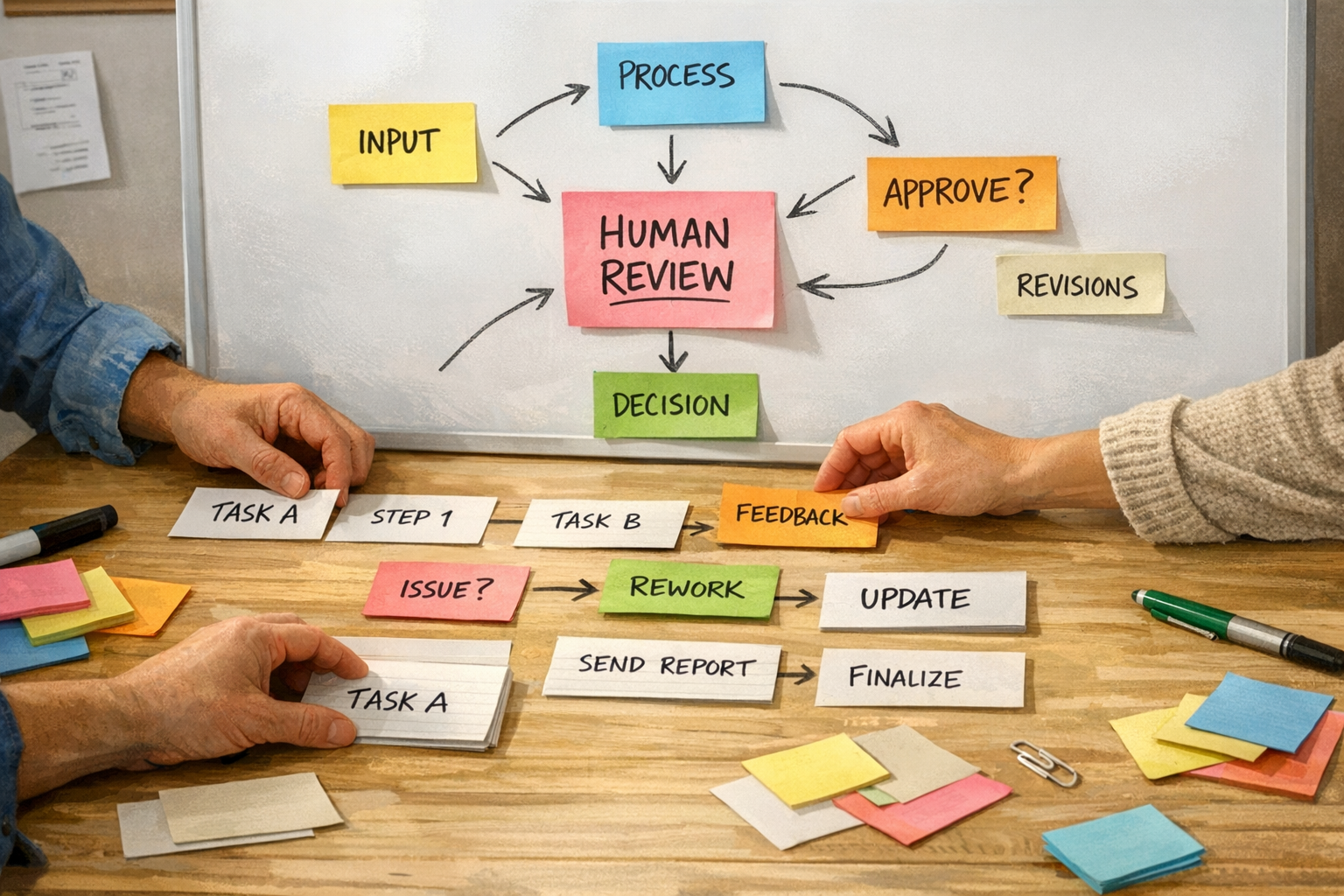
Before building the automation, decide where the workflow pauses.
This pause can be a draft task, approval field, Slack message, email preview, CRM note review, ClickUp status, or internal checklist. The format depends on the system. The principle is the same.
The review point should answer:
- What did the workflow use as source material?
- What did it create or change?
- What assumptions did it make?
- What needs approval before the next step?
For AI workflows, it is often useful to ask the agent to include a short handoff log. This does not need to be formal. A simple “facts used, assumptions made, items needing review” section can prevent a lot of confusion.
This is especially useful when moving from notes to CRM, CRM to tasks, tasks to client updates, or internal data to leadership summaries.
Good first workflows
The best first AI automations are usually boring and recurring.
Good candidates include:
- Sales call notes into CRM update drafts
- Support threads into escalation summaries
- Meeting notes into task drafts
- Weekly metrics into internal update memos
- Customer requests into implementation checklists
- Shopify order exceptions into operations tasks
- Client prep notes into reviewable briefs
These workflows are valuable because they reduce manual copy-paste, but they are still easy for a human to inspect.
Riskier first workflows include unsupervised customer replies, legal decisions, payroll reviews, compliance reporting, high-stakes finance decisions, or anything involving regulated or highly sensitive data. Those workflows need stronger governance and should not be the first place a team experiments.
The ConsultEvo rule: remove work, not judgment
At ConsultEvo, we like AI agents that remove work without hiding the decision.
That means the automation should make the next step easier to review, not harder to understand. It should reduce copy-paste. It should preserve context. It should show what moved from one step to another. It should give the human a clear approval point.
The best automation does not feel magical. It feels reliable.
If you are planning an AI agent, CRM workflow, ClickUp structure, Make scenario, Zapier automation, GoHighLevel process, or Shopify operations workflow, start with the handoff map. Once the handoff is clear, the tool choice becomes much easier.
And if you want help designing or fixing that workflow, ConsultEvo can help you turn the messy middle of your process into something your team can actually trust.