


The Best AI Automation Filter Is Customer Value
AI is forcing a useful question inside many businesses: which parts of our work should stay human, and which parts should be handled by systems?
That question matters. But many teams skip one step before answering it. They jump straight to the tool.
They ask whether they should build an AI agent, connect a CRM workflow, add a Zapier automation, create a Make scenario, or redesign a ClickUp space. Those are implementation questions. They are not strategy questions.
The better starting point is simpler:
What customer, sales, support, or operations pain are we trying to remove?

When customer value becomes the filter, AI stops being a vague initiative and starts becoming a practical operations tool. It either removes work, improves clarity, supports a better decision, or reduces delay. If it does none of those, it is probably not ready to build.
Why tool-first AI projects get messy
A tool-first project usually starts with excitement. Someone sees a new AI feature, a demo, or a competitor doing something interesting. The team decides they should “use AI” somewhere in the business.
That energy can be useful, but it often creates unclear projects. For example:
- An AI support agent is discussed before the support categories are clean.
- A CRM automation is requested before lifecycle stages are agreed.
- A lead routing workflow is built before the sales handoff rules are documented.
- A project dashboard is created before the team has defined what needs to be measured.
- An AI content process is added before the approval workflow is clear.
The result is predictable. The automation technically works, but the business process around it is weak. People stop trusting the output. Exceptions pile up. Someone starts manually checking everything. The system becomes another task instead of removing tasks.
This is why process should come before tools.
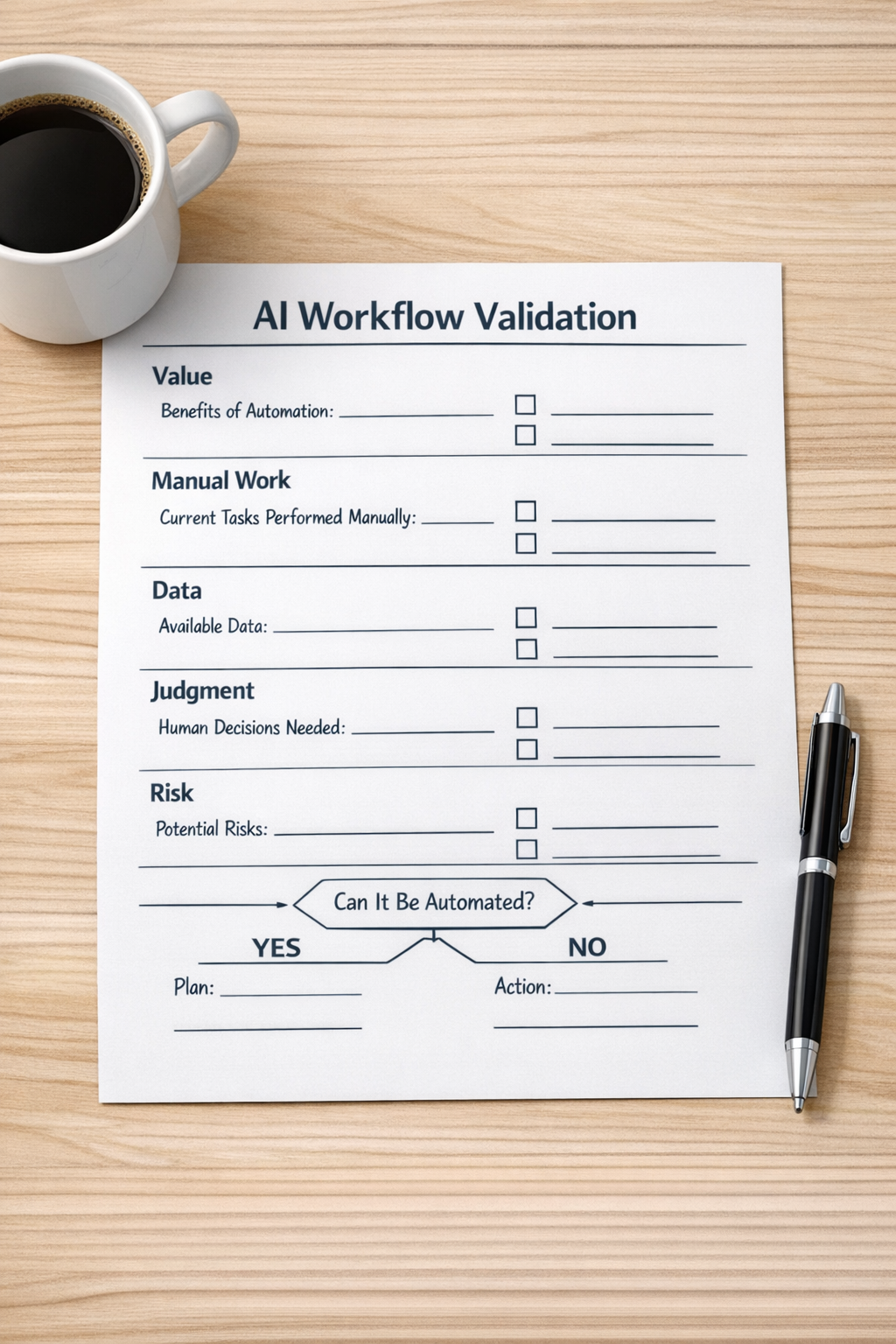
A better filter: value, work, judgment, risk
Before building an AI agent or automation, validate the workflow using four practical lenses.
1. Value
What improves if this workflow works? This could be faster response time, cleaner CRM data, fewer missed follow-ups, better order handling, clearer onboarding, or less internal back-and-forth. The value should be specific enough that the team can recognize success.
2. Work
What manual work goes away? Look for repeated copying, pasting, checking, formatting, tagging, assigning, summarizing, chasing, or updating. These are often strong automation candidates because they drain time without adding much judgment.
3. Judgment
Which decisions should remain human? AI can draft, classify, summarize, route, and suggest. But some decisions need context, relationship awareness, or accountability. A good workflow does not remove human judgment where it is still valuable. It gives people better inputs so they can decide faster.
4. Risk
What happens if the automation is wrong? A low-risk internal summary can be handled differently from an automation that updates a deal stage, sends a customer message, cancels an order, or changes a task owner. Risk should shape review steps, permissions, and fallback paths.
Where AI automation usually creates practical value
The strongest use cases are rarely the loudest ones. They are usually found in the repetitive gaps between teams and systems.
Here are a few places to look:
- Sales handoffs: Summarizing discovery notes, creating follow-up tasks, routing leads, updating CRM fields, or flagging missing qualification details.
- Support operations: Categorizing tickets, drafting internal summaries, identifying priority issues, or creating escalation tasks.
- CRM cleanup: Finding incomplete records, standardizing field values, detecting duplicates, or prompting owners to review stale deals.
- Project operations: Turning form submissions into structured tasks, assigning work based on rules, or generating clear implementation checklists.
- Shopify operations: Flagging order exceptions, organizing fulfillment tasks, routing customer issues, or notifying the right person when a manual review is needed.
- Content and idea validation: Comparing ideas against audience needs, internal criteria, or existing offers before production begins.
None of these require a business to hand over the entire process to AI. In many cases, the best first step is a small automation that removes one repeated action or improves one handoff.
The handoff is often the real problem
When teams say they need automation, they often mean they need a clearer handoff.
A lead comes in, but nobody knows who owns it. A sales call happens, but onboarding receives incomplete notes. A support request reveals a product issue, but operations never sees the pattern. A form is submitted, but the task lands in the wrong place. A customer updates something important, but the CRM is not updated.
AI can help with these moments, but only if the handoff is designed first. Who sends what? Who receives it? What information is required? What should happen automatically? What should be reviewed? What is the fallback if data is missing?
Those answers are the foundation. The automation is the delivery mechanism.

A simple implementation approach
If you are considering an AI or automation project, start with a narrow process. Avoid the temptation to redesign everything at once.
- Pick one workflow: Choose a process that happens often enough to matter.
- Map the current version: Document the trigger, steps, systems, people, handoffs, and exceptions.
- Find the friction: Identify where time is lost, data breaks, or ownership becomes unclear.
- Define the desired result: Write down what should be faster, cleaner, easier, or more reliable.
- Separate judgment from handling: Keep important decisions with people and automate repetitive handling around them.
- Build a small version: Create the first working automation with clear logging and easy review.
- Monitor and adjust: Watch real usage, fix edge cases, and improve the workflow before expanding it.
This approach is less exciting than announcing a company-wide AI initiative, but it is far more likely to produce useful results.
AI should remove work, not create another layer
The goal is not to use AI everywhere. The goal is to build a business that runs with less confusion, less copy-paste, fewer missed handoffs, and better information at the moment decisions are made.
That requires operational clarity first. Then automation. Then AI where it fits.
If your team is exploring AI agents, CRM workflows, ClickUp structure, Make or Zapier automations, HubSpot or GoHighLevel workflows, or Shopify operations, start with the value filter. Ask what pain the system removes. Ask who benefits. Ask what should still be reviewed by a person.
ConsultEvo helps teams turn those answers into practical workflows that are clear, maintainable, and built around real business operations. If your automation ideas need structure before implementation, we can help you validate the workflow and build the right system around it.