

When AI Can Build Almost Anything, Validate the Workflow First
It is becoming much easier to turn an idea into a working tool.
A founder can describe a small app in plain English. An operator can ask for a custom internal workflow. A team can prototype a CRM helper, reporting assistant, intake form, or content workflow without starting from a traditional development process.
That is a meaningful shift. But it does not remove the need for operational judgment. In many cases, it makes that judgment more important.
When the build gets easier, the bottleneck moves. The hardest question is often no longer can we build this? It is does this belong in the way our business actually runs?
At ConsultEvo, we see this pattern often. A team has an idea for a small automation or AI-assisted workflow. It sounds useful. It may even be easy to build. But if the surrounding process is unclear, the new tool does not create clarity. It creates another place for confusion to hide.
The build is not the strategy
There is a natural excitement when a rough idea becomes a working prototype quickly. That excitement is useful because it gets people moving. But speed can also make teams skip the questions that determine whether the tool will help.
A quick internal tool can still create problems if:
- nobody owns the output,
- the trigger is unclear,
- the data source is messy,
- the exception path is missing,
- the workflow duplicates work already happening somewhere else,
- or the team does not know what success looks like.
This is why process needs to come before tools. Not because tools are bad. Because good tools amplify the process they are attached to. If that process is clean, automation helps. If that process is messy, automation spreads the mess faster.
Start with the work being removed
Before building any AI agent, Make scenario, Zapier automation, CRM workflow, ClickUp setup, or custom internal tool, start with one practical question:
What manual work are we trying to remove?
That answer should be specific. “Save time” is too vague. “Stop copying new lead details from a form into the CRM and then into a ClickUp task” is useful. “Summarize every sales call and create a follow-up task for the account owner” is useful. “Flag Shopify orders that need manual review before support gets involved” is useful.
The clearer the manual step, the easier it is to decide whether automation is worth building.
Use a simple validation worksheet
A practical validation step does not need to be complicated. For most small workflow ideas, a one-page worksheet is enough.
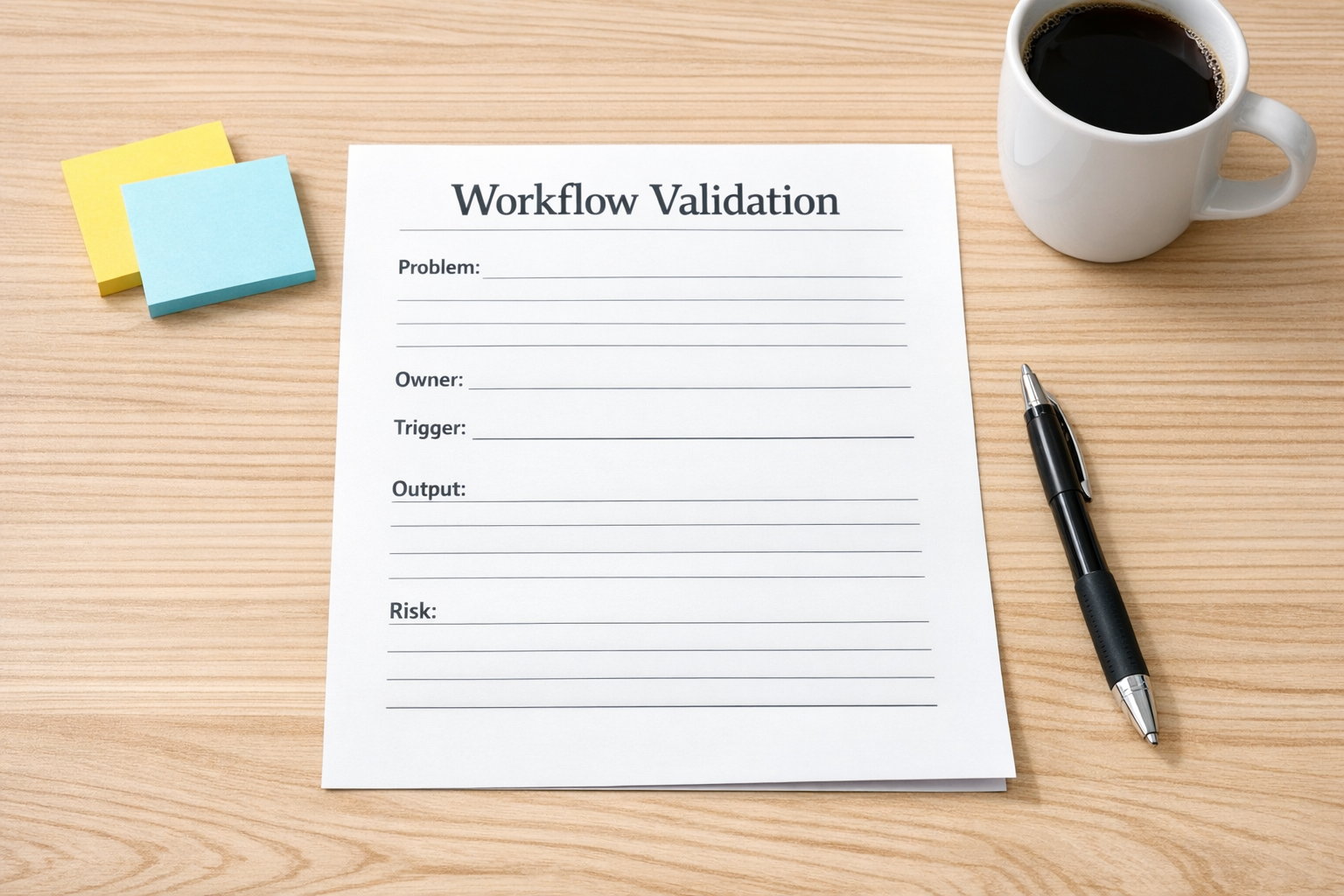
Before you build, answer these five questions:
- Problem: What repeated operational pain are we solving?
- Owner: Who is responsible for the result after the automation runs?
- Trigger: What exact event starts the workflow?
- Output: What should exist when the workflow is finished?
- Risk: What could go wrong, and what should happen when it does?
If the team cannot answer these questions, the idea is not ready to automate. That does not mean it is a bad idea. It means the workflow needs more definition.
This is especially important with AI agents. An AI agent can draft, classify, summarize, enrich, route, or recommend. But it still needs boundaries. It needs to know when to act, when to ask for help, and where to put the result.
Build the smallest useful version
Once the workflow is clear, resist the urge to build the full version first.
The first version should prove that the idea works in real operations. It should be small, visible, and easy to correct. A useful first version might be:
- a CRM workflow that flags duplicate or incomplete records instead of editing them automatically,
- a support triage assistant that suggests a category before routing tickets,
- a ClickUp intake form that creates one clean task with the right owner and status,
- a sales handoff automation that drafts a summary but waits for human approval,
- or a Shopify operations alert that identifies orders needing review before creating a support task.
These versions are intentionally modest. They help the team learn without putting the whole process at risk.
After a week or two of real use, you can make better decisions. Did it save time? Did people trust it? Did it create fewer mistakes? Did the owner know what to do next? Did the exceptions show up where expected?
Those answers should guide the next build.
Plan the handoff, not just the automation
Many automation projects fail at the handoff point.
The tool runs. The data moves. The task is created. The summary appears. But nobody knows what should happen next.
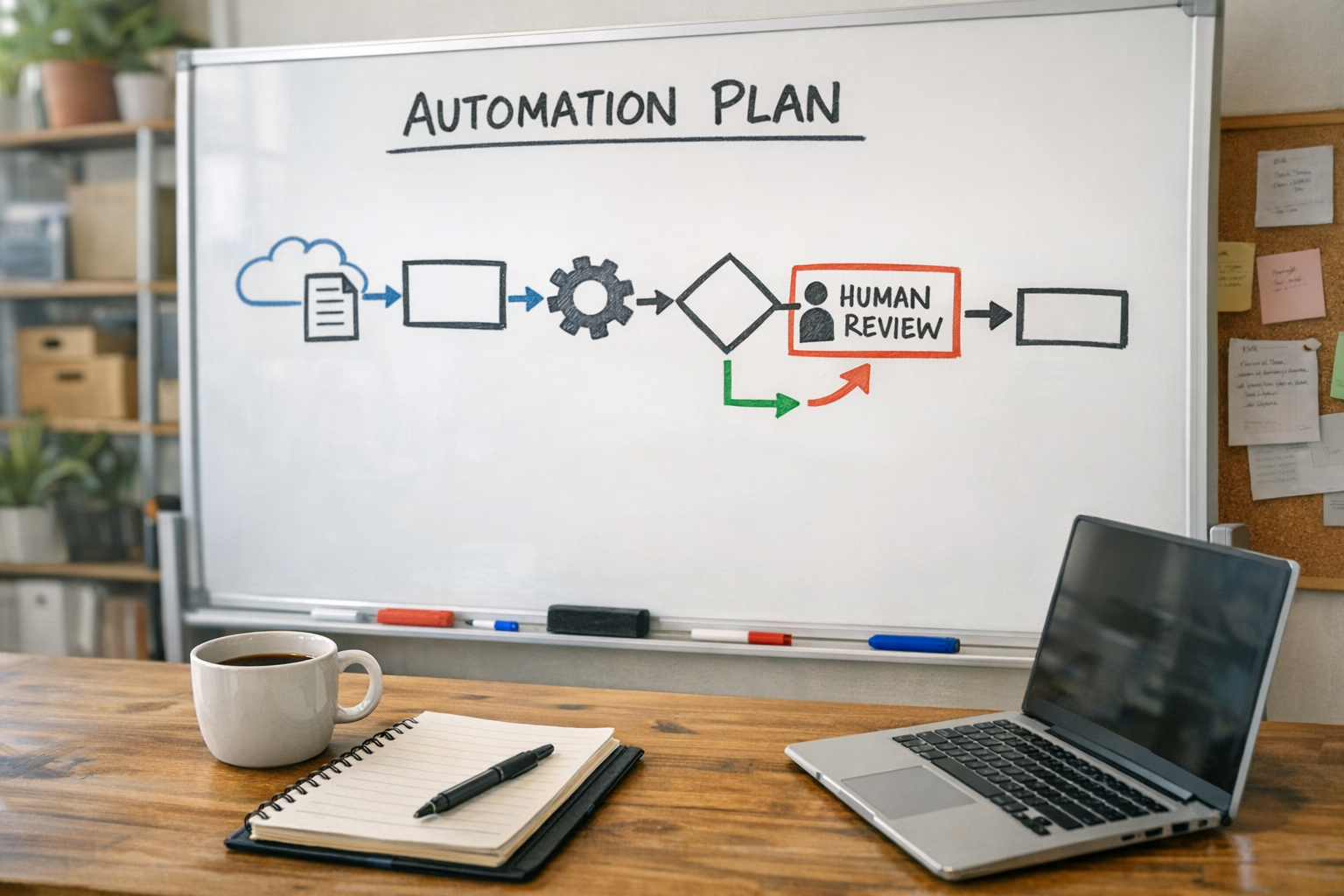
Every workflow should have a clear next owner. If a new lead enters the CRM, who reviews it? If an AI summary is generated, who checks it? If a ClickUp task is created, what status should it start in? If a Make or Zapier workflow fails, who gets notified?
The handoff is where automation becomes operations. Without it, you have activity, not a system.
A practical implementation sequence
If you are considering a small AI-built tool or automation, use this sequence:
- 1. Describe the pain: Write down the manual step that keeps repeating.
- 2. Map the current process: Identify where the work starts, where it ends, and who touches it.
- 3. Define the smallest useful output: Decide what the first version must produce.
- 4. Identify the exception path: Decide what happens when data is missing, unclear, or wrong.
- 5. Test with real work: Run the first version on actual tasks, leads, tickets, orders, or records.
- 6. Improve only after observing: Add complexity after the workflow proves itself.
This approach keeps automation grounded. It also prevents teams from building impressive tools that nobody uses.
The real advantage is operational clarity
AI will keep making it easier to create small tools. That is good news for operators, founders, and lean teams. But the advantage will not come from building everything that is possible.
The advantage will come from knowing what is worth building.
Clear processes, clean handoffs, defined ownership, and thoughtful exception handling are still the foundation. AI can help with the build. Automation can remove the manual work. But the business still needs someone to decide how the work should flow.
That is where strong operators win.
How ConsultEvo can help
ConsultEvo helps teams validate, design, and build practical automation systems across ClickUp, Make, Zapier, HubSpot, GoHighLevel, Shopify, WordPress, CRM workflows, and AI agents.
If you have a workflow idea, we can help you pressure-test it before building, define the smallest useful version, and implement it in a way your team can actually use.
Process first. Tools second. Better systems after that.