


AI does not fix a missing content process
Many founders and small teams sit down to write a newsletter, sales email, or LinkedIn post with the same quiet frustration: they know they should publish, but the page is empty and the idea is unclear.
At that moment, AI looks like the perfect shortcut. Open a chat, ask for a marketing email, and wait for the draft. Sometimes the result is usable. Often it is polished but flat. It sounds like content, but it does not feel like something you would confidently send to your audience.
The issue is usually not the AI tool. It is the order of operations.
Writing is not one task. It is a chain of decisions. What are we saying? Who is it for? Why should they care? What do we know from experience? What should they do next? If those decisions are unclear, AI has to guess. And when AI guesses, the output becomes generic.

Use AI after the thinking is structured
A better approach is to treat AI as part of a workflow, not as the whole workflow.
This is similar to automation work. If a sales handoff is messy, connecting more apps will not make it clear. If a CRM is full of inconsistent fields, building new automations on top of it can spread the mess faster. The same thing happens with content. If the idea is vague, the AI draft will usually be vague too.
Before asking AI to write, build a small validation step. This does not need to be complicated. In fact, the simpler it is, the more likely you are to use it every week.
The five-question content validation pass
Before you draft, answer these five questions:
- What is the one useful idea? Avoid combining three topics into one piece.
- Who is this for? A founder, operator, sales manager, ecommerce owner, agency lead, or internal team member may need different language.
- What problem are they already feeling? Good content often starts with a real operational pain, not a clever headline.
- What do we know from experience? Add a practical observation, a common pattern, or a lesson from implementation work.
- What is the next action? The reader should know what to try, check, change, or rethink.
Once those answers are clear, AI has better material to work with. It can help organize the idea, suggest structure, create draft options, and produce variations. But the point of view still comes from you.
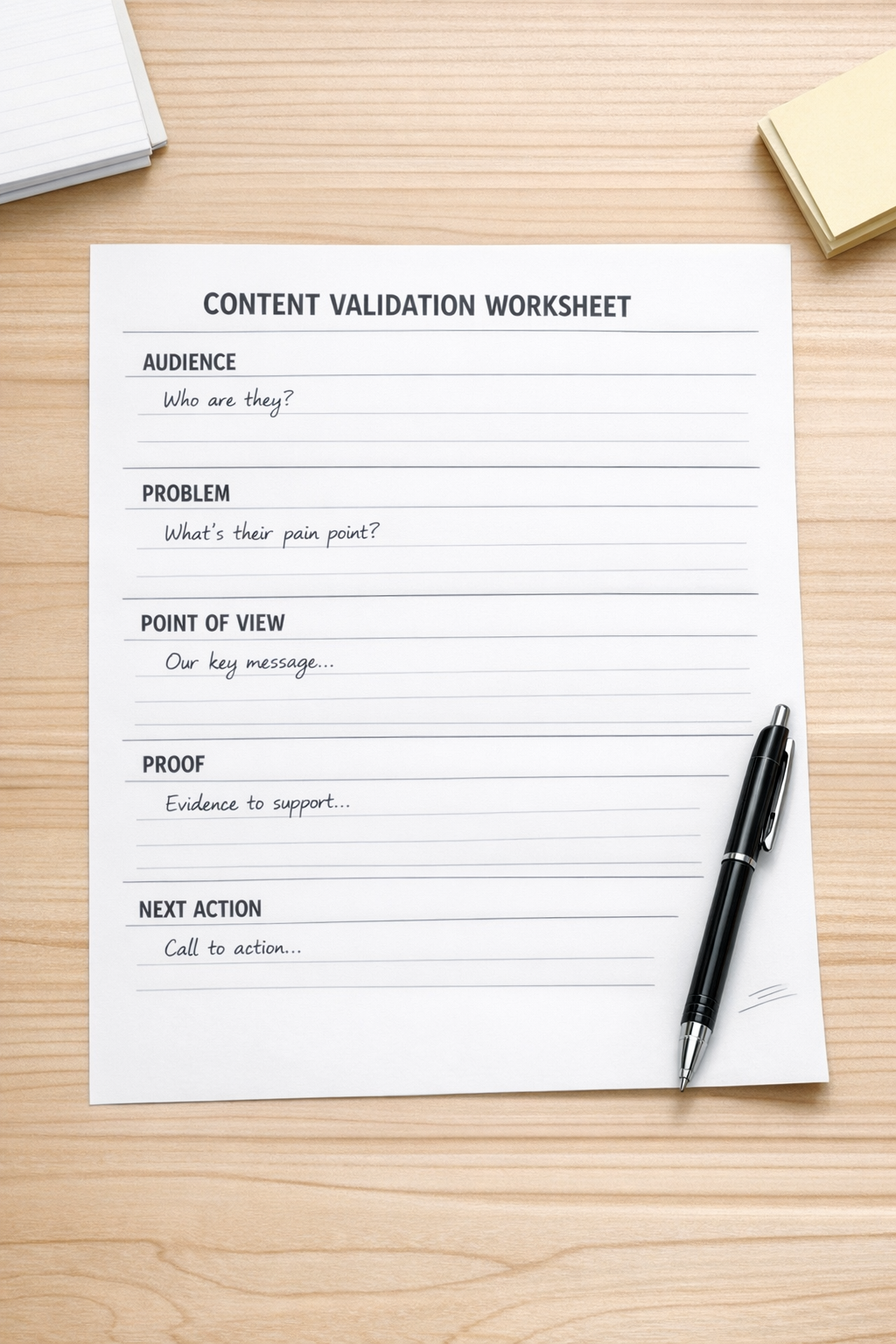
A practical AI content workflow
Here is a simple workflow that can work for newsletters, LinkedIn posts, nurture emails, and short sales enablement content.
1. Collect raw material during the week
Do not wait until writing time to find ideas. Capture them as they happen. Useful sources include client questions, sales objections, support tickets, internal Slack messages, project notes, onboarding friction, failed automations, and repeated manual tasks.
For example, if three clients ask why their CRM automation is sending duplicate reminders, that is not just a support issue. It may also be a content idea about workflow validation before automation.
2. Choose one idea, not a theme
A theme is broad: AI for marketing. An idea is specific: AI writes better emails when you define the reader problem before asking for the draft.
Specific ideas are easier to write, easier for AI to structure, and more useful for readers. They also reduce editing time because the piece has a clear center.
3. Create a short brief before prompting
Your brief can be simple:
- Audience: small business founders who publish weekly emails
- Problem: they start from a blank page and lose time
- Point of view: the issue is workflow, not writing talent
- Proof: content improves when ideas are validated before drafting
- CTA: build a repeatable weekly content process
This brief gives AI context without asking it to invent the strategy.
4. Ask AI for structure before copy
Instead of starting with “write an email,” ask for an outline first. Review the flow. Remove sections that feel unnecessary. Add the operational details only you know. Then ask for a draft based on the approved structure.
This extra step often saves time because you are editing the thinking before editing the sentences.
5. Edit for human judgment
AI can produce a clean draft, but your experience makes it credible. Add the sentence that sounds like something you would say to a client. Remove claims you cannot support. Replace broad advice with practical steps. Make the CTA feel natural.
The final edit should answer one question: would I send this if my best client were reading it?
Turn content creation into an operating rhythm
The goal is not to create one good email in less time. The larger benefit is building a repeatable system that lowers the decision load every week.
A simple weekly rhythm could look like this:
- Monday: Capture questions, examples, and operational observations.
- Wednesday: Choose one idea and complete the validation worksheet.
- Thursday: Use AI to outline and draft.
- Friday: Edit, schedule, and log the topic for future reference.
This rhythm can live in ClickUp, a CRM task queue, a simple spreadsheet, or a shared document. The tool matters less than the clarity of the steps. Once the process is stable, automation can help with reminders, approvals, content repurposing, and publishing handoffs.

Where automation fits
After the workflow is clear, automation can remove the repetitive parts. For example:
- Send new client questions into an idea backlog.
- Create a weekly writing task automatically.
- Move approved topics into a drafting queue.
- Notify the right person when a draft is ready for review.
- Store final links in your CRM or content library.
This is where AI agents and automation tools become useful. They are not replacing the thinking. They are reducing the manual copy-paste around the thinking.
That distinction matters. A good system does not ask AI to invent your business point of view. It helps you capture, organize, draft, review, and publish the ideas your business already has.
Start smaller than you think
If your content process feels heavy, do not start by building a large content machine. Start with one repeatable workflow for one format. One weekly newsletter. One LinkedIn post. One sales follow-up email. Make that process clear, then improve it.
The best systems are usually boring in the right way. They reduce friction. They make the next step obvious. They help you publish useful work without starting from zero every time.
If you want help turning scattered ideas, manual marketing tasks, or inconsistent publishing habits into a cleaner workflow, ConsultEvo can help map the process and build the automation around it.