


AI support agents need guardrails before they need more access
AI agents are moving from simple chat responses into operational work. They can collect context, check records, draft replies, route tickets, update CRM fields, and sometimes trigger sensitive actions. That is exactly why the workflow design matters.
The issue is not whether AI belongs in support or operations. It often does. The issue is whether the agent has been given the right level of permission for the task.

A well-designed AI support agent removes repetitive work. A poorly designed one can approve the wrong request, update the wrong record, or make it harder for a customer to reach a human when something goes wrong.
Before adding AI to customer support, CRM workflows, or internal operations, the practical question should be: what should this agent be allowed to read, recommend, and change?
Separate reading, recommending, and changing
One of the simplest ways to reduce risk is to split agent permissions into three levels.
- Read: The agent can access information, such as account status, ticket history, order details, CRM notes, or internal documentation.
- Recommend: The agent can suggest the next action, draft a reply, prepare a task, or summarize the evidence for a human.
- Change: The agent can actually update a record, send a message, issue a refund, change account details, or trigger another automation.
Many teams accidentally treat these as one decision. They connect an AI tool to a help desk, CRM, or automation platform and focus on whether the agent can complete the task. But completion is not the only measure. The agent also needs to complete the task safely.
There is a big difference between an AI agent saying, “This customer appears to need account recovery,” and an AI agent changing the recovery email by itself.
Use a permission matrix before building
Before building the automation, create a simple permission matrix. List the tasks you want the agent to support, then mark whether each task should be read-only, recommendation-only, or allowed to trigger an actual change.
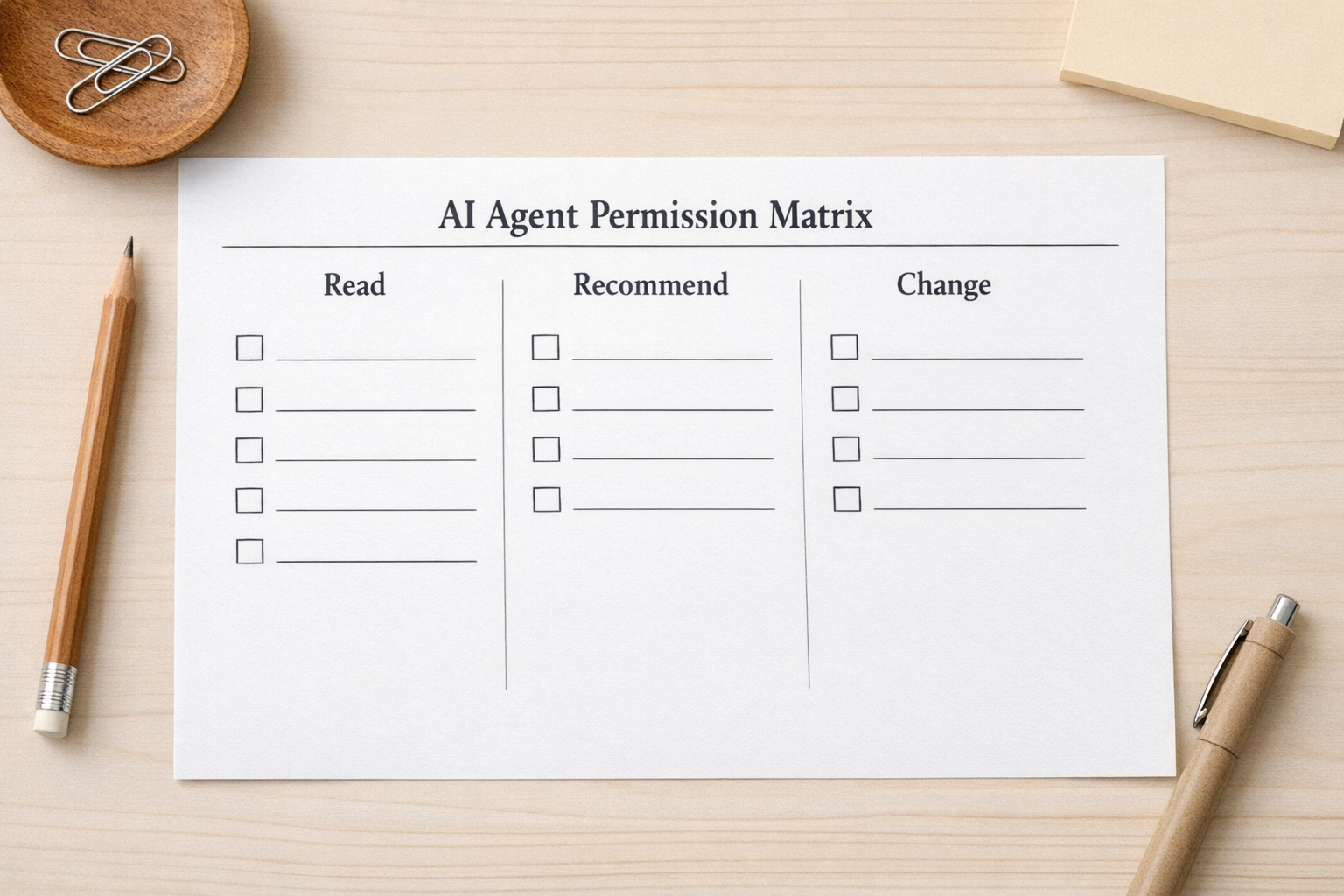
For example, a support agent might be allowed to read order status, recommend a refund, but not issue the refund unless the order meets strict criteria. A CRM agent might be allowed to summarize a lead, recommend a lifecycle stage, but not overwrite the deal owner without approval. An internal operations agent might be allowed to create a task, but not change access permissions in another system.
This matrix does not need to be complicated. It just needs to make the risk visible before the workflow goes live.
Identify sensitive actions early
Some workflow actions deserve stronger validation by default. These are usually actions that affect identity, money, access, customer trust, or business reporting.
- Changing account email addresses or login details
- Resetting credentials or approving account recovery
- Issuing refunds, credits, or subscription changes
- Changing CRM ownership, pipeline stage, or lifecycle status
- Granting or removing access to internal tools
- Sending customer-facing messages about legal, billing, or security issues
These actions can still be supported by AI. The agent can gather context, check policy, compare evidence, draft the response, and prepare the update. But the final action may need an approval step, a second verification method, or a human handoff.
Good automation does not remove judgment from every step. It removes the repetitive work around the judgment.
Design escalation paths, not dead ends
One common failure in support automation is the dead end. A customer reaches the bot, the bot misunderstands the issue, and the customer cannot reach a person. That is frustrating in normal support. It is much worse when the issue involves account access, billing, or security.
Every AI support workflow should have clear escalation rules. Those rules should not rely only on the customer typing “human.” The system should also detect risk signals.
- The customer says they did not request a change
- The account recovery details do not match normal patterns
- The request involves payment or access
- The agent has low confidence
- The customer repeats the same issue multiple times
- The action would affect another system of record
When those signals appear, the workflow should create a clean handoff. That means a summary, relevant history, recommended next step, and the reason for escalation. The human should not have to reread the entire conversation from scratch.

Build around the worst possible mistake
A useful exercise is to ask: what is the worst reasonable mistake this agent could make?
For a sales assistant, it might send the wrong follow-up to a high-value lead. For a CRM cleanup agent, it might merge records that should stay separate. For a support agent, it might approve the wrong account change. For an operations agent, it might trigger a task sequence that creates confusion across the team.
Once the worst mistake is clear, design the workflow around preventing it. Add validation, approval, logging, rollback options, or limits on what the agent can change.
This is not about slowing everything down. It is about choosing which parts should be fast and which parts should be careful.
A practical implementation pattern
A safer AI support workflow can follow this structure:
- Collect: The agent gathers the customer request and required context.
- Classify: The workflow identifies whether the request is low, medium, or high risk.
- Validate: The system checks rules, account history, required fields, or identity signals.
- Act or prepare: Low-risk requests can be handled automatically. Medium-risk requests can be drafted for review. High-risk requests should be escalated.
- Log: Every action, recommendation, and handoff should be recorded in the right system.
This pattern works across help desks, CRM systems, ClickUp task workflows, Make scenarios, Zapier automations, HubSpot workflows, GoHighLevel pipelines, and custom internal systems. The tools may differ, but the design principle stays the same.
Process before tools
The safest AI workflow is not created by choosing the most impressive tool first. It starts with process clarity.
What is the request? What data is needed? What can be automated? What needs review? What should happen when the system is unsure? Who owns the final decision?
Once those answers are clear, the automation becomes much easier to build and maintain.
If you are adding AI agents into support, CRM, sales operations, or internal workflows, ConsultEvo can help you map the process, define the risk rules, and build the automation with proper validation steps. The goal is not just to make work faster. It is to make the right work easier to trust.