


Before You Add More AI Agents, Build an AI Workflow Inventory
AI agents are starting to appear in everyday business operations. Not only in engineering teams, but also in sales, support, marketing, finance, CRM administration, project management, and ecommerce operations.
That is not automatically a bad thing. Many of these workflows are built for practical reasons. A support team wants ticket summaries. A sales team wants cleaner follow-ups. An operations manager wants form submissions routed properly. A founder wants fewer manual copy-paste tasks between tools.
The problem starts when these helpful workflows become invisible.

An AI workflow that nobody owns is not really a system. It is a dependency hiding inside the business. It may save time today, but if it reads sensitive data, writes to the CRM, sends messages to customers, updates tasks, or relies on one person’s API key, the team needs to know it exists.
That is why the first step is not another tool. The first step is inventory.
The operational risk of invisible AI workflows
When people hear about unmanaged AI agents, they often think only about security. Security matters, of course. But for many growing businesses, the first pain shows up as operational confusion.
Someone builds a small automation to classify inbound leads. Another person creates a workflow that drafts responses to customer inquiries. A third person adds an AI step inside a reporting process. Each workflow solves a real problem. Each one may be built with good intent.
Then the business changes. A CRM field is renamed. A sales pipeline is updated. A support mailbox changes. An API key expires. A team member leaves. Suddenly, the workflow breaks or keeps running with outdated assumptions.
The team starts asking questions:
- Where is this automation running?
- Who built it?
- What data does it read?
- Can it update records or only suggest changes?
- Is a human reviewing the output?
- What happens if the AI step returns a poor answer?
If those answers are hard to find, the workflow is already too hidden.
Process before tools still applies
It is tempting to solve this by buying another platform or adding more controls. Sometimes that is necessary, especially in larger environments. But for many teams, the practical starting point is simpler: document the AI-powered workflows that already exist.
This is the same principle we use with CRM cleanup, ClickUp structure, Make scenarios, Zapier workflows, and sales handoffs. Before improving the system, you need to see the system.
An AI workflow inventory gives you that visibility. It does not need to be complicated. It needs to answer a few operational questions clearly enough that someone else can understand, maintain, and improve the workflow later.
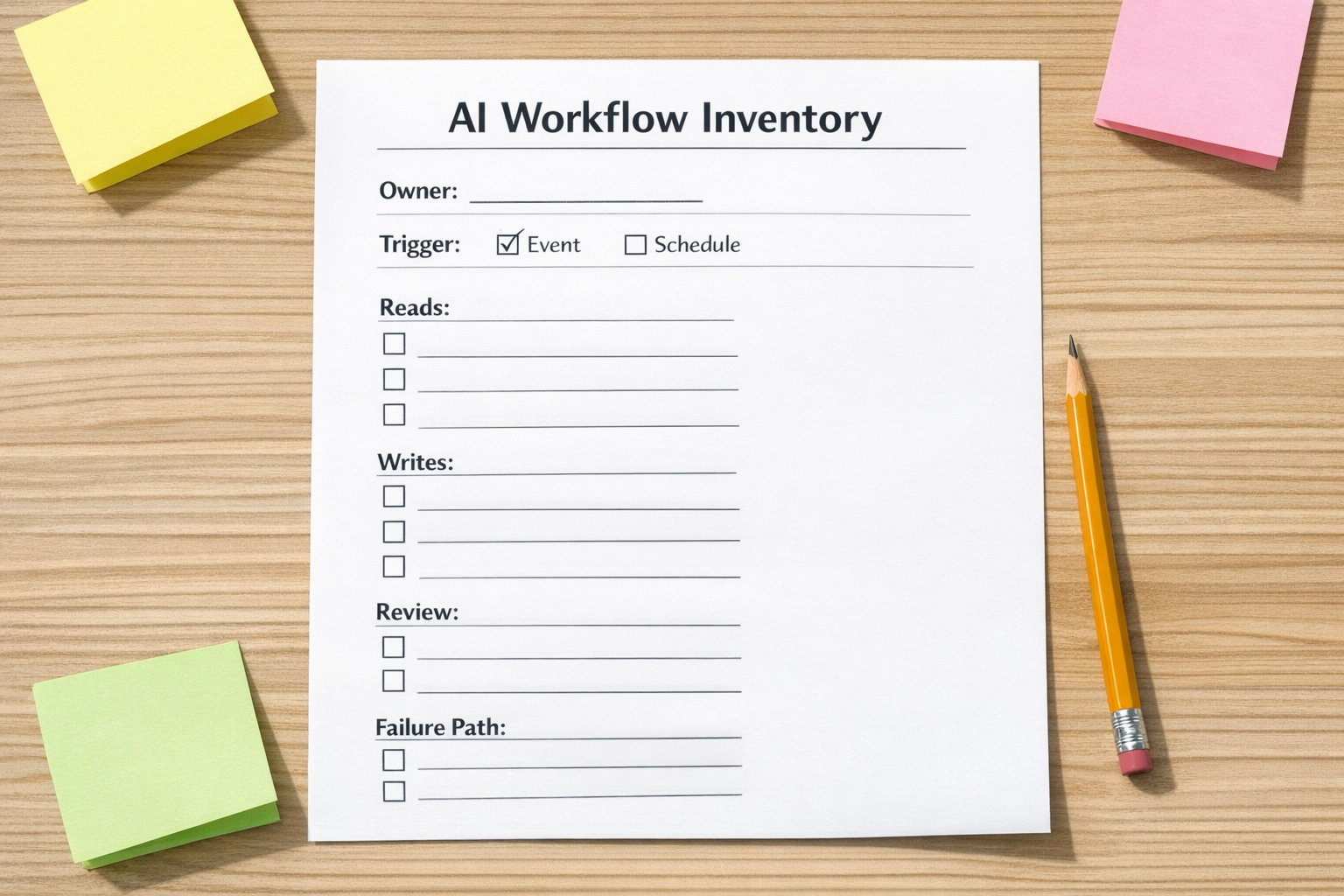
A simple AI workflow inventory template
Start with a simple worksheet or table. For each AI agent, automation, or AI-assisted workflow, document the following fields.
1. Workflow name
Use a plain name that describes the job. For example, “Inbound lead qualification summary” is better than “AI test flow.” Clear names reduce confusion when the number of workflows grows.
2. Owner
Every workflow needs one accountable owner. This is not always the builder. The owner is the person responsible for whether the workflow is still useful, safe, and aligned with the process.
3. Trigger
Write down what starts the workflow. It might be a new form submission, a CRM stage change, a new support ticket, a scheduled run, a Slack message, or a manual button click.
4. Data it reads
List the systems and data types the workflow can access. This might include customer records, order details, ticket history, call transcripts, internal notes, project tasks, or uploaded documents.
5. Systems it can write to
This is one of the most important fields. There is a big difference between an AI step that drafts a recommendation and one that updates the CRM, sends an email, creates a task, changes an order tag, or posts into a customer-facing channel.
6. Credentials and connection method
Document whether the workflow uses a personal login, shared account, OAuth connection, API key, or service account. This matters for maintenance, offboarding, permissions, and troubleshooting.
7. Human review point
Not every workflow needs manual approval, but every workflow should have an intentional decision about review. If the AI output affects a customer, a deal, a support response, or a financial process, be careful about letting it write directly without a check.
8. Failure path
What happens if the AI step fails, returns low-quality output, times out, or receives incomplete data? A good workflow should fail in a way the team can notice and recover from.
Where to look for hidden AI workflows
If you are not sure where AI workflows might exist, start with the tools where business users already build processes.
- CRM systems: lead scoring, summaries, follow-up drafts, enrichment, pipeline updates.
- Automation platforms: Make, Zapier, n8n, and similar tools with AI steps or AI app connections.
- Project management tools: task creation, status summaries, meeting note processing, handoff automation.
- Support tools: ticket summaries, response drafts, routing, sentiment classification.
- Ecommerce operations: order tagging, product content drafts, customer message assistance, fulfillment exceptions.
- Spreadsheets and forms: classification, cleanup, text generation, routing logic.
You are not looking for problems first. You are looking for dependencies. Once the inventory is visible, you can decide which workflows are useful, which need cleanup, and which should be retired.

How to review each workflow
After you build the inventory, review each workflow through three practical lenses.
Usefulness
Is it still solving a real problem? Some automations are built for a temporary need and then quietly remain active. If nobody uses the output, remove or pause it.
Data boundary
Does the workflow only access what it needs? If an AI step only needs a ticket subject and category, it should not receive full customer history by default. Smaller context is often cleaner and safer.
Control level
Does the workflow suggest, draft, update, or decide? These are different levels of authority. A drafting assistant can be fairly low risk. An agent that updates CRM stages, sends customer emails, or changes operational records needs stronger review and clearer ownership.
Make the inventory part of operations
The inventory should not be a one-time cleanup exercise. Add it to your normal operating rhythm. When a new automation is built, it gets added. When a workflow changes, the inventory is updated. When a person leaves the company, workflows tied to their credentials are reviewed.
This can be managed in a simple spreadsheet, a ClickUp list, a Notion page, or your internal documentation system. The tool matters less than the habit.
The goal is not to create paperwork. The goal is to prevent useful automation from becoming hidden operational debt.
A practical starting point
If you are using AI inside workflows today, start with ten items. Find ten automations or agents that use AI, document the owner, trigger, data access, write access, review point, and failure path. You will learn quickly where the gaps are.
From there, you can clean up credentials, reduce unnecessary data access, add human approval steps, rename confusing workflows, and remove anything that no longer serves the process.
Good AI automation should remove work, not create mystery.
If you want help mapping your AI workflows, cleaning up automation logic, or designing safer Make, Zapier, ClickUp, CRM, HubSpot, GoHighLevel, or Shopify operations, ConsultEvo can help you turn invisible workflows into clear, maintainable systems.