


Build the AI Context Before You Build the AI Agent
AI can help a business move faster, but only when it has the right context to work from. Without that context, every new chat or workflow starts from zero. The team explains the business again, pastes the same notes again, corrects the same assumptions again, and wonders why the output still feels generic.
At ConsultEvo, we see this pattern often when businesses want to build AI agents, CRM workflows, content systems, or automation processes. The interest is usually in the tool first. Which AI model should we use? Should this run through Make or Zapier? Can we connect it to the CRM? Can it create tasks in ClickUp?
Those are useful questions, but they are not the first questions.
The first question is simpler: what does the AI need to know every time, without the team having to repeat it?

The hidden cost of repeated explanation
When a team uses AI casually, repeated explanation feels normal. Someone opens a new chat and explains the company, the offer, the customer, the tone, the task, and the goal. The AI gives an answer. The answer is partly useful, partly off. The person edits it, moves on, and repeats the same process later.
This creates a hidden operational cost. It is not just the time spent typing context. It is the review time, correction time, inconsistency, and decision fatigue that follows.
The same issue appears in automation. If a workflow does not know the right lead stages, handoff rules, required fields, customer types, or approval logic, it will create more cleanup work. Automation does not fix unclear operations. It exposes them.
This is why reusable AI context matters. It turns scattered business knowledge into a working foundation that AI can use again and again.
Think of AI context as operational memory
A useful AI setup is not just a clever prompt. It is a small operating environment with memory, rules, examples, and boundaries.
That memory might include your positioning, customer profile, service details, sales process, content voice, internal SOPs, CRM definitions, project workflow rules, and examples of good output. The point is not to upload everything. The point is to give the AI the stable context it needs for the work you expect it to perform.
For a sales workflow, that context may include lead qualification rules, common objections, pipeline stages, and follow-up principles. For a content workflow, it may include brand voice, audience pains, offer notes, and examples of approved posts. For a support workflow, it may include categories, escalation rules, templates, and product limitations.
The better the context, the less guessing the system has to do.
A simple AI context canvas
You do not need to overbuild this. Start with a practical canvas. For most small teams and founder-led businesses, six sections are enough.
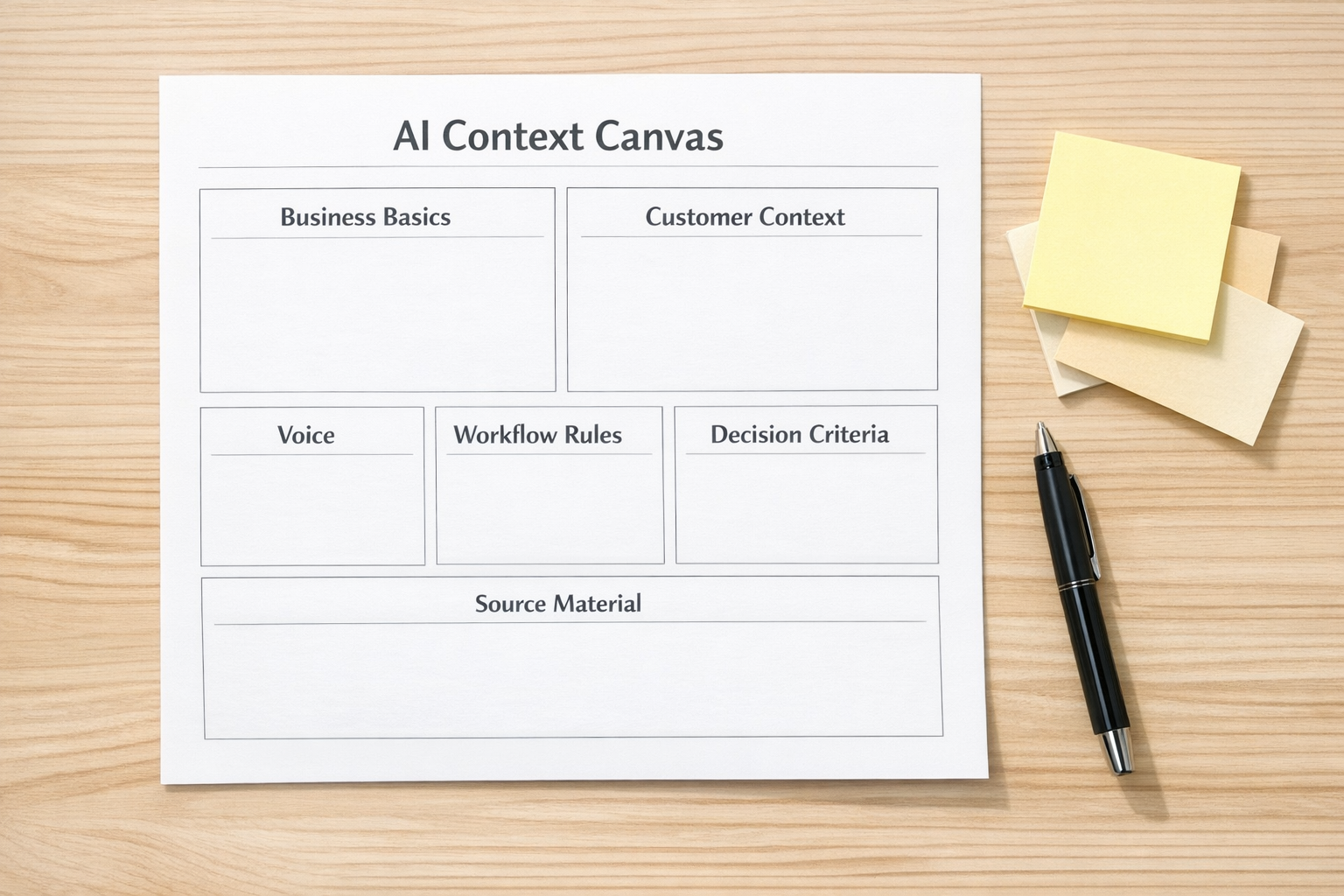
1. Business basics
Document what the business sells, who it serves, what problems it solves, and how the offer should be described. Keep this direct. If your own team would describe the offer three different ways, the AI will too.
2. Customer context
Capture the common pains, questions, objections, goals, and situations your customers bring. This is especially helpful for content, sales follow-up, support triage, and lead qualification.
3. Voice and style
Define how the business should sound. Include examples of good writing and clear notes on what to avoid. This reduces generic output and makes AI-assisted content easier to review.
4. Workflow rules
List the practical rules of the process. What happens first? What fields are required? When does a task get created? Who reviews the output? What should never be automated without approval?
5. Decision criteria
AI is more useful when it knows how you decide. For example, what makes a lead qualified? What makes a content idea worth writing? What makes an automation worth building? What is too risky to automate?
6. Source material
Collect the documents that should guide the work: SOPs, FAQs, service descriptions, onboarding notes, CRM stage definitions, project templates, and approved examples. Keep the source material current, otherwise the AI will inherit old assumptions.
Where this fits before automation
Reusable AI context is especially important before building workflows in CRM systems, ClickUp, Make, Zapier, HubSpot, GoHighLevel, Shopify operations, or support handoff processes.
For example, imagine a lead intake process. A form submission arrives. AI summarizes the request, classifies the lead type, suggests next steps, creates a CRM note, and alerts the right person. That sounds useful, but only if the AI knows your lead categories, service boundaries, disqualification rules, tone, and handoff process.
Without that context, it may create vague summaries, assign the wrong category, or push low-fit leads into the sales pipeline. The automation technically works, but the operation gets messier.
Now imagine the same workflow with clear context. The AI knows the offer types, qualification rules, required fields, and escalation criteria. It can produce a cleaner summary, flag missing information, and route the lead more reliably. The automation removes work because the process was defined before the tool was connected.
A practical implementation path
If you want to use AI in operations, start narrow. Pick one repeatable workflow where the team already spends time copying, pasting, summarizing, reviewing, or re-explaining.
Good starting points include:
- Lead intake and qualification
- Support request triage
- Client onboarding summaries
- Content idea validation
- Weekly project reporting
- CRM note cleanup
- Internal SOP drafting
Once you choose the workflow, map the current process before adding AI. Identify the trigger, required inputs, decision points, output format, review step, and final handoff. Then define the context the AI needs at each step.

Do not automate unclear judgment
One important rule: do not ask AI to make decisions your business has not defined.
If your team cannot explain what makes a lead qualified, AI will not magically know. If your sales stages are messy, AI will not cleanly update the CRM. If your ClickUp structure is unclear, AI-generated tasks will still land in the wrong place. If support escalation rules live only in someone’s head, the workflow will break when edge cases appear.
AI can support judgment, but the business needs to define the judgment first.
Build memory, then rules, then workflow
The best order is simple:
- First, build the memory. Capture the stable business context the AI should reuse.
- Second, define the rules. Clarify decisions, exceptions, approvals, and handoffs.
- Third, build the workflow. Connect the tools, automate the movement of information, and add review points.
This order prevents a lot of cleanup later. It also makes AI outputs easier to trust because the system is not starting from a blank page every time.
The real benefit is operational clarity
The goal is not to make AI sound impressive. The goal is to reduce repeated explanation, manual copy-paste, inconsistent outputs, and unclear handoffs.
When AI has reusable context, it becomes more useful across the business. It can help validate ideas, prepare drafts, summarize client information, classify requests, support CRM cleanup, and assist with workflow planning. But the value comes from the operating structure around it.
If your team is experimenting with AI but still starting from scratch every time, the next step may not be another tool. It may be a better context system.
ConsultEvo helps businesses turn scattered processes into clear workflows, AI-ready context, and practical automation systems. If you want help designing the structure before connecting the tools, we are happy to help.