


Build AI Workspaces Around Workflows, Not Random Prompts

Many teams are using AI more often, but not always with more structure.
The pattern is familiar. Someone opens a chat, explains the business again, pastes a few examples, asks for an output, corrects the tone, adds missing context, then saves nothing. A week later, the same person repeats the same briefing from scratch.
That can still be useful. But it is not a system yet.
If you want AI to remove work instead of creating a new kind of copy-paste routine, the setup matters. Not in a complicated enterprise way. In a simple operational way: the AI needs a clear workspace, a defined job, and the right context for that job.
The blank chat problem
A blank AI chat feels flexible, which is part of the appeal. You can ask anything. You can change direction quickly. You can test ideas without building a full workflow.
But blank chats become inefficient when the work is repeatable.
If your team regularly uses AI for lead qualification, proposal drafting, content repurposing, support triage, CRM cleanup, meeting summaries, or project updates, you should not be starting from zero each time.
Repeated work needs a repeatable environment.
That environment does not have to be complex. It can be a folder, a project, a set of saved instructions, a few reference documents, and a simple review checklist. The goal is to stop re-explaining the same background every time someone needs an output.
Start with one workflow
The most common mistake is trying to create one giant AI setup for everything.
That usually becomes messy. Sales context gets mixed with delivery context. Brand voice rules sit next to internal operating procedures. Examples pile up. Nobody knows which file matters. The AI receives too much context and not enough direction.
A better starting point is one workspace per core workflow.
For example:
- Lead qualification: review form submissions, identify missing information, suggest next steps
- Proposal support: turn discovery notes into a first draft using your offer structure
- CRM cleanup: summarize messy notes and suggest field updates
- Support handoff: classify incoming requests and prepare internal context
- Content repurposing: turn approved long-form content into short posts or email sections
Each workflow has its own purpose, inputs, rules, and quality standard. Keeping those separate makes the AI easier to manage and easier to improve.
What to include in an AI workflow workspace
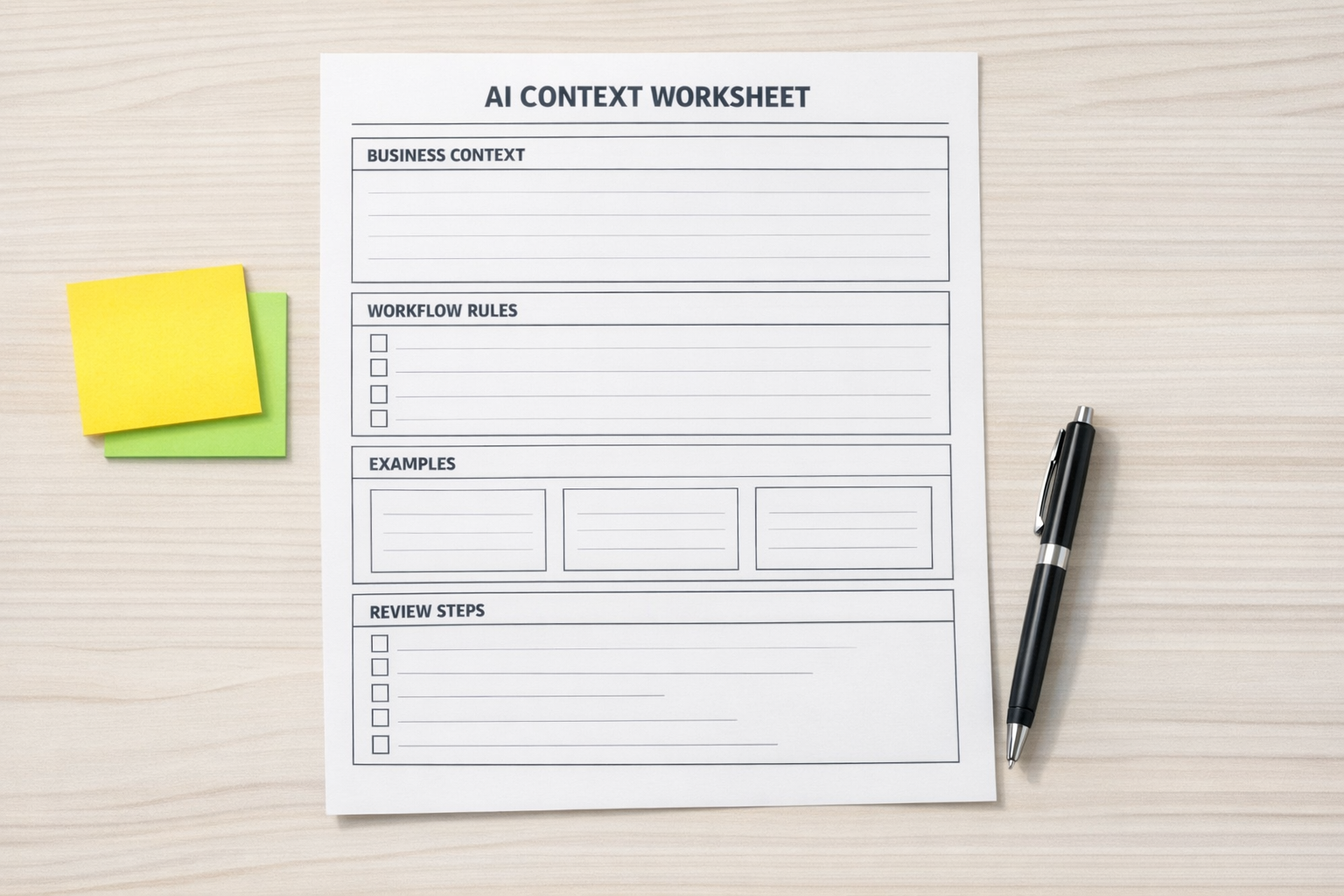
A useful AI workspace should answer a few basic questions before anyone runs a prompt.
1. What is this workflow supposed to do?
Be specific. “Help with sales” is too broad. “Review new inbound leads and prepare a short qualification summary for the sales team” is much better.
The clearer the job, the easier it is to judge whether the AI output is useful.
2. What context does the AI need?
This might include your offer details, customer profile, tone guidelines, internal definitions, service boundaries, and examples of good work.
The key is relevance. More context is not always better. A support triage workflow does not need your full content strategy. A proposal workflow probably does not need every internal SOP.
3. What should the AI avoid?
This is often more valuable than another prompt template.
Document what not to say, what not to assume, what must not be promised, and where the AI should ask for clarification instead of guessing.
For operational workflows, guardrails are not optional. They protect your team from confident but inaccurate output.
4. What does good output look like?
Give examples. Not dozens, just a few strong ones.
If you want CRM notes in a certain format, show that format. If you want proposal sections to sound practical and plainspoken, include a sample. If you want support summaries to include urgency, category, and recommended owner, show one that does it well.
Examples reduce interpretation. They also make it easier to onboard other people into the workflow.
5. Where does human review happen?
AI can draft, classify, summarize, compare, and suggest. But many business workflows still need human approval before the next action happens.
Decide this early. Should a person approve before a CRM field changes? Before a proposal is sent? Before a support response goes to a customer? Before a task is assigned?
The review point is part of the workflow, not an afterthought.
Where automation fits

Once the workspace is stable, automation becomes much easier to design.
For example, a new form submission could trigger a workflow that collects the lead details, asks AI to summarize the need, checks whether required fields are missing, and creates a task for the right person. A support request could be categorized, summarized, and routed. A meeting transcript could be turned into structured CRM notes and a follow-up task.
Tools like Make, Zapier, ClickUp, HubSpot, GoHighLevel, Shopify, and WordPress can all play a role depending on the business. But the tool stack should come after the workflow design.
If the process is unclear, automation will not fix it. It will simply move unclear information faster.
A simple implementation plan
If you want to create your first AI workflow workspace, start small.
- Pick one repeatable workflow that happens every week and creates manual effort.
- Collect the current inputs such as forms, notes, emails, tickets, calls, tasks, or CRM records.
- Define the desired output in a format your team can actually use.
- Create a short context document with business rules, tone, examples, and boundaries.
- Test manually first before connecting automation.
- Add a review step so the team can catch issues and improve the instructions.
- Automate only the stable parts once the workflow is producing consistent results.
This approach is not flashy, but it works. It keeps the focus on reducing real work instead of collecting prompts.
The real value is consistency
AI becomes much more useful when it stops depending on whoever happens to write the prompt that day.
A clear workspace gives the AI stable context. A defined workflow gives it a specific job. A review step keeps quality under control. Automation then connects the pieces so the work moves without constant manual copying and reformatting.
That is the practical path: process first, AI second, automation third.
If your team is experimenting with AI but still doing a lot of manual briefing, copying, cleaning, and handoff work, ConsultEvo can help you turn that scattered usage into a clear workflow. We can map the process, organize the context, and build the automation around the parts that are ready.