

Context Before Automation: The Step Teams Skip Before Using AI
AI tools and automation platforms are getting easier to use. That is useful, but it also creates a new problem: teams can now build the wrong thing much faster.
A workflow can be connected in Make or Zapier in an afternoon. A CRM sequence can be created quickly. An AI agent can draft replies, summarize records, or route requests with very little setup. The speed is exciting, but it can hide the part that matters most.
The system needs context before it needs tools.
When a team skips this step, the first version often feels disappointing. The AI response sounds generic. The automation sends the wrong update. The CRM workflow fires too early. The task appears in ClickUp, but nobody knows whether it is ready to work on. The tool gets blamed, but the tool was only following the unclear rules it was given.
This is why, at ConsultEvo, we usually start with workflow validation before implementation. Not because documentation is exciting. It rarely is. But because it saves a lot of rework later.
Your workflow needs an operating standard
Design teams use brand systems to keep visual output consistent. The colors, typography, spacing, and components are defined before new assets are created. That gives the designer, or the design tool, a clear set of rules.
Operations need the same kind of thinking.
Before you automate a sales handoff, support ticket, lead routing process, fulfillment step, or internal approval flow, the workflow needs an operating standard. This does not have to be a 40-page document. In most small and mid-sized businesses, one practical page is enough to start.
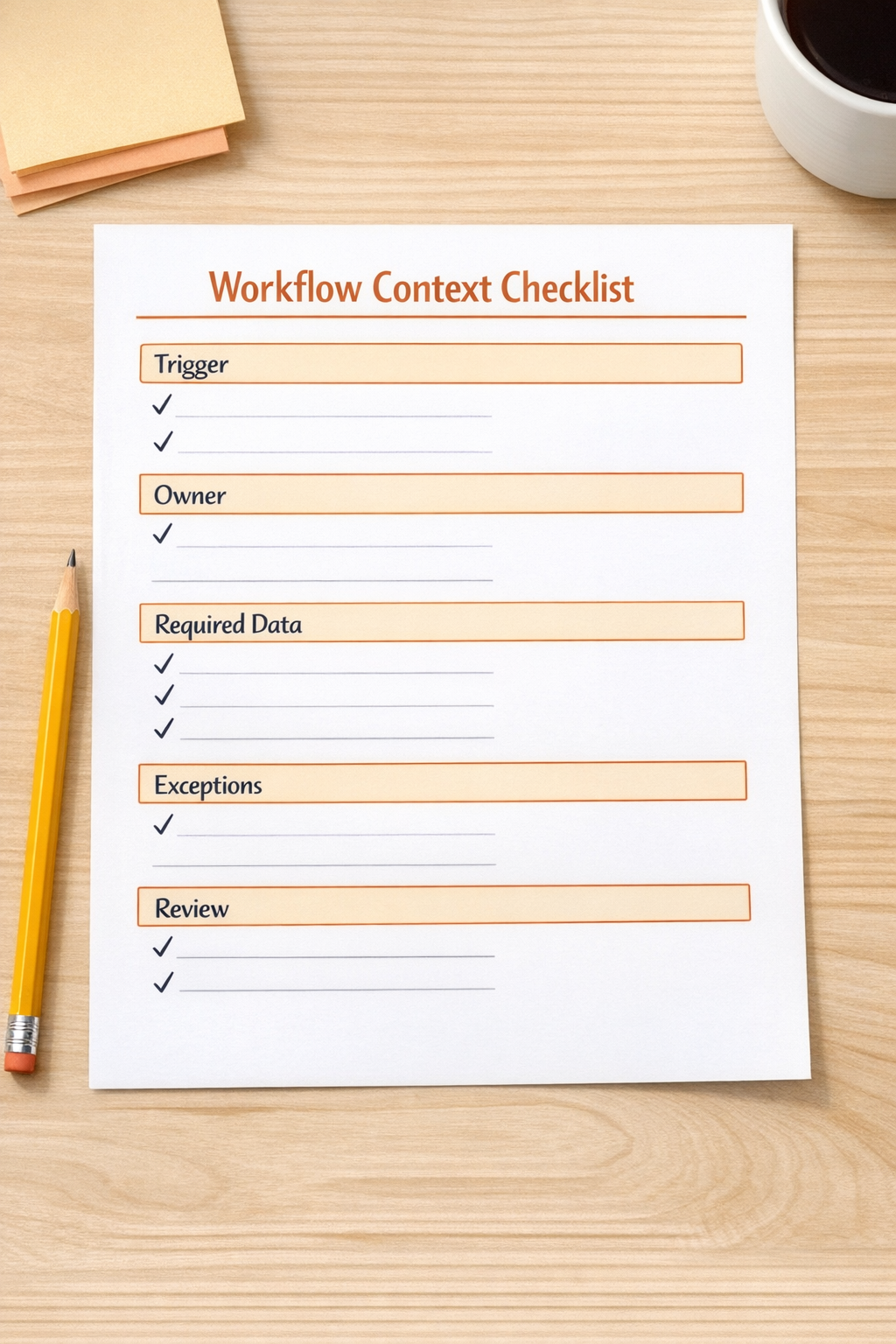
That standard should answer a few plain questions:
- What starts the workflow? Is it a form submission, deal stage change, payment, support message, booked call, or internal request?
- Who owns the next action? A person, a team, a role, or an automated step?
- What data must exist? Which fields are required before the workflow can run safely?
- What should happen when data is missing? Should the system pause, notify someone, create a task, or use a fallback?
- Where is human judgment required? Some steps should not be automated fully, especially when context, tone, risk, or customer value matters.
- What does complete mean? The workflow needs a clear finish line, not just a chain of actions.
These answers become the context layer. Without it, automation is just a sequence of guesses.
The common mistake: testing the tool before defining the process
Many teams start by asking, “Can AI do this?” or “Can Zapier connect these two apps?” Those are fair questions, but they are not the first questions.
The better first question is: “What would the correct process look like if a careful person handled it every time?”
If the manual process is inconsistent, automation will usually make the inconsistency louder. If three salespeople qualify leads three different ways, the CRM workflow will struggle. If support requests are tagged differently by each team member, an AI agent will not have a stable pattern to follow. If project tasks are created without clear definitions of done, ClickUp will become a busier version of the same confusion.
Automation works best when it removes repeatable work from a process that has already been clarified.
A simple workflow validation exercise
Before building the automation, pick one workflow and review the last five real examples. Use actual records, not theoretical ones. Look at five recent leads, five support tickets, five orders, five onboarding requests, or five project handoffs.
For each one, ask:
- What triggered the process?
- Was the trigger reliable?
- Which information was available at the start?
- Which information was missing?
- Who made the first decision?
- Where did the handoff slow down?
- What exception appeared?
- What would have gone wrong if this had been fully automated?
This exercise usually reveals the real automation scope. Sometimes the answer is not “build a full AI agent.” Sometimes the best first step is a cleaner intake form, required CRM fields, a better ClickUp task template, or a simple notification when an edge case appears.
That is not a smaller win. It is often the right win.
Decide what the system should do, pause, and escalate
Good automation design is not only about action. It is also about restraint.
A reliable workflow should define three categories:
- Do automatically: repeatable actions with clear rules, such as creating a task, updating a field, sending an internal notification, or moving a record to the next stage.
- Pause for missing context: moments where required information is absent, such as no budget, no owner, no delivery date, or no customer email.
- Escalate to a human: moments involving judgment, risk, unusual customer language, VIP accounts, refund decisions, or unclear intent.
This is especially important for AI agents. The goal is not to make the agent handle everything. The goal is to remove the work it can handle safely and route the rest with enough context that a person can act quickly.
Build the smallest useful version first
Once the workflow context is clear, implementation becomes much easier. You can build a small version, test it, and improve it without guessing.
For example, instead of building a full sales follow-up agent on day one, you might start with:
- A cleaned-up lead intake form
- Required CRM fields for lead source, service interest, and urgency
- A rule that creates a sales task only when the record is complete
- An AI summary of the inquiry for the salesperson
- A human review step before any external reply is sent
That version is useful, safer, and easier to improve. After it works, you can add more automation with confidence.

Where this applies
This context-first approach works across many operational systems:
- CRM cleanup: define required fields, ownership rules, lifecycle stages, and duplicate handling before adding workflows.
- ClickUp structure: define task types, statuses, owners, dependencies, and definitions of done before creating dashboards.
- Make and Zapier automation: define triggers, filters, fallback paths, and error handling before connecting apps.
- HubSpot and GoHighLevel workflows: define segmentation logic, handoff rules, and suppression conditions before launching sequences.
- Shopify operations: define order exceptions, fulfillment rules, support triggers, and inventory alerts before automating notifications.
- AI agents: define what the agent can decide, what it can draft, what it must not do, and when it should ask for help.
The tools differ, but the principle stays the same. Process before tools. Context before automation.
The practical takeaway
If an AI or automation output feels generic, unreliable, or slightly off, do not immediately assume the tool is the problem. First, check whether the operating context is clear enough.
Have you defined the trigger? The owner? The data requirements? The exceptions? The handoff? The finish line?
When those pieces are clear, the build becomes more focused. The automation has fewer surprises. The AI agent has better boundaries. The team has more confidence in the system because it reflects how the business should actually run.
If you want help turning a messy workflow into a clear automation plan, ConsultEvo can help map, validate, and build practical systems across ClickUp, Make, Zapier, HubSpot, GoHighLevel, Shopify, and custom AI workflows.
Start with the rules. Then build the machine.