

How to Design an AI Concierge That Actually Removes Work
AI concierge experiences are becoming more common because they solve a very practical problem: people need answers, and those answers are often scattered across too many places.
That could mean a visitor trying to understand transport options, a customer checking an order, a sales rep looking for account context, or a team member trying to find the right internal process. The setting changes, but the operational issue is familiar.
The user has a question. The answer exists somewhere. A human usually has to search, interpret, copy, paste, and reply.
This is exactly where AI agents can be useful, but only when the workflow is designed first.
The chatbot is not the system
One common mistake is treating the chatbot as the whole project. A team picks a tool, connects a few documents, writes a friendly greeting, and calls it an AI assistant.
That might be enough for a narrow FAQ. It is not enough for a dependable operational workflow.
A useful AI concierge needs to know what it should answer, where it should look, what it is allowed to do, and when it should stop. Without those boundaries, it can become another messy channel that creates more cleanup for the team.
The better starting point is not, “Which AI tool should we use?”
The better question is, “Which repetitive work should this remove, and what process needs to exist behind it?”
Start with the questions people already ask
Do not begin with every possible use case. Start with the questions your team already handles manually.
For example:
- Where is my order?
- Can I reschedule my appointment?
- Which package is right for me?
- Has this lead been contacted?
- What is the next task on this project?
- Where is the latest SOP?
- Who owns this support request?
These questions are valuable because they show where friction already exists. If a human answers the same question ten times a week, there may be a workflow worth improving.
At ConsultEvo, this is often where we see the clearest automation ROI. Not from a flashy new interface, but from removing the daily lookup work that quietly drains time from sales, support, and operations.
Use a simple planning canvas
Before any build, map the agent on one page. This does not need to be complicated. In fact, it should be simple enough for the business owner, operations manager, and implementer to understand together.
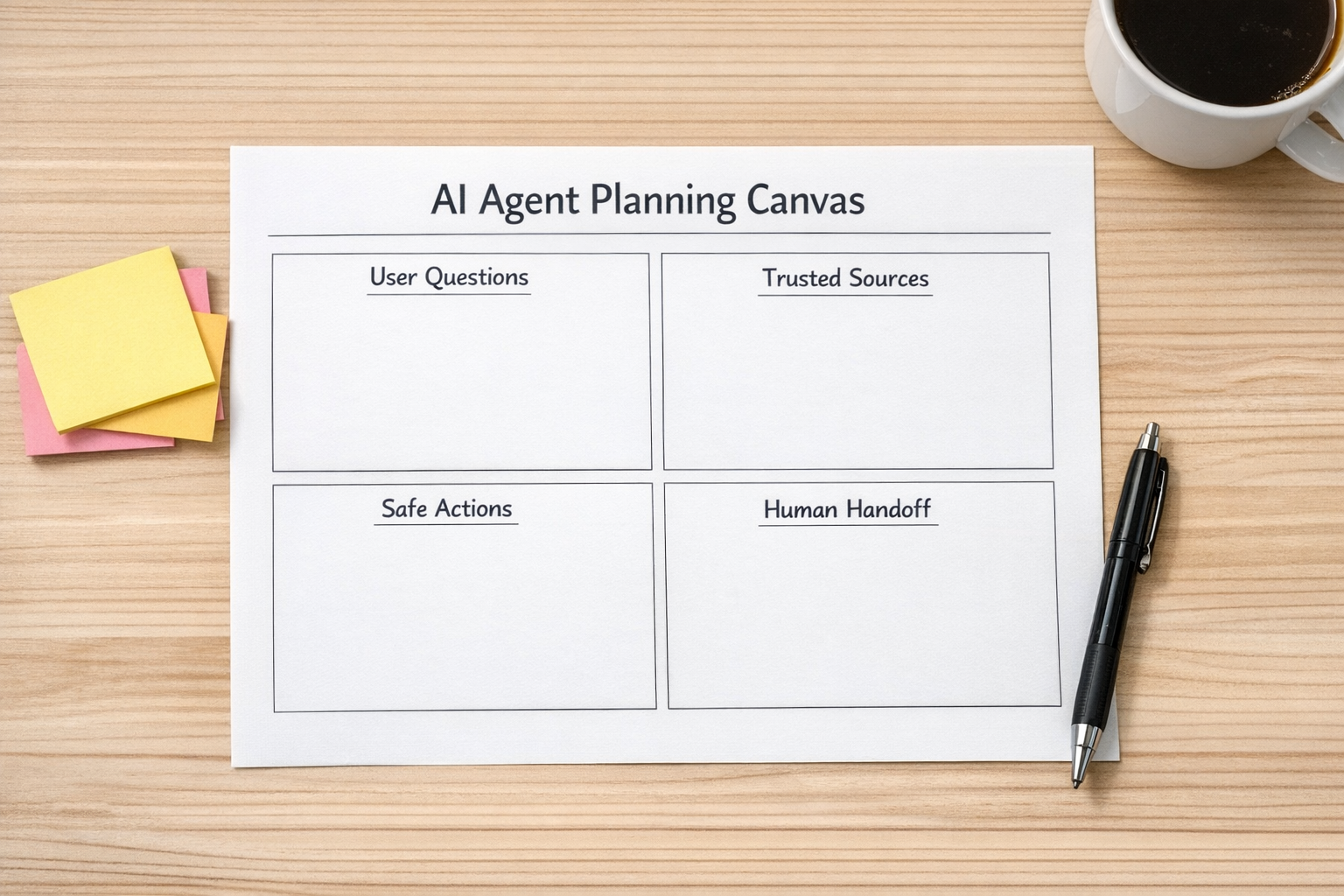
1. User questions
List the top questions the agent should handle. Keep this list narrow at first. A focused assistant is easier to validate than a general assistant that tries to answer everything.
2. Trusted sources
Decide where answers should come from. This could include a CRM, help docs, Shopify order data, ClickUp tasks, HubSpot records, GoHighLevel contacts, internal SOPs, or a structured knowledge base.
This step matters because AI should not guess from outdated or random information. If the source data is messy, the agent will expose that mess very quickly.
3. Safe actions
Define what the agent can do. For example, it might create a support ticket, update a CRM field, summarize a lead, send a confirmation message, or route a request to the right person.
Do not automate sensitive actions too early. Start with low-risk tasks that reduce manual work without creating operational risk.
4. Human handoff
Every agent needs a clear handoff path. The question is not whether humans should be involved. The question is when.
Some requests need judgment, empathy, approval, or negotiation. The AI should recognize those moments and pass the context to the right person instead of forcing the user to repeat everything.
5. Logging and improvement
The agent should leave a trail. What was asked? What answer was given? Was the issue resolved? Was a human needed? Which questions came up repeatedly?
Good logs turn an AI assistant into an operational feedback loop. They show what users need, where documentation is weak, and which workflows should be improved next.
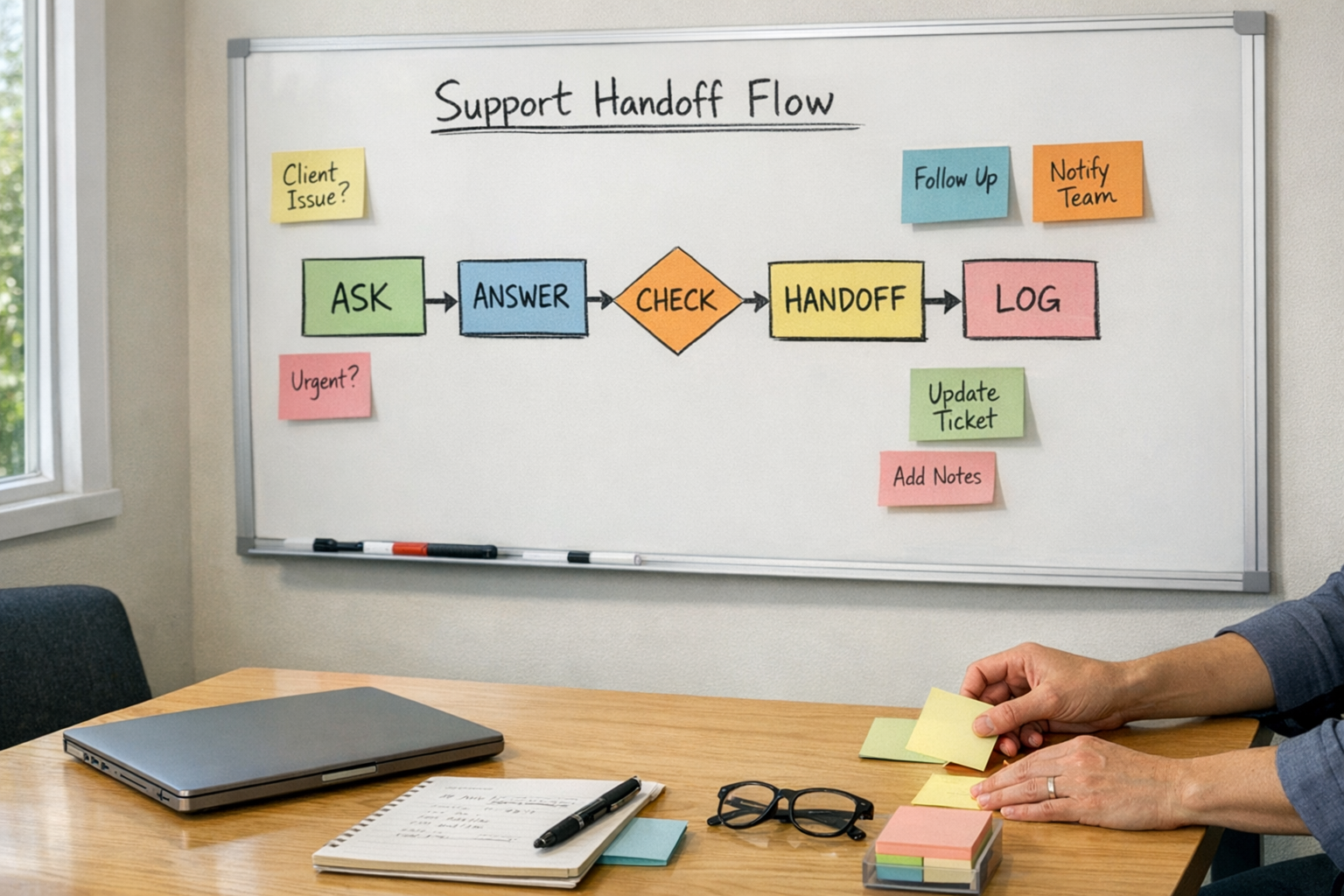
Design the handoff before you need it
Many AI workflows fail at the handoff point. The agent answers a few simple questions, then drops the user into a generic inbox when things get complicated. That is not a real workflow. That is just a delay with nicer wording.
A proper handoff should include context.
- The user’s original question
- Relevant account or order details
- What the agent already checked
- Why the request needs a person
- The recommended next step
This is where tools like Make, Zapier, CRM workflows, ClickUp tasks, and support platforms can create real value. The AI handles the conversation, but the automation moves the work to the right place.
Apply the same pattern across the business
The AI concierge pattern is not limited to travel or customer support. It can be adapted to many business workflows.
Sales
An agent can summarize lead history, identify missing CRM fields, suggest the next follow-up, or prepare a short briefing before a call. The goal is not to replace the salesperson. It is to remove the prep work that gets skipped when the team is busy.
Support
An agent can answer common questions, check order status, classify issues, and create tickets with the right priority. When it hands off to a human, the support rep should receive a clean summary instead of a vague notification.
Operations
An internal agent can help team members find SOPs, understand project status, or locate the owner of a task. This is especially useful when work is spread across ClickUp, email, documents, and chat.
Ecommerce
For Shopify operations, an agent can help with order questions, return instructions, stock-related inquiries, and escalation rules. The key is connecting it to accurate data and defining what it can and cannot promise.
Validate before scaling
Once the first version is built, test it against real scenarios. Use actual questions from customers, team members, or sales conversations. Look for gaps.
- Did it answer from the right source?
- Did it avoid guessing?
- Did it escalate at the right time?
- Did the human receive useful context?
- Did it reduce work, or simply move work somewhere else?
This validation step is where practical automation becomes stronger. It is also where many teams discover that the real problem is not AI. It is unclear ownership, messy CRM data, outdated documentation, or missing workflow rules.
Process first, then tools
An AI concierge can be a helpful front door for customers, leads, visitors, or internal teams. But it should not be built as a novelty. It should be built as part of a clear operating system.
Start with the journey. Map the questions. Clean the sources. Define the safe actions. Design the handoff. Review the logs. Improve from there.
That is how AI agents remove work instead of creating another channel to manage.
If you are considering an AI agent for support, sales, CRM, ClickUp, Shopify, Make, Zapier, HubSpot, or GoHighLevel workflows, ConsultEvo can help you plan the process and build the automation around it.