


Make Your Workflow Readable Before You Add AI

AI tools are changing how people find answers, compare vendors, and make decisions. That shift has created plenty of discussion around content, search, and visibility. But there is another lesson business operators should pay attention to.
AI works best when the source material is clear.
That is true for a website. It is also true for a CRM, a ClickUp workspace, a sales handoff, a support escalation, a Make scenario, a Zapier automation, or an internal AI agent.
If your process only makes sense after a 30-minute explanation from the person who built it, it is not ready for AI. It may not even be ready for a new hire.
The real issue is not the tool
When teams ask for AI agents or automation, the request often sounds like this:
- Can AI handle our inbound leads?
- Can an agent summarize support tickets?
- Can we automate project setup after a deal closes?
- Can we use AI to qualify content ideas?
- Can our CRM update itself?
These are reasonable questions. But the quality of the answer depends on the workflow underneath.
An AI agent cannot reliably qualify a lead if the business has not defined what a qualified lead means. A CRM automation cannot assign ownership cleanly if territories, services, or deal types are unclear. A support handoff cannot improve if nobody agrees what information must be collected before escalation.
The tool is usually not the first bottleneck. The process is.
Readable workflows are easier to automate
A readable workflow is one that a person can understand without needing extra context. It explains what starts the process, what information is required, who owns the next step, what decisions need to be made, and when a human should step in.
Readable does not mean complicated. In fact, it usually means the opposite.
A readable workflow has:
- A clear trigger: What starts the process?
- A defined owner: Who is responsible for the next action?
- Required inputs: What information must be present?
- Decision rules: What determines the path forward?
- A visible next step: What happens after this stage?
- An escalation point: When should automation stop and ask a person?
When these pieces are missing, automation becomes fragile. The system may still run, but it will create exceptions, duplicate work, unclear tasks, and awkward handoffs.
Start with the questions people ask
One of the simplest ways to validate a workflow is to list the questions someone would ask before taking action.
Imagine a new lead enters your CRM. Before anyone follows up, your team probably needs to know:
- Where did the lead come from?
- What service are they interested in?
- How urgent is the request?
- Who should own the conversation?
- Has this person contacted us before?
- What should happen if they do not reply?
If those answers are scattered across email, forms, notes, call transcripts, and someone’s memory, you do not have an automation problem yet. You have a clarity problem.
Automation should come after the answers are easy to locate and trust.
Use a workflow question map
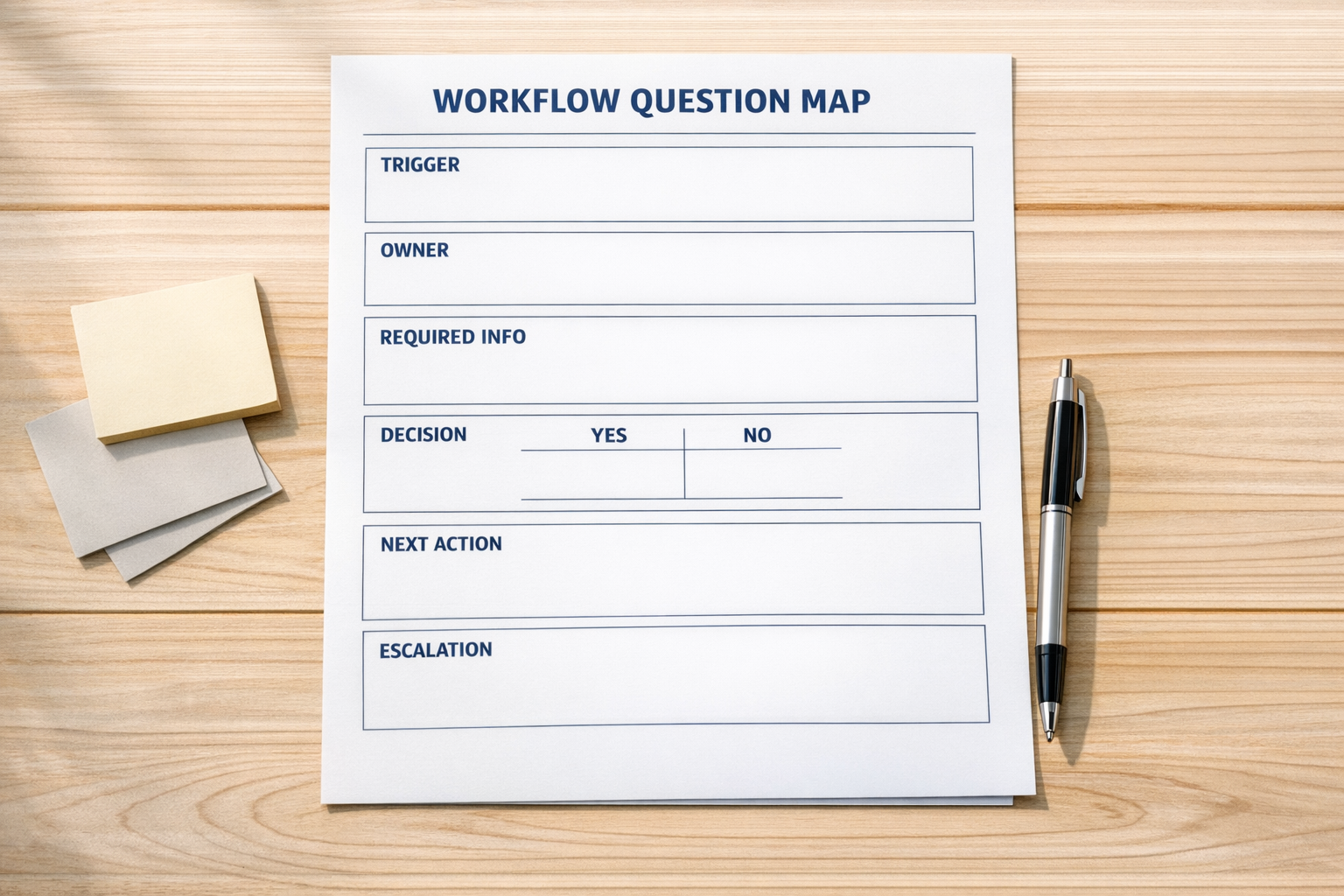
A workflow question map is a practical planning page that connects business questions to system answers.
For each workflow, create a simple table or worksheet with four columns:
- Question: What does the team need to know?
- Answer source: Where should that answer live?
- System action: What should the tool do with that answer?
- Human fallback: What happens if the answer is missing or uncertain?
For example, take the question, “Who owns this new lead?”
The answer source might be a CRM field for service type, region, or deal size. The system action might be an assignment rule. The human fallback might be a task for an operations coordinator when the required field is blank.
This is simple, but it prevents a common mistake: building automation around assumptions that were never made explicit.
Apply the same thinking to AI agents
AI agents need even more clarity because they are often asked to interpret messy inputs. That might include emails, form submissions, call notes, support tickets, order issues, or project briefs.
Before building the agent, define the boundaries.
- What is the agent allowed to decide?
- What should it never decide?
- What information must it check first?
- What should it write back to the CRM or task system?
- When should it escalate to a human?
- What does a good output look like?
Without these rules, teams tend to judge AI by whether it “feels smart.” That is not a reliable operating standard.
A better standard is whether the AI can perform a defined task, using defined inputs, within defined limits, and produce an output your team can trust.
A practical example: sales to delivery handoff

A sales to delivery handoff is a good place to see this in action.
Many teams close a deal, celebrate, then scramble. Delivery needs to know what was promised, when the client expects kickoff, which package was sold, what special requirements exist, and whether anything is still undecided.
If that information lives in call notes and email threads, the handoff depends on interpretation. If you automate too early, you may simply create a project task with missing context.
A readable version of this workflow might include:
- A required deal close checklist in the CRM
- Standard fields for package, start date, scope, and key risks
- An automated project creation step only after required fields are complete
- A ClickUp task template that pulls in the important handoff details
- A notification to delivery with a clear owner and kickoff deadline
- An exception path when required information is missing
Now automation has something solid to work with. The system is not guessing. It is following logic the business has already validated.
Do not skip workflow validation
Workflow validation is the step between “we should automate this” and “let’s build it.” It is where you confirm that the process makes sense before a tool starts repeating it.
A useful validation pass asks:
- Is the trigger specific enough?
- Are the required fields actually required?
- Can the next owner see everything they need?
- Are there edge cases we should not automate?
- Do we know how to measure whether this saves time?
- Will this reduce manual copy-paste, or just move it somewhere else?
This step does not need to take weeks. For many workflows, a focused review is enough to prevent a messy build.
The same lesson applies to content ideas
There is also a useful content angle here. If AI tools are becoming part of how buyers research options, then businesses need to answer specific buyer questions clearly.
That does not mean publishing generic AI-written articles. It means using your real customer experience to answer the questions people ask before they buy.
For ConsultEvo-style work, those questions might be:
- When should we use Make instead of Zapier?
- How should a ClickUp workspace be structured for client delivery?
- What CRM fields are required before automating follow-up?
- How do we prevent AI agents from taking the wrong action?
- What should happen when Shopify orders need manual review?
These are not just content topics. They are operational clarity prompts. If you cannot answer them clearly in public, your internal process may also need work.
Build clarity first, then automation
The best automation projects rarely begin with the tool. They begin with a clear view of the work.
What is happening? Who owns it? What information is needed? What decision is being made? What should the system do? When should a person take over?
Once those answers are clear, AI agents, CRM workflows, ClickUp templates, Make scenarios, Zapier automations, and GoHighLevel workflows become much easier to design.
If your team is considering automation, start by making one workflow readable. Not perfect. Just clear enough that a new person could follow it and an AI system could support it without guessing.
That is usually where the real ROI starts.
If you want help reviewing a workflow before you automate it, ConsultEvo can help map the process, clean up the system logic, and build the right automation around it.
