


How to Use AI in Sales Without Damaging Trust

AI can be useful in sales, but only if it is placed in the right part of the workflow.
The mistake is usually not the tool. The mistake is asking the tool to handle relationship moments before the team has defined the sales process underneath it. When that happens, AI-generated outreach may mention the right company, the right role, or the right pain point, but still feel hollow. It sounds like research was performed without care being applied.
That is a problem because sales is not just message production. It is problem-solving with another person. Trust is part of the operating system.
A better approach is to use AI to remove the admin drag around sales, not to replace the judgment inside sales. AI can summarize calls, organize notes, draft recap emails, prepare context, and help keep next steps from falling through the cracks. The human still needs to decide what matters, what to say, when to push, and when to slow down.
Start With the Process, Not the Tool
Before adding AI to a sales workflow, map the current process. Not the process you wish the team followed. The real one.
Look at a handful of recent opportunities and write down what actually happened from first contact to close, loss, or stall. You may find steps like:
- Lead comes in from a form, referral, event, or outbound message.
- Someone researches the company.
- A discovery call happens.
- Notes are written somewhere, sometimes in the CRM, sometimes elsewhere.
- A proposal or recap is created.
- Follow-up reminders are set manually, or not set at all.
- Questions or objections arrive by email.
- The deal moves forward, stalls, or gets handed off to delivery.
This exercise often reveals the actual automation opportunity. Many teams do not need a more aggressive AI salesperson. They need cleaner notes, better follow-up discipline, and clearer ownership after each conversation.
Separate Busywork From Trust Work
The simplest way to design safer AI sales automation is to split tasks into two categories: busywork and trust work.
Busywork includes low-risk admin and pattern-based tasks. These are good candidates for AI assistance. Examples include call summaries, CRM cleanup, action item extraction, reminder creation, draft recaps, internal handoff notes, and proposal review prompts.
Trust work includes moments where the relationship can change. Discovery questions, pricing concerns, negotiation, delicate objections, pushback emails, and moments of confusion should remain human-led.
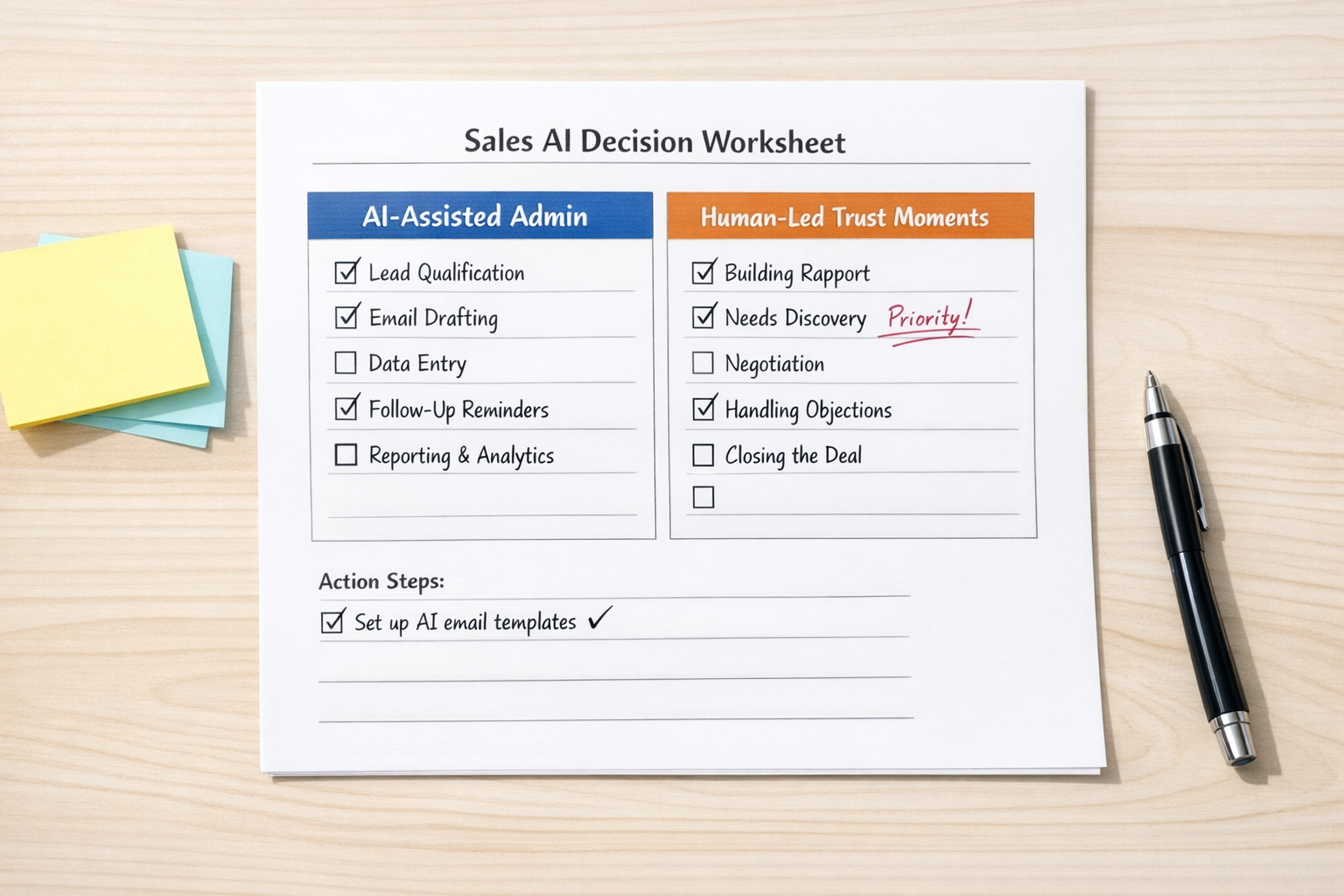
This does not mean AI cannot support trust moments. It can help prepare questions, surface risks, or tighten a draft. But the human should lead the interaction and own the message.
A Practical AI Sales Workflow
A useful starting workflow is simple: call notes, insight extraction, human review, follow-up creation, CRM update, and task reminder.
Here is how that can work in practice:
- Record or capture the sales conversation. Use your approved note-taking or CRM tool.
- Summarize the call. Ask AI to identify what the buyer cares about, objections raised, decision criteria, open questions, and confirmed next steps.
- Review the output manually. Remove anything uncertain, wrong, or overstated.
- Draft a follow-up from verified context. The human provides the substance. AI can help tighten the wording.
- Update the CRM. Add clean notes, next step dates, owner fields, and deal status.
- Create a reminder or task. Make sure the next action does not depend on memory.
This is not glamorous automation, but it is valuable. It reduces missed follow-ups, improves handoffs, and gives the team a clearer picture of what is happening in the pipeline.
Use AI Drafts Carefully
AI-drafted sales communication should be treated as a draft, not the final word.
The risk is not just awkward language. The bigger risk is confident inaccuracy. A message that includes one incorrect detail can make the buyer question whether you were listening. Even if the mistake is small, it can create friction that did not need to exist.
A safer pattern is:
- Write a rough human version first.
- Include only facts you know are true.
- Ask AI to shorten, clarify, or structure the message.
- Tell AI not to add new claims.
- Review the final version before sending.
This keeps the human in control of the substance while still getting the benefit of a cleaner draft.
Design the Handoff After the Conversation
One of the best places to use AI in sales is after the call. This is where a lot of operational leakage happens.
The salesperson may understand the customer perfectly during the conversation, but then the details get scattered across a transcript, a notebook, a CRM note, and a Slack message. Delivery teams receive partial context. Follow-ups depend on memory. The buyer repeats information later. None of this builds confidence.
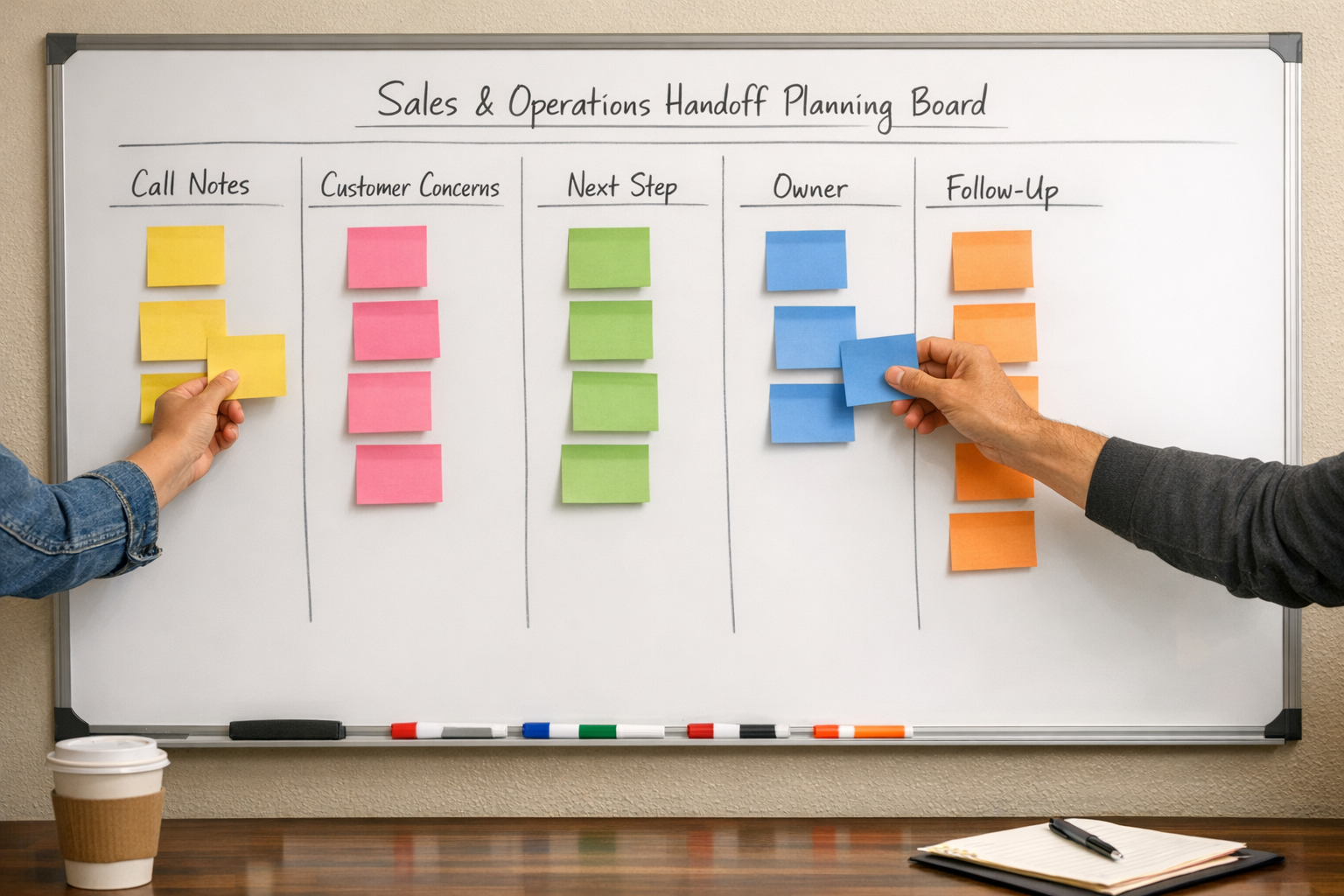
A good AI-supported handoff can turn a conversation into structured operational data:
- Customer priorities
- Risks or concerns
- Decision criteria
- Promised follow-ups
- Internal owner
- Due date
- CRM status
- Delivery notes if the deal closes
This is where tools like CRM workflows, Make, Zapier, ClickUp, HubSpot, or GoHighLevel can be useful. But the workflow design should come first. Decide what must happen after every meaningful sales conversation, then automate the repeatable parts.
Validate Before You Scale
Do not automate the entire sales motion at once. Pick one narrow workflow and validate it.
A good first test is the sales call follow-up workflow. Run it for a small number of calls and check the quality of the output. Ask:
- Did the summary capture the real customer concern?
- Did it invent or overstate anything?
- Did it identify a clear next step?
- Did the CRM update help the team?
- Did the salesperson save time without losing control?
If the workflow passes that test, improve it. If not, adjust the prompts, fields, review step, or automation trigger.
The goal is not to make sales feel less human. The goal is to remove the admin work that prevents the team from being consistent, prepared, and responsive.
A Simple Rule
If the task is repetitive, low-risk, and easy to verify, AI can probably help. If the task changes the relationship, a human should lead.
That rule keeps AI in the right place. It supports the salesperson instead of pretending to be the salesperson. It helps the team follow through without making the customer feel processed.
At ConsultEvo, we help businesses design practical sales and operations workflows around the way their teams actually work. That can include CRM cleanup, AI-assisted call summaries, follow-up automation, ClickUp task flows, Make or Zapier integrations, and cleaner handoffs between sales and delivery.
If your sales process has too much manual copy-paste, too many forgotten follow-ups, or too much CRM clutter, start by mapping the process. The right automation becomes much easier to see after that.