

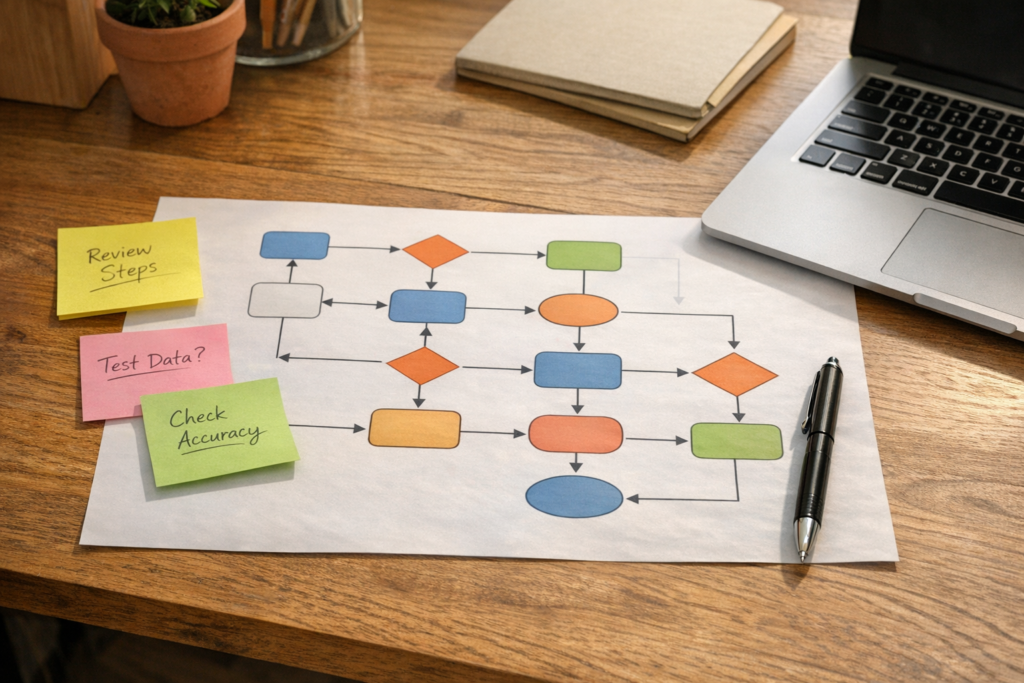
Choosing an AI stack before understanding the workflow usually produces a collection of impressive tools without a reliable operating process. The better sequence is to select one recurring workflow, map how it works today, define the outcome, and test whether AI can remove a specific piece of work.
This approach changes the question from “Which AI platform should we buy?” to “Which workflow is painful enough to measure, structured enough to improve, and safe enough to test?” Once those conditions are clear, tool selection becomes a practical design decision rather than a speculative technology comparison.
The first goal is not full autonomy. It is a more reliable workflow with less manual effort, cleaner data, clearer ownership, or faster handoffs. AI can then be assigned a defined job such as summarizing, classifying, checking, drafting, routing, or creating a structured output.
Why workflow validation comes before tool selection
AI platforms increasingly offer agents, connectors, templates, and access to business data. That makes experimentation easier, but it also makes poor sequencing more expensive. Teams can connect an inbox, CRM, task platform, documents, and spreadsheets before anyone has agreed on what the process should produce.
A tool can execute a badly designed process more quickly. It can also spread incomplete data, create duplicate tasks, send an unclear handoff, or make an unreviewed decision at the wrong point. The central design problem is therefore not whether a tool has an AI feature. It is whether the workflow has a clear business purpose and enough structure for that feature to be useful.
Validate the business state you want to create before automating the activities that lead to it.
For example, “automate sales follow-up” is too broad to test. “After a qualified discovery call, create a reviewed CRM summary, identify missing information, and assign the next agreed action” is specific enough to map, build, and measure.
What makes a workflow suitable for an AI test?
A good first candidate is usually repeated, visible, and limited in scope. It should happen often enough to generate evidence, but not be so critical that an early mistake creates unacceptable exposure. The workflow should also have a clear owner who can confirm whether the new process is actually better.
Look for these characteristics:
- Repeated work: The same type of activity happens regularly, such as preparing briefs, summarizing calls, qualifying requests, or creating handoff records.
- Stable inputs: The workflow receives information from known forms, fields, messages, documents, or system records.
- Recognizable output: The result can be described as a record, draft, task set, classification, recommendation, or approved update.
- Known destination: The output belongs in a specific CRM record, task list, inbox, document, or reporting process.
- Manageable risk: A human can review the result before a consequential decision or external communication is made.
- Measurable friction: The current process creates delays, missing fields, repeated questions, manual copying, inconsistent output, or unclear ownership.
Not every problem that looks like an AI opportunity needs AI. If the main issue is that nobody owns the next step, a responsibility rule may be more valuable than an agent. If the data is incomplete, improving the form or CRM structure may come first. If the process changes every time, standardizing the decision logic may be necessary before automation.
The best first AI workflow is not necessarily the most sophisticated one. It is the one where the current problem, intended output, review point, and success measure can all be stated clearly.
Map the workflow as business states, not just activities
Workflow maps often list activities such as “send email,” “update CRM,” or “create task.” Those actions matter, but they do not explain whether the underlying work has progressed. A stronger map identifies the business state before and after each meaningful transition.
For a new lead, the states might be new inquiry, information required, qualified, discovery scheduled, proposal required, or closed. An automation should move or support a known state transition. It should not simply create activity because an event occurred.
Capture the following information before selecting a platform:
- Trigger: What event starts the process?
- Starting state: What is true about the record or request at the beginning?
- Required inputs: What information must be present before work can proceed?
- Decision points: Which conditions change the route, priority, or owner?
- Actions: What must a person or system do?
- Business state after action: What is now true that was not true before?
- Owner: Who is responsible for progress and exception handling?
- Handoff: Where does the next person receive the work and context?
- Failure condition: What indicates that the workflow is blocked, incomplete, or unsafe?
This distinction is important because AI is often good at transforming information, but it should not be expected to invent missing process logic. The workflow owner still needs to define what counts as complete and what happens when the expected information is absent.
A CRM stage should represent a meaningful business state, not simply an activity someone performed.
Give AI one defined job
Once the workflow is mapped, assign AI a narrow responsibility. A defined job includes the input it can access, the transformation it should perform, the format of its output, and the point at which a person reviews or approves that output.
Transform and prepare
Summarize a call, extract requirements from a request, identify missing CRM fields, classify an inquiry, draft a project brief, or prepare a proposed next action.
Own an entire function
Run sales, manage operations, handle marketing, or make decisions without clear criteria, ownership, review points, and exception handling.
Defining the job also clarifies what the AI should not do. It may draft a response but not send it. It may identify a likely lead category but not change account ownership. It may create proposed tasks but not alter delivery commitments without approval.
Use a simple validation sequence
A small validation sequence keeps the first test focused. It also creates a decision record that can be reused when the workflow expands.
This sequence is deliberately smaller than an enterprise AI program. Its purpose is to establish whether the workflow deserves further investment. If the process cannot be explained at this scale, adding more tools will usually make the ambiguity harder to see.
Design ownership and human review explicitly
Human review should not be an informal instruction to “check the AI.” It should be part of the workflow design. Define the reviewer, the review criteria, the response to an error, and the point at which responsibility moves to the next owner.
Consider a hypothetical campaign briefing process. A request form creates a draft brief from known customer and campaign information. AI can summarize the request, identify missing inputs, and suggest a task list. The marketing owner still confirms the objective, the delivery owner confirms feasibility, and the final brief is approved before work begins. The automation supports preparation and routing, but ownership of the business decision remains visible.
In a CRM workflow, AI might prepare a discovery summary and flag a missing budget field. The sales owner reviews the summary, corrects any errors, and decides whether the opportunity should move forward. The system should not treat the existence of a generated summary as proof that qualification is complete.
AI can prepare a decision, but the workflow must still identify who owns the decision.
Measure the workflow, not just the model
A pilot should evaluate operational improvement rather than output novelty. A fluent draft is not automatically a useful result. The relevant question is whether the process now creates a better business state with less avoidable effort.
Choose a small number of measures that match the workflow. Useful measures may include:
- Time from trigger to completed handoff
- Percentage of records with required fields present
- Number of clarification messages needed to continue
- Rework created by incomplete or incorrect outputs
- Time spent preparing a recurring report or brief
- Percentage of outputs accepted after review
- Number of items without a visible owner or next action
Do not assume that speed is always the primary outcome. A slower process with complete information and clear accountability may be better than a fast process that creates downstream cleanup. The measure should support a decision: continue, adjust, stop, or expand the workflow.
Choose the AI stack after the workflow is understood
Tool selection becomes more grounded once the workflow requirements are known. A CRM-heavy process may require stronger record structure and pipeline logic. A task-heavy process may depend on ownership, dependencies, and reporting. A multi-application process may need an integration layer such as Zapier. A workflow involving customer or operational data may require careful access rules and review controls.
These are design considerations, not reasons to select a particular vendor in advance. The right stack may be one platform, several connected systems, or a modest automation with no agent at all. For example, teams reviewing their CRM architecture and automation may discover that field definitions and ownership rules need attention before AI is added. A workflow centered on tasks and handoffs may benefit more from ClickUp workspace architecture than from another standalone AI tool. Where the process genuinely needs app-to-app movement, Zapier workflow automation may provide the required integration layer.
The stack should serve the validated workflow. It should not become the workflow.
- The workflow has a named owner.
- The trigger and completion state are unambiguous.
- Required inputs and exception paths are documented.
- AI has one defined job and a known output format.
- A human review point exists where risk requires it.
- The result is stored in the system where the next action belongs.
- The team has a measure for deciding whether to continue.
What a successful first workflow proves
A successful pilot does not prove that the business needs an AI agent everywhere. It proves something narrower and more useful: that a defined process can produce a better outcome with an appropriate combination of data, logic, automation, AI, and human ownership.
That evidence can guide the next decision. The workflow may be ready for a wider rollout. It may need better data capture. It may require a clearer approval rule. Or it may show that a simple automation is enough and that an AI component would add unnecessary complexity.
The practical discipline is to keep testing tied to business states and measurable work. Validate one workflow, assign AI a specific job, protect the important decisions with visible ownership, and choose tools only after those requirements are clear. More tools do not automatically create a better operating system. A reliable workflow does.
Frequently asked questions
What does it mean to validate an AI workflow?
It means documenting how a recurring process works, defining its intended output and ownership, testing one targeted improvement, and comparing the result with the existing process.
Which workflow should a business test first with AI?
Choose a recurring workflow with stable inputs, a recognizable output, visible friction, manageable risk, and a clear owner who can review the result.
Should AI fully automate the first workflow?
Usually not. A first workflow should often use AI for a defined task such as summarizing, classifying, checking, drafting, or routing, with human review where decisions or risk require it.
How do you measure whether an AI workflow worked?
Measure outcomes that match the process, such as completion time, data completeness, handoff speed, rework, clarification messages, review acceptance, or unowned work.
Why should process come before choosing an AI platform?
The process determines the required data, integrations, decision rules, ownership, review points, and output. Without that information, platform selection tends to focus on features rather than operational fit.
Turn a Process Problem Into a Testable Workflow
If a workflow is creating manual work, unclear handoffs, or unreliable data, ConsultEvo can help map the process, define the decision logic, and select automation or AI only where it serves a clear operational outcome.