


Validate the Workflow Before You Automate It

Automation works best when it is built on top of a real pattern.
That sounds obvious, but it is one of the most common places businesses get stuck. A founder, manager, or department lead sees a manual task and immediately thinks, “We should automate this.” Sometimes they are right. Other times, the task is annoying but not frequent, not clear, not valuable, or not ready.
The difference matters.
If you automate a validated workflow, you remove work, reduce errors, and create operational clarity. If you automate an unclear workflow, you often create a faster version of the same confusion. The tool may run perfectly, but the process still breaks because the inputs, decisions, ownership, or exceptions were never defined.
Before building in Make, Zapier, ClickUp, HubSpot, GoHighLevel, Shopify, or any AI agent stack, it is worth asking a simpler question: has this workflow earned automation?
Good automation ideas usually come from repeated behavior
The best workflow opportunities are rarely discovered in a strategy meeting. They usually show up in repeated actions.
For example:
- A sales rep copies the same lead details from a form into the CRM every day.
- A support person answers the same status question from customers every week.
- An operations manager rebuilds the same report every Friday.
- A project manager manually reminds the same people about the same missing fields.
- A Shopify team checks the same order conditions before sending the same internal message.
These repeated behaviors are signals. They show where the business is already paying a hidden operational tax.
That tax might be time. It might be errors. It might be slow response times. It might be inconsistent handoffs between sales, fulfillment, support, and finance. Whatever the cost is, repetition gives you evidence that the workflow may be worth improving.
The trap: starting with the tool
Tools are useful, but they are not the starting point.
When a team starts with the tool, the conversation sounds like this:
- Can we connect this form to the CRM?
- Can AI reply to this message?
- Can Zapier move this data?
- Can ClickUp create a task automatically?
- Can HubSpot trigger an email?
These are valid questions, but they are second-step questions. The first step is understanding the workflow.
A better set of questions is:
- What starts this process?
- What information is required before anything should happen?
- Who owns the next step?
- What decision needs to be made?
- What should be automated every time?
- What should stay human because judgment is involved?
- What should happen when the data is incomplete?
Without these answers, automation becomes guesswork. And guesswork is expensive, even when the software itself is cheap.
A simple workflow validation sheet
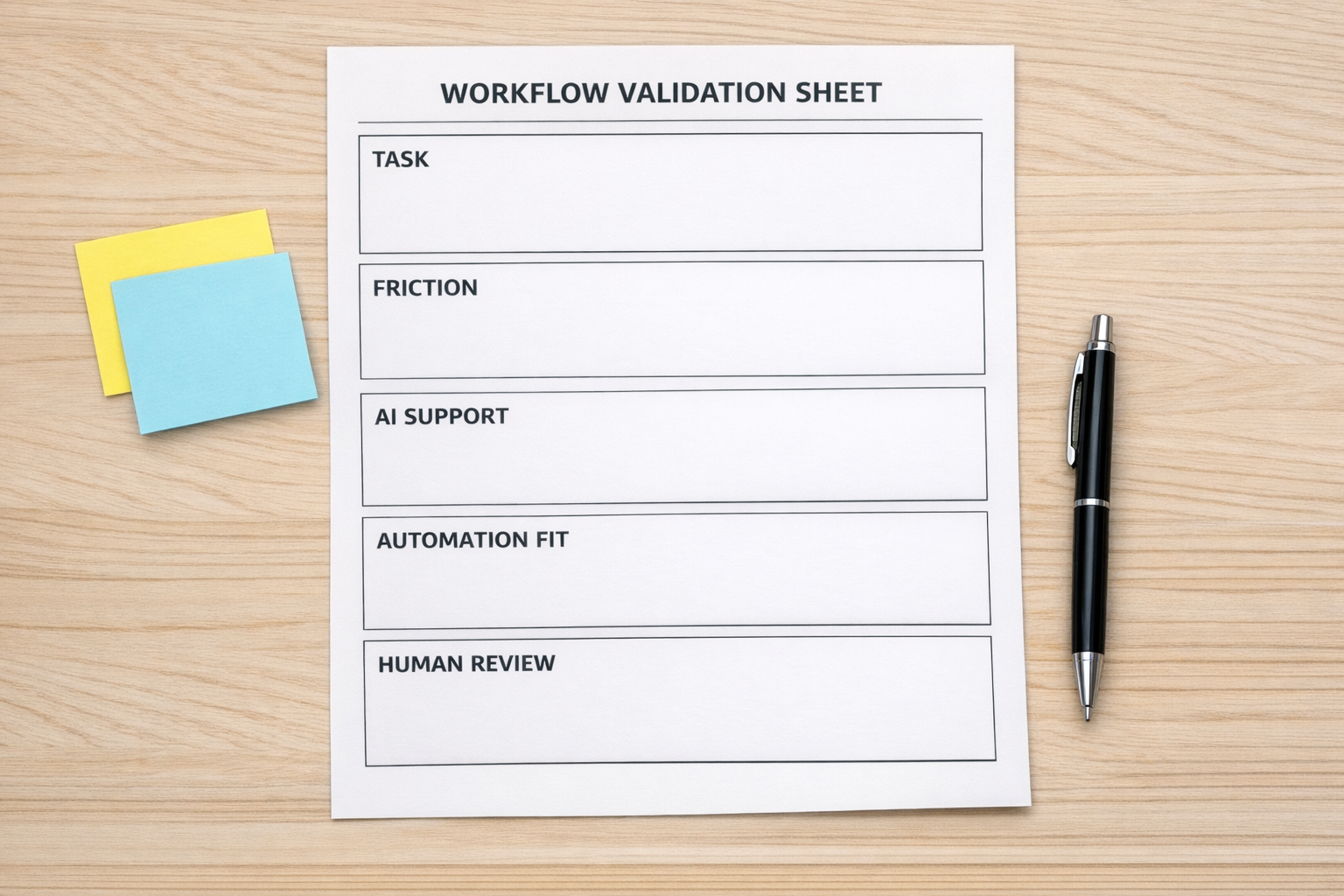
Before building an automation, map the workflow on one page. It does not need to be fancy. In many cases, a simple worksheet is better than a complicated diagram.
Use these five sections:
- Trigger: What exact event starts the workflow?
- Input: What data, file, message, form, or field is required?
- Decision: Does anything need to be checked, approved, scored, routed, or filtered?
- Owner: Who is responsible if something fails or needs review?
- Next step: What should happen after the workflow runs?
This simple structure quickly exposes weak spots. If you cannot define the trigger, the workflow is not ready. If the required data is inconsistent, the first project may need to be CRM cleanup or form redesign. If nobody owns exceptions, the automation will eventually become a pile of unresolved edge cases.
The five-part automation readiness filter
Once the workflow is mapped, test it against five practical criteria.
1. Frequency
Does this happen often enough to justify building and maintaining automation? A task that happens once per quarter may not need a complex workflow. A task that happens every day probably deserves a closer look.
2. Clarity
Are the steps predictable? Automation does not require every situation to be identical, but it does need clear rules. If every case is handled differently, you may need to standardize the process before automating it.
3. Value
What improves if this work is removed or reduced? Look for saved time, fewer errors, faster replies, cleaner CRM data, better handoffs, or less manual copy-paste. If there is no clear value, pause.
4. Risk
What could go wrong if this runs automatically? Some workflows need approval steps, review queues, error alerts, or human checks. Good automation design includes guardrails.
5. Ownership
Who is responsible for the workflow after launch? Every automation needs an owner. Someone should know what it does, when it runs, how to check it, and what to do when an exception appears.
Where AI agents fit
AI agents can be very helpful when the workflow has clear boundaries. They can classify requests, draft replies, summarize notes, check records, prepare tasks, and route information to the right place.
But AI should not be used as a cover for an unclear process.
If the business does not know how a request should be handled, an AI agent will not magically create operational clarity. It may produce an answer, but that answer may not match your internal rules, customer promise, or handoff process.
A better approach is to define the workflow first, then decide where AI can safely remove work. For example, an AI agent might summarize an inbound request, identify missing information, and prepare a draft response. A human can still approve sensitive decisions. This gives you time savings without giving up control.
Planning the implementation

After validation, implementation becomes much easier. The tool choice becomes a practical decision instead of a guessing exercise.
- If the issue is task ownership and visibility, ClickUp structure may be the right focus.
- If the issue is moving data between apps, Make or Zapier may be appropriate.
- If the issue is lead routing or customer follow-up, HubSpot or GoHighLevel workflows may help.
- If the issue is order operations, Shopify automation and internal alerts may be useful.
- If the issue is repetitive interpretation or drafting, an AI agent may remove meaningful manual work.
The point is not to use fewer tools. The point is to use the right tool after the workflow is understood.
A practical rule for founders and operators
Do not automate a complaint. Automate a pattern.
A complaint tells you where to look. A pattern tells you where to build.
When you notice repeated questions, repeated copy-paste, repeated handoffs, repeated status checks, or repeated cleanup work, pause and map the workflow. Validate the trigger, inputs, decisions, owner, and next step. Then choose the simplest system that removes the work without creating new confusion.
That is how automation becomes useful operational infrastructure instead of another fragile layer in the business.
If you have a workflow that feels ready for automation but you are not sure how to structure it, ConsultEvo can help you map the process, validate the logic, and build the right system across ClickUp, Make, Zapier, HubSpot, GoHighLevel, Shopify, WordPress, and AI agent workflows.