


Your AI workflows are becoming business infrastructure
When a team first starts using AI, the work often begins in a casual way. Someone writes a useful prompt. Someone else saves a better version. A manager creates a checklist for reviewing AI output. A salesperson builds a follow-up template that works well enough to share.
None of this feels like infrastructure at the beginning. It feels like experimentation.
But after a few weeks, those prompts and playbooks start influencing real work. They shape client emails, sales handoffs, support replies, CRM notes, project briefs, task descriptions, reporting summaries, and internal decisions.
At that point, they are no longer random documents. They are operational assets.

The hidden problem: version confusion
The common failure point is not usually the AI tool itself. It is version control.
One team member improves a prompt and saves it locally. Another keeps using the previous version from a shared drive. A freelancer receives a copied document through email. A new hire asks where the approved workflow lives, and three people send three slightly different links.
This is how teams end up with inconsistent outputs even when everyone thinks they are following the same process.
You see it in marketing prompts, CRM cleanup rules, sales email frameworks, support macros, ClickUp templates, Make and Zapier documentation, client onboarding instructions, and approval checklists. The format changes, but the problem is the same: the team does not have one current version.
The rule: reusable work needs a controlled home
A simple operational rule solves a lot of this:
If the team uses it repeatedly, it needs ownership, structure, history, and one approved home.
This does not mean every business needs a complex technical setup. For some teams, the right home might be a structured ClickUp Doc. For others, it might be a private repository, a controlled Google Drive folder, a CRM playbook library, or a dedicated operations workspace.
The tool is secondary. The operating rule matters more.
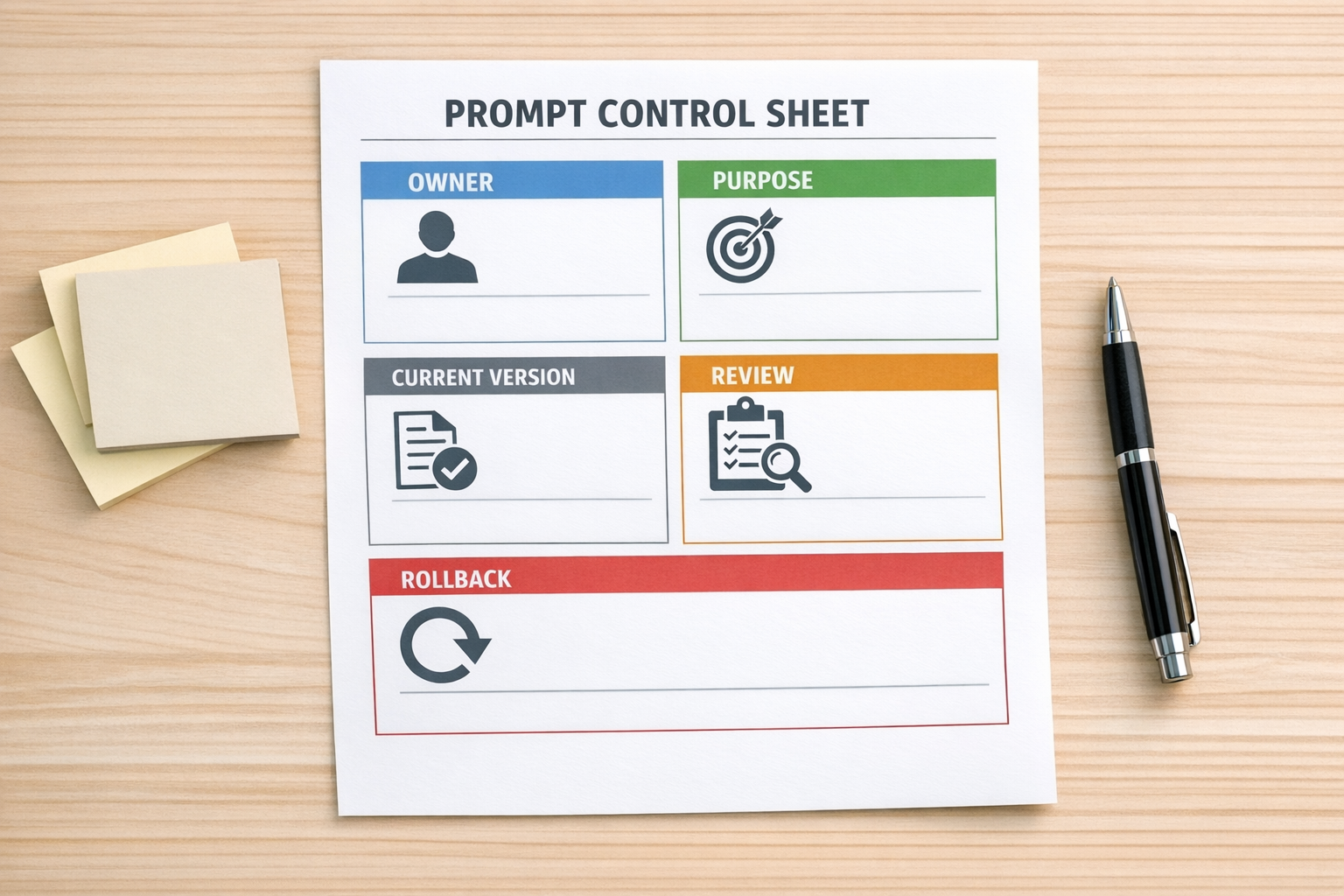
Every reusable AI or automation asset should answer these questions:
- Who owns this? One person or role should be responsible for keeping it current.
- What task does it support? A prompt or template should be tied to a specific business process.
- Where is the approved version? The team should not have to guess.
- How are changes reviewed? Not every edit should instantly become the standard.
- Can we roll back? If the new version performs worse, the old one should be easy to recover.
Why this matters more with AI
Traditional process documents often sit in the background. AI prompts are different because teams run them again and again. A small change can affect dozens of outputs quickly.
If your sales follow-up prompt changes, the tone of outbound communication may change. If your support summary instruction changes, CRM notes may become more or less useful. If your project brief template changes, task quality can shift across the team.
This is why AI work needs more operational discipline than many teams expect. Not more bureaucracy, just clearer control.
A practical setup for small teams
If your AI assets are currently scattered, start small. Do not build an elaborate system on day one. Build a reliable one.
1. Create a single library
Choose one place for approved prompts, workflows, templates, and playbooks. Name it clearly. Make it boring and obvious. The best system is the one a new person can understand without a meeting.
2. Group assets by business function
Use categories that match how your team works. For example:
- Sales follow-up
- Support replies
- CRM notes
- Client onboarding
- Content production
- Reporting summaries
- ClickUp task templates
- Automation documentation
Avoid clever naming. If people cannot find the current version, the structure is not working.
3. Add an owner to each asset
Ownership prevents silent decay. A prompt without an owner becomes stale. A workflow without an owner becomes risky. A CRM rule without an owner becomes tribal knowledge.
The owner does not need to approve every tiny change forever, but they should be responsible for quality and clarity.
4. Separate drafts from approved versions
This is important. Teams need room to test improvements without confusing everyone.
Keep experimental prompts and process updates separate from the approved version. Once a change is tested, reviewed, and accepted, then it becomes the current standard.
5. Document what changed and why
A short change note is enough. You do not need a formal report. Something like, “Updated support summary prompt to include next action and owner,” is useful because it gives context later.
When a workflow breaks or output quality drops, change notes help you understand what happened.
Where automation fits
This same thinking applies to automation design. A Make scenario, Zapier workflow, HubSpot workflow, GoHighLevel pipeline, or ClickUp automation should not exist as a mysterious black box.
Before you automate, define the process. After you automate, document the current version. When you improve it, record what changed.
The better sequence is:
- Map the workflow
- Validate the handoff
- Define the owner
- Document the source of truth
- Build the automation
- Test the failure points
- Review and improve the workflow over time

AI does not remove the need for process
AI can remove manual work, but it does not remove the need for operational clarity. In fact, it makes unclear operations more visible.
If three people are using three versions of the same prompt, AI will produce three versions of the process. If your CRM rules are unclear, AI summaries will be inconsistent. If your handoff process is vague, automation will move vague information faster.
The teams that get the most value from AI are usually not the teams with the longest prompt library. They are the teams that know which prompts are approved, who owns them, where they live, and how they improve.
A simple starting point
This week, choose one repeated workflow. It might be a sales follow-up, a support handoff, a content brief, a CRM note format, or a client onboarding checklist.
Then do five things:
- Put the approved version in one clear location
- Name an owner
- Add a short purpose statement
- Create a draft area for improvements
- Write down how updates become approved
That small move creates a source of truth. From there, you can decide whether the workflow should become a ClickUp template, CRM process, AI agent instruction, Make scenario, Zapier automation, or internal SOP.
Process before tools is not a slogan. It is how you prevent automation from scaling confusion.
If your team is building AI prompts, agents, CRM workflows, ClickUp systems, or Make and Zapier automations, ConsultEvo can help you organize the process first, validate the workflow, and then build the system around it.