


How to Design an AI Agent That Actually Removes Work

There is a big difference between an AI agent that looks impressive in a demo and an AI agent that a team trusts every day.
The demo version often does a little bit of everything. It reads messages, writes replies, updates tasks, summarizes meetings, checks a CRM, and maybe sends a notification somewhere else. It feels powerful because it touches many tools.
In real operations, that same freedom can become a problem. If the agent updates the wrong record, sends a message too early, creates duplicate tasks, or makes unclear decisions, the team has to spend time checking its work. At that point, the agent is not removing work. It is creating a new supervision layer.
The practical approach is simpler: design the job before designing the automation.
Start with the role, not the tools
Before building in Make, Zapier, ClickUp, HubSpot, GoHighLevel, or any other operational system, define the agent’s role in plain business language.
A vague role sounds like this:
- Manage sales leads
- Handle support requests
- Keep projects updated
- Act as an AI assistant for operations
Those ideas are too broad. They leave too much room for interpretation, which is exactly where automation becomes risky.
A useful role sounds more like this:
- Review new inbound leads and identify missing CRM fields
- Draft a first response for human review
- Create a follow-up task when a lead has not been contacted
- Summarize a support request and route it to the right queue
- Check project tasks each morning and flag overdue client-facing items
That level of detail makes the agent easier to build, easier to test, and easier for the team to understand.
Define the operating boundaries
An AI agent should have boundaries just like a human team member has responsibilities, permissions, and escalation rules.
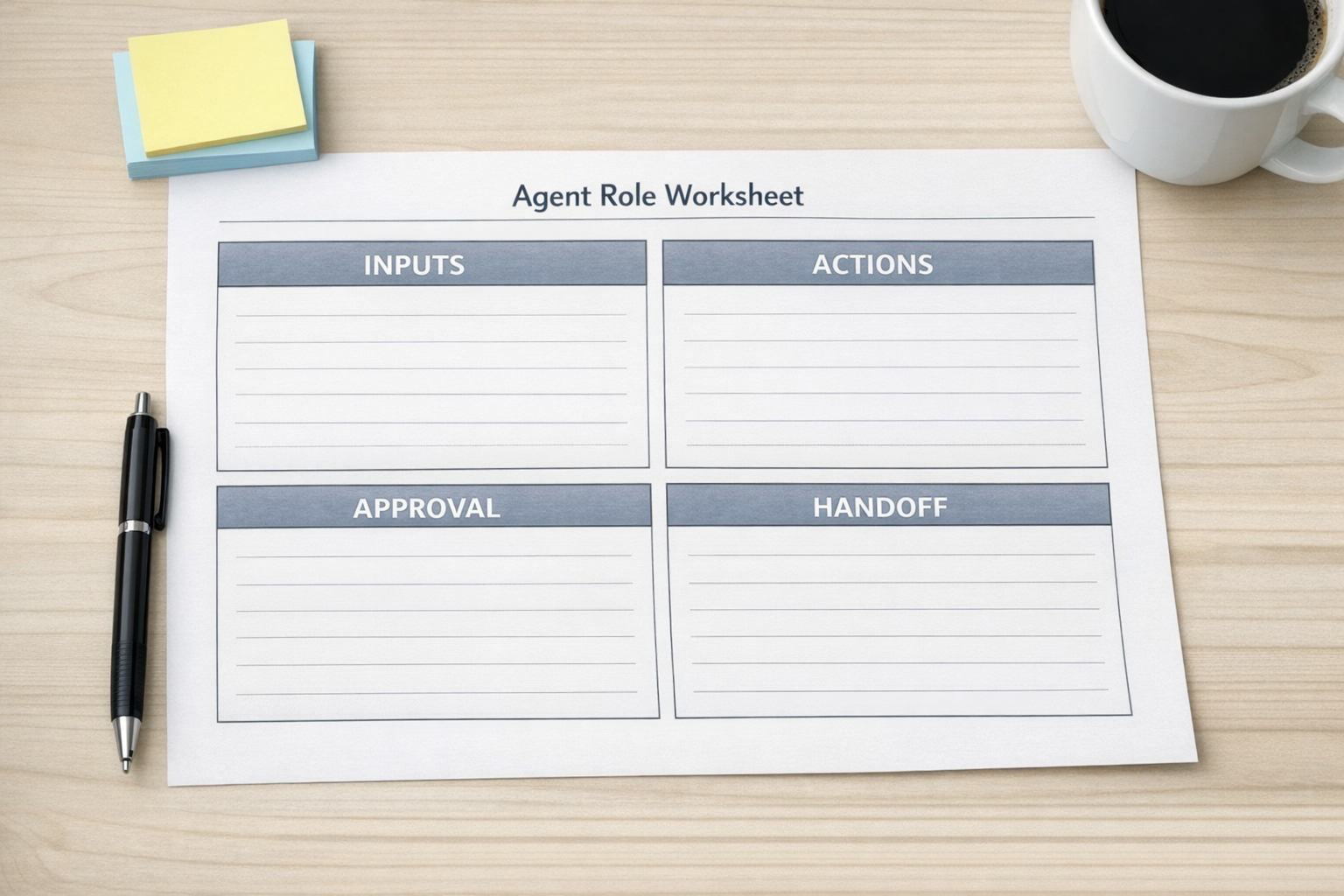
For most business workflows, the boundaries can be designed around four questions:
- What can the agent read? This might include form submissions, CRM records, support tickets, ClickUp tasks, emails, order details, or internal notes.
- What can the agent decide? For example, it may classify a request, detect missing information, or choose a routing path based on clear rules.
- What can the agent change? This could include creating tasks, updating CRM fields, adding notes, drafting messages, or moving a record to a new stage.
- When must it stop? Some situations need human approval, especially refunds, sensitive client messages, unusual deal terms, or unclear requests.
This is where many AI agent projects either become useful or become messy. If the agent has too little authority, it becomes a fancy notification system. If it has too much authority, the team may not trust it. The goal is a practical middle ground.
Use AI where judgment is repetitive, not where risk is high
AI agents are especially helpful when the work involves repeated judgment with clear patterns. For example, reviewing a new lead and deciding whether it is missing a phone number, company name, budget answer, or service interest is usually a reasonable task. Drafting a follow-up message from a known template can also be reasonable.
But sending that message automatically to a high-value prospect may not be the best first version. A safer workflow might let the agent draft the response, create the task, attach the summary, and notify the salesperson. The human reviews and sends.
This still removes work. The person no longer has to open multiple systems, copy details, check fields, write from scratch, and create the reminder manually. They only review the prepared next step.
Build around handoffs
Good automation is not only about what happens inside the system. It is also about what happens between people, tools, and stages.
A sales lead handoff might involve a website form, CRM, email inbox, task system, and notification channel. A support handoff might involve a ticket, customer history, order record, internal priority, and assigned team member. A project handoff might involve a client request, ClickUp task, due date, owner, and status update.
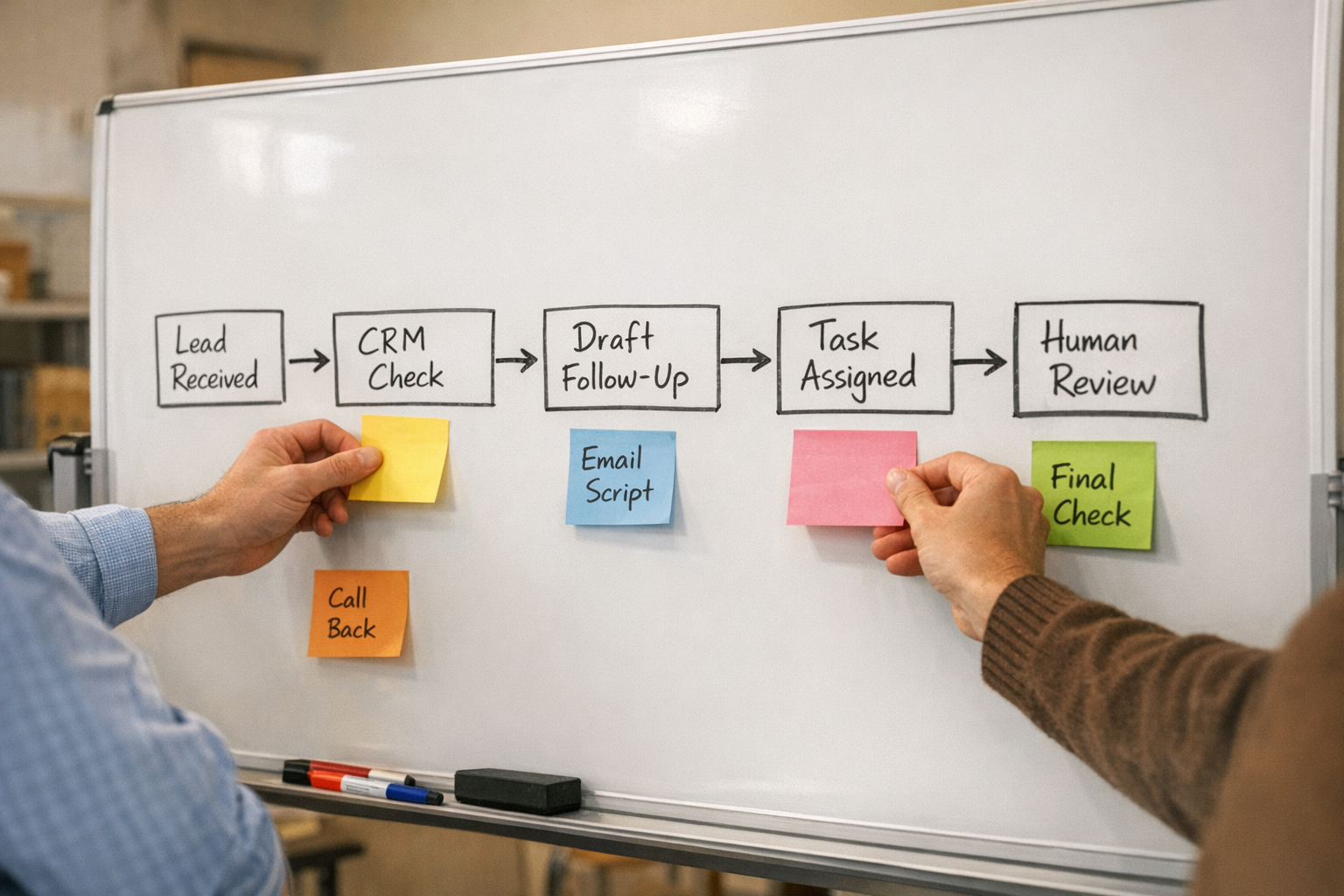
The agent should make these handoffs clearer, not more mysterious. A good implementation answers these questions:
- Where does the update appear?
- Who owns the next action?
- What changed in the CRM or task system?
- What information did the agent use?
- What still needs human review?
If the team cannot answer those questions, the workflow needs more structure.
Test with real edge cases
Do not only test the happy path. Real operations include incomplete forms, duplicate contacts, unclear requests, old CRM records, conflicting task owners, and customers who reply with one-line messages.
Before relying on an AI agent, test it against examples like these:
- A lead already exists in the CRM under a different email address
- A support request includes two different issues in one message
- A project task has no owner
- A customer asks for something outside the usual service scope
- A form submission has missing or low-quality information
The purpose of testing is not to make the agent perfect. It is to decide what the agent should do when the situation is not clean. Often, the right answer is to flag the item for human review and provide a short summary.
Keep the first version narrow
The best first version of an AI agent usually has a narrow job. It might handle one part of sales follow-up, one support triage step, or one project update routine.
That may feel small, but small workflows are easier to validate. You can see whether the agent saves time, reduces copy-paste, improves consistency, or creates confusion. Once the first workflow is stable, you can expand it.
This is also how automation ROI becomes easier to understand. Instead of debating whether “AI” is useful in general, you can look at one workflow and ask whether it removed a real manual step.
A practical build sequence
If you are planning an AI agent workflow, use this order:
- Map the current workflow. Identify the manual steps, tools involved, decision points, and handoffs.
- Choose one repeatable job. Avoid giving the agent a broad assistant role at the start.
- Define permissions. Decide what it can read, write, draft, assign, and escalate.
- Create review points. Add human approval where risk or ambiguity is higher.
- Test with messy examples. Use real-world cases, not only perfect inputs.
- Document the behavior. Make sure the team knows what the agent does and where to check its work.
The tool matters, but the operating design matters more. Make, Zapier, ClickUp, HubSpot, GoHighLevel, Shopify, and other platforms can all support powerful workflows. The value comes from connecting them around a clear process.
Final thought
An AI agent should not be a mysterious assistant floating across the business. It should be a well-defined operator with a specific job, clear permissions, and visible handoffs.
When designed this way, AI can reduce manual copy-paste, prepare better follow-ups, keep systems updated, and help teams move faster without losing control.
At ConsultEvo, we help businesses design and build practical automation systems, AI agents, CRM workflows, ClickUp structures, Make and Zapier scenarios, and operational handoffs. If you are considering an AI agent but want to make sure the workflow is clear before building, we are happy to help.