


The Hidden Automation Costs That Show Up After the First Test

One of the most common automation mistakes is treating a successful first test as proof that the workflow is ready.
The form submitted. The CRM updated. The task appeared. The Slack message posted. On the surface, everything worked.
But many automation problems do not show up during the happy path test. They show up later, when a required field is missing, an API is slow, a duplicate contact already exists, a user changes a status too early, or an AI agent has more access than it actually needs.
This is the part of automation that does not get enough attention: the hidden behavior.
Good automation is not just about moving data from one place to another. It is about knowing what the system does when reality gets messy.
Why small hidden behavior matters
A small configuration detail can create a lot of operational noise over time.
For example, a workflow might retry a failed action repeatedly without a clear limit. A logging setting might save far more information than anyone expected. A CRM automation might create duplicate deals because the matching rule was too loose. A ClickUp workflow might create tasks in the wrong list because the status logic was never tested outside one perfect example.
None of these issues feel dramatic at first. They are quiet. That is what makes them costly.
The team only notices when someone has to clean up records, explain conflicting reports, trace a broken handoff, or figure out why a process that was supposed to save time is now creating work.
This is why workflow validation is not optional. It is part of the build.
The first test is not enough
A first test usually answers one question: can the workflow run?
That is useful, but it is not the same as asking whether the workflow is safe to depend on.
A better validation process asks questions like:
- What happens if this step fails?
- Who gets notified when something breaks?
- Does the workflow retry, stop, or skip?
- Can it create duplicates?
- What data is stored, and where?
- How long are logs, files, or temporary records kept?
- Can the workflow be paused quickly?
- Who owns maintenance after launch?
These questions are not meant to slow the project down. They are meant to prevent the workflow from becoming another hidden mess inside the business.
Use a simple risk checklist
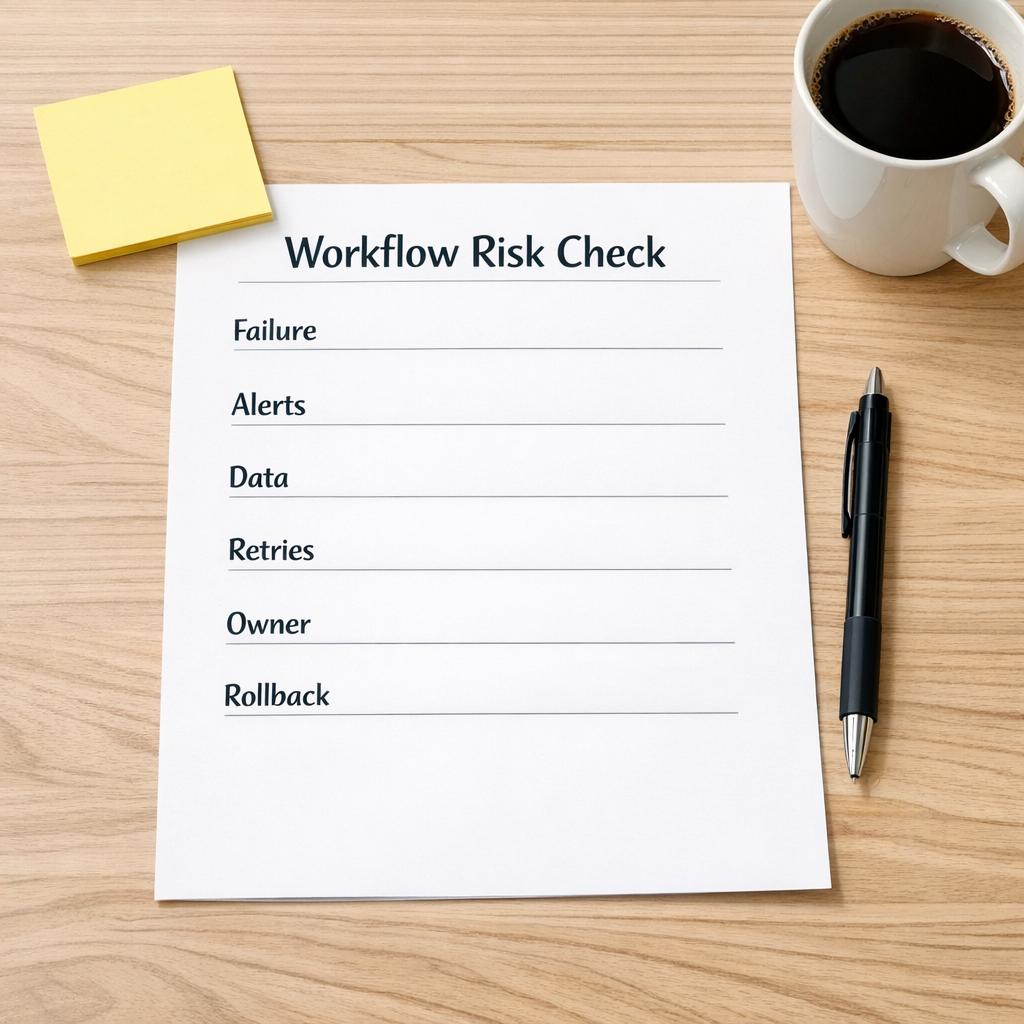
Before launching a new automation, it helps to review it through a simple checklist. This works for Make, Zapier, HubSpot, GoHighLevel, ClickUp, Shopify operations, and AI agent workflows.
1. Failure behavior
Every workflow needs a clear answer for what happens when something fails. Does the workflow stop? Does it continue? Does it create a fallback task? Does it notify a human?
Without this, teams often discover failures days later, usually because a customer, lead, or internal teammate asks why something did not happen.
2. Alert routing
An alert is only useful if it reaches the right person in the right place.
A failed automation notification buried in an admin inbox is not an operating system. It is a future surprise.
For important workflows, route alerts to a place the team actually checks. That might be a Slack channel, a ClickUp task, a CRM activity, or an operations inbox. The exact tool matters less than the ownership.
3. Data storage
Automation often creates or stores extra data: logs, temporary files, AI context, webhook payloads, exported CSVs, error records, or internal notes.
That data needs rules. What is stored? Why is it stored? Who can access it? When is it removed?
This becomes even more important when AI agents are involved. An agent that reads from Slack, CRM notes, support tickets, or internal documents can be very useful, but access should be intentional. More context is not always better if the boundaries are unclear.
4. Retry limits
Retries are helpful when an external tool is temporarily unavailable. But unlimited or poorly designed retries can create duplicate actions, noisy logs, unnecessary usage costs, or confusing customer experiences.
A healthy workflow should have a clear retry rule and a clear failure path. If the system cannot complete the work, it should ask for help in a controlled way.
5. Duplicate prevention
CRM and sales workflows are especially vulnerable to duplicate problems.
If a lead fills out two forms, uses a different email address, replies from another domain, or already exists as a contact, what should happen?
Good automation design includes matching rules, update rules, and exception handling. Otherwise, the CRM becomes harder to trust.
6. Human ownership
Every important automation needs an owner. Not just the person who built it, but the person responsible for noticing when it no longer fits the process.
Businesses change. Offers change. Sales stages change. Fulfillment steps change. If nobody owns the workflow, it slowly drifts away from how the team actually works.
Validate the workflow against the real process

One practical way to reduce automation risk is to validate the workflow against the real business process before building too much.
Map the process in plain language first:
- What starts the workflow?
- What decision needs to be made?
- What data is required?
- What should happen automatically?
- Where does a human need to approve, review, or intervene?
- What marks the work as complete?
This avoids a common problem: automating a process that the team has not actually agreed on.
If the handoff between sales and support is unclear, automation will not fix it. It will just move the confusion faster. If CRM stages are messy, automation will spread that mess into tasks, dashboards, emails, and reports.
Process before tools is not a slogan. It is the difference between a system that reduces work and a system that creates cleanup.
Where AI agents need extra care
AI agents add another layer to workflow validation because they can interpret, summarize, draft, classify, and decide between options.
That can remove a lot of manual copy-paste work. It can also create risk if the agent has unclear instructions or too much authority.
For AI agent workflows, define:
- Inputs: What information can the agent read?
- Actions: What can it create, update, send, or delete?
- Approval points: What requires human review?
- Memory: What context is retained, and for how long?
- Escalation: When should the agent stop and ask a person?
The goal is not to make AI less useful. The goal is to make it useful inside a controlled operating model.
A safer launch process
For many teams, a lightweight launch process is enough:
- Build the workflow around the confirmed process
- Test the happy path
- Test missing data and bad data
- Test duplicate scenarios
- Test failure and retry behavior
- Confirm alert ownership
- Document how to pause the workflow
- Review after the first week of real usage
This does not need to become heavy bureaucracy. It just needs to be consistent.
The best automations are often boring in the right ways. They run predictably. They fail clearly. They leave a useful trail. They do not surprise the team with hidden side effects months later.
Build systems you can trust
Automation should reduce operational drag, not hide it.
If a workflow saves five minutes today but creates hours of cleanup later, the design was incomplete. The missing piece was probably not another tool. It was validation.
At ConsultEvo, we help businesses design, review, and fix automation workflows across CRM, ClickUp, Make, Zapier, GoHighLevel, Shopify, WordPress, and AI agent systems.
If your automations are useful but starting to feel fragile, we can help you clarify the process, reduce hidden risk, and build workflows your team can actually trust.