


AI agents work better when you give them goals, not vague prompts
Many businesses are trying to use AI agents to reduce manual work. That is a good instinct. There is plenty of repetitive operational work sitting inside inboxes, CRMs, task tools, support queues, spreadsheets, and ecommerce systems.
But there is a common mistake that makes these projects feel disappointing: the team gives the AI a prompt when the workflow actually needs a goal.

A prompt is usually a direct instruction. “Summarize this ticket.” “Rewrite this email.” “Check this contact.” Those can be useful, but they do not create a reliable business process on their own.
A goal is different. A goal defines what should be true when the work is complete. It includes the outcome, the validation method, the boundaries, and the stopping conditions. That is what allows an AI agent to operate more like a careful assistant and less like a chatbot waiting for the next sentence.
Why this matters in real operations
In business automation, the expensive part is often not the task itself. It is the decision-making around the task.
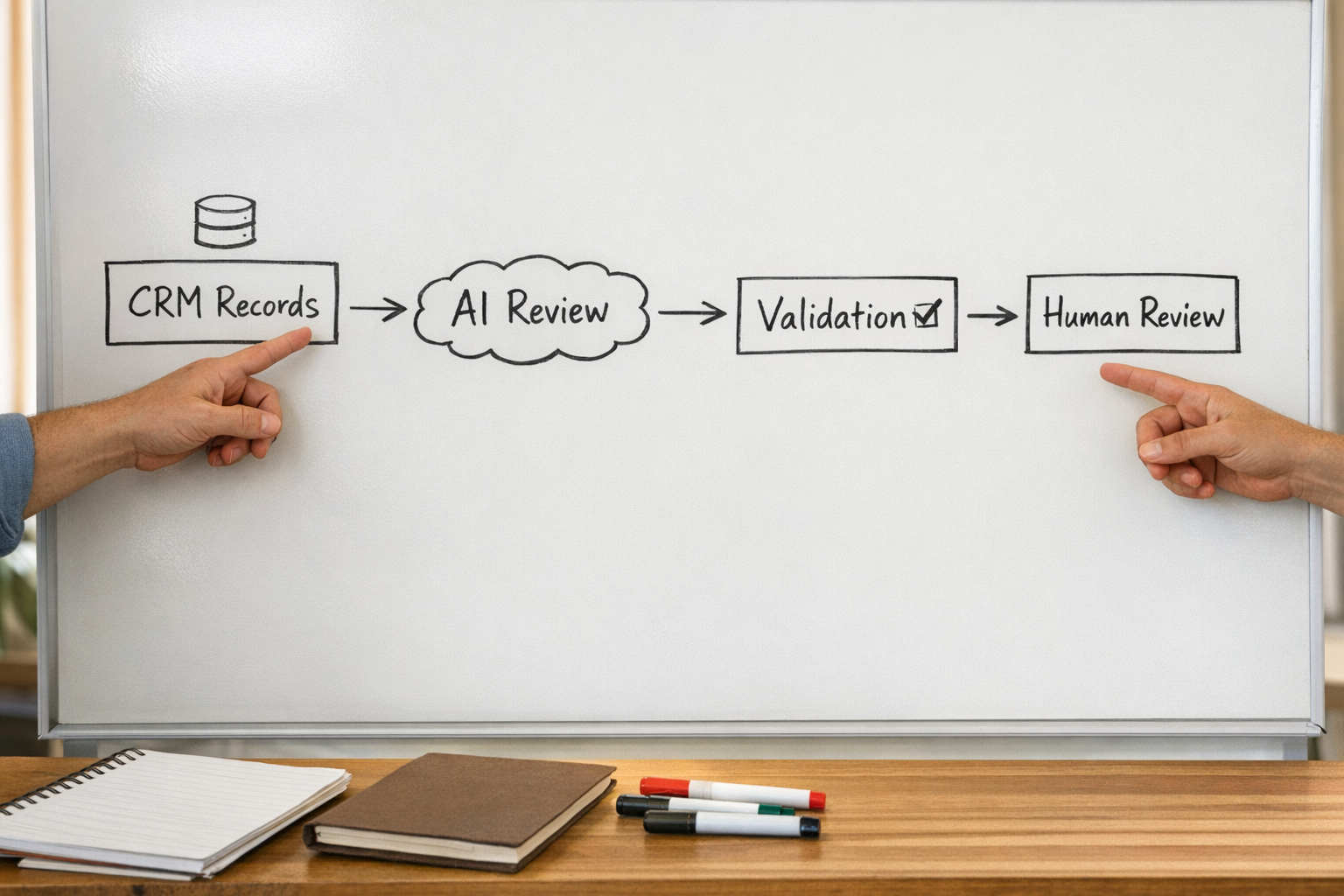
For example, cleaning CRM records is not just “fill in missing fields.” The workflow may need to check deal history, email activity, lifecycle stage, company fit, duplicate records, and ownership rules. If the AI guesses, the CRM gets messier. If the AI only drafts suggestions, the team may still be stuck reviewing everything manually.
The useful middle ground is an agent with a clear operational goal:
- Review records that meet specific criteria.
- Use approved data sources only.
- Apply defined rules for enrichment and classification.
- Update records only when confidence is high.
- Create a human review list for unclear cases.
- Log what changed and why.
That is a much better brief than “clean up the CRM.” It tells the agent what success looks like and where its authority ends.
The six parts of a useful AI agent goal
Before building an AI workflow, we like to define six things. This does not need to be complicated. In many cases, one page is enough.
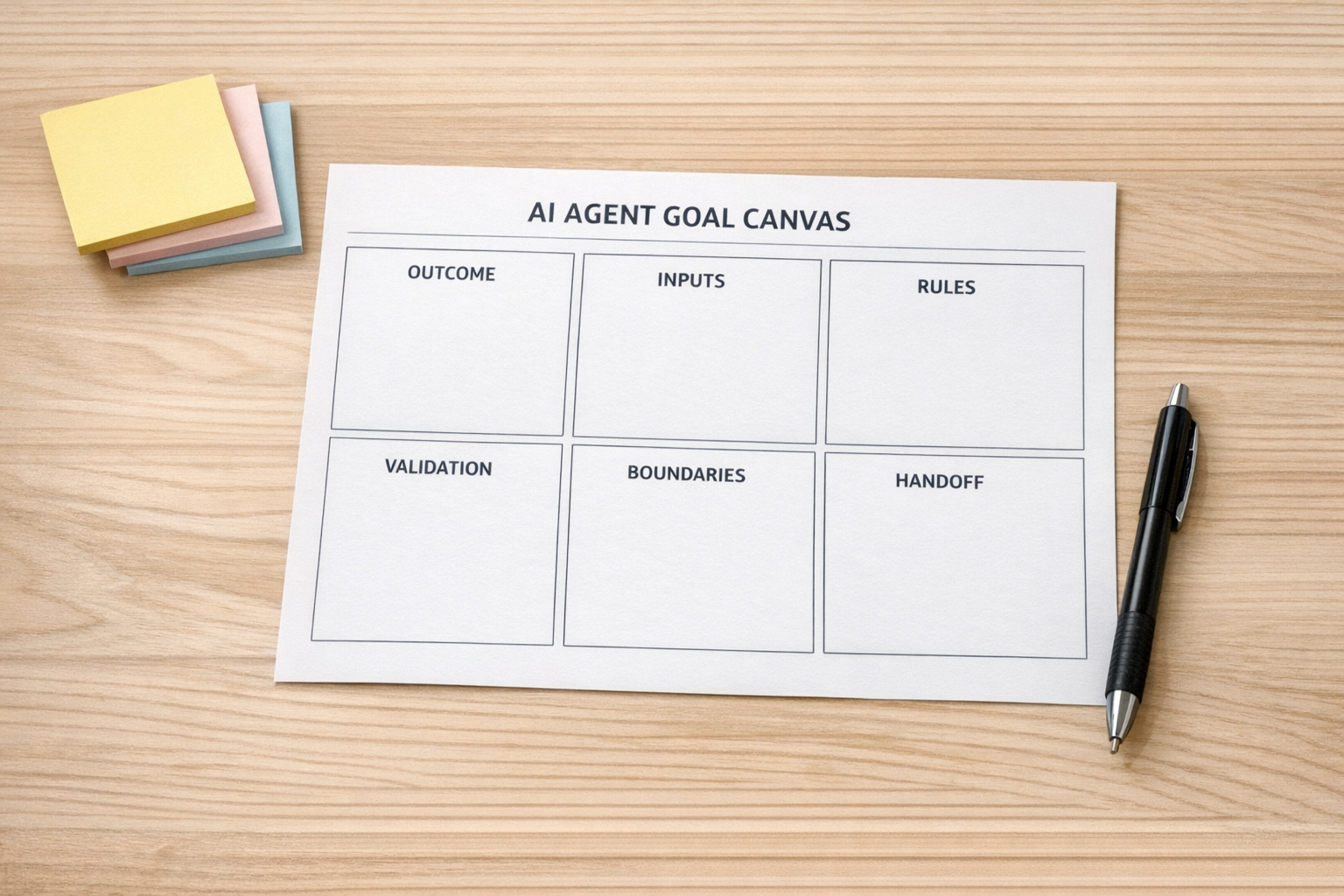
- 1. Outcome: What should be true when the workflow is complete? Be specific. “Every qualified lead has an owner, a lifecycle stage, and a next step” is clearer than “organize leads.”
- 2. Inputs: What information can the agent use? This may include CRM fields, form submissions, email content, support ticket history, order data, task comments, or approved documents.
- 3. Rules: What logic should the agent follow? These rules may include lead scoring criteria, refund policies, routing logic, priority levels, or data cleanup standards.
- 4. Validation: How should the result be checked before anything changes? This might include required fields, duplicate checks, confidence thresholds, or comparing against a known source of truth.
- 5. Boundaries: What is the agent not allowed to do? This is especially important when the workflow touches customers, payments, sales opportunities, or production systems.
- 6. Handoff: When should the agent stop and ask a human? Good automation does not remove judgment. It protects judgment for the cases where it matters.
These six items turn an AI idea into an operational design. They also make it easier to choose the right tool, whether the build happens in Make, Zapier, HubSpot, GoHighLevel, ClickUp, or a more custom setup.
Prompting is not the same as process design
There is a reason some AI workflows look impressive in a demo but fail inside a real business. The demo usually shows one clean input and one clean output. Real operations are full of edge cases.
A lead uses a personal email address. A customer asks two questions in the same support ticket. A Shopify order has a shipping issue and a refund request. A sales rep skips a required field. A ClickUp task is assigned to the wrong department. A contact already exists under a slightly different company name.
If the workflow only has a prompt, it may produce something plausible. If the workflow has a goal, rules, validation, and escalation, it has a better chance of producing something useful.
Example: from vague instruction to operational goal
Let’s take a common workflow: sales lead review.
A vague prompt would be: “Review new leads and tell us which ones are good.”
A better operational goal would be:
Review every new inbound lead once it enters the CRM. Check whether the company matches our target customer profile, enrich missing company information from approved sources, assign a fit category, recommend the next step, and update the CRM only if the required evidence is present. If the lead is unclear, missing critical information, or appears to be a duplicate, create a review task for the sales operations owner.
Notice how much more useful that is. It defines the work, the system of record, the decision criteria, the update rules, and the human fallback.
Where AI agent goals are especially useful
This approach works well anywhere there is repeated operational judgment with clear enough rules. A few examples:
- CRM cleanup: deduplicating records, filling missing fields, checking lifecycle stages, and flagging questionable updates.
- Support triage: categorizing tickets, identifying urgency, drafting internal notes, and routing exceptions.
- Sales handoffs: preparing context when a lead moves from marketing to sales or from sales to onboarding.
- ClickUp task hygiene: checking stale tasks, missing owners, unclear statuses, and overdue dependencies.
- Shopify operations: reviewing order issues, tagging exceptions, and preparing customer service context.
- Content operations: validating ideas, preparing outlines, checking publishing requirements, and creating review tasks.
The common thread is not the tool. It is the clarity of the operating rules.
Start smaller than you think
If your team is new to AI agents, do not start with a workflow that can affect every customer or every deal. Start with a narrow workflow where the risk is low and the review path is clear.
Good first projects often look like this:
- Read and categorize incoming information.
- Draft recommendations without updating records.
- Flag missing data.
- Create internal tasks for review.
- Prepare summaries for handoff meetings.
Once the logic is proven, the agent can gradually take on more responsibility. That might mean updating low-risk fields, routing tasks automatically, or creating structured records from messy inputs.
The practical takeaway
If an AI workflow keeps producing inconsistent results, the issue may not be the model. The issue may be that the work has not been defined clearly enough.
Before you build the automation, write the goal. Define the outcome, rules, validation, boundaries, and handoff. Then choose the tool.
That order matters. Process before tools is not just a nice principle. It is what keeps AI agents from becoming another source of operational cleanup.
If you want help turning a manual workflow into a well-scoped AI agent or automation, ConsultEvo can help map the process, define the rules, and build the workflow inside your existing tools.