


How to Choose the Right AI Effort Level for Business Workflows
AI agents are starting to handle bigger pieces of work. They can review context, break tasks into steps, compare options, and sometimes coordinate multiple actions across systems. That is useful, but it also creates a new operational problem: not every task deserves the same amount of AI reasoning.

In many businesses, AI is used in one of two ways. Either it is treated like a quick assistant for everything, or it is pushed to think as hard as possible on every request. Both approaches create issues.
If the AI thinks too lightly, it may miss business context, edge cases, or downstream consequences. If it thinks too heavily, the workflow becomes slower, more expensive, and often more complicated than it needs to be.
The better approach is to match the AI effort level to the operational risk of the task.
Start with the process, not the model
Before choosing tools, prompts, or agents, define what the workflow is supposed to do. This is where many automation projects get messy. The team starts with the question, “Can AI do this?” when the better question is, “What judgment does this workflow require?”
A workflow that reformats customer names in a spreadsheet does not need deep reasoning. A workflow that decides whether a lead should go to sales, support, or onboarding needs more context. A workflow that updates CRM records, creates tasks, and triggers internal notifications needs validation.
The same AI tool can behave differently depending on how much thinking, checking, and structure you ask from it. That means the design of the workflow matters as much as the capability of the model.
A practical AI effort ladder
Here is a simple way to think about AI effort inside business operations.
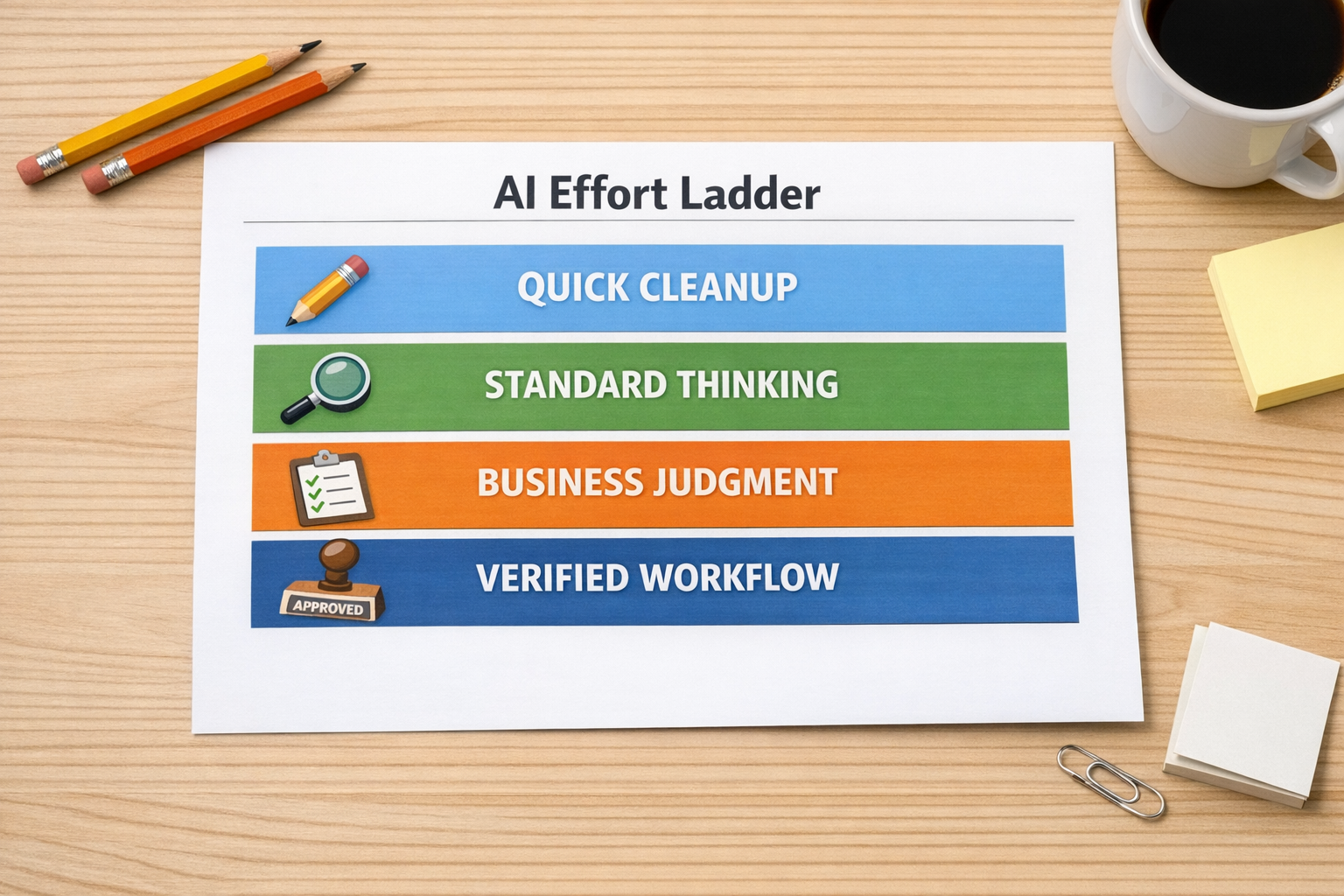
- Low effort: Use this for extraction, formatting, renaming, simple categorization, and cleanup. Examples include pulling a phone number from a form submission, formatting a company name, or identifying whether a message contains a billing keyword.
- Standard effort: Use this for drafts, summaries, internal notes, and basic recommendations. Examples include summarizing a discovery call, drafting a first reply, or turning meeting notes into task suggestions.
- High effort: Use this when the workflow needs business judgment. Examples include mapping CRM fields, reviewing a support escalation, designing a sales handoff, or comparing several automation paths.
- Verified effort: Use this when the AI output causes an action in another system. Examples include updating deal stages, assigning tasks, sending customer-facing messages, changing order tags, or triggering follow-up sequences.
This ladder is not about making AI sound more technical. It is about preventing overbuilding and underchecking.
Where teams usually overuse AI effort
Some tasks should stay simple. If AI is only cleaning data, extracting a value, or applying a clear rule, you do not need a complex agent workflow. A simple automation step in Make, Zapier, HubSpot, GoHighLevel, Shopify, or another system may be enough.
For example, if a form field says “United States” and you need it converted to “US,” that is not a reasoning problem. If a customer selects “billing issue” from a dropdown and you need to route the ticket to finance, that may not need AI at all.
Using heavy AI for simple rules makes workflows harder to audit. It also makes troubleshooting more confusing because the system is making decisions where a clear rule would have been better.
Where teams underuse validation
The bigger risk is using a quick AI response for work that affects customers, revenue, or internal workload.
If an AI agent decides which sales rep receives a lead, it should check the routing logic. If it prepares a support response, it should check the customer status and issue type. If it creates ClickUp tasks from a client request, it should confirm that the scope, owner, due date, and dependencies are clear.
This is where validation belongs inside the workflow. Not as a manual cleanup step after the fact, but as part of the architecture.

Design the check before the action
A simple validation pattern can improve many AI workflows:
- Input: What information does the workflow receive?
- Interpretation: What does the AI believe the input means?
- Rule check: Which business rules must be satisfied?
- Risk check: What could go wrong if the AI is mistaken?
- Action: What system will be updated or notified?
- Fallback: When should a human review the result?
This pattern works well for CRM cleanup, sales handoffs, support triage, project task creation, content review, and Shopify operations. The details change, but the principle stays the same: the more impact the action has, the more validation the workflow needs.
An example: sales handoff workflow
Imagine a business receives inbound leads through a website form. A simple workflow might notify sales every time a form is submitted. That works at a small scale, but it quickly creates noise.
A better workflow might classify the lead by service interest, budget range, region, urgency, and existing customer status. Then it can decide whether to create a CRM deal, assign a task, send a follow-up email, or ask for human review.
This is not a task for maximum AI effort at every step. Some parts are simple rules. Some parts require interpretation. Some parts require verification before the CRM is changed.
For example:
- Extracting the email address is low effort.
- Summarizing the request is standard effort.
- Determining the right sales path may need high effort.
- Updating the CRM and assigning the owner should include validation.
This keeps the workflow practical. You spend AI reasoning where it improves the decision, not where a rule already works.
Build for auditability
Good automation should be understandable after it runs. If a team cannot explain why a lead was routed, why a task was created, or why a customer received a message, the workflow needs more structure.
For AI-assisted workflows, this often means storing a short reason alongside the action. Not a long essay. Just enough context for a human to review it later.
Examples include:
- “Routed to onboarding because message mentions implementation and customer status is active.”
- “Sent for review because budget field is missing.”
- “Created support task because issue category is billing and account is past due.”
These small notes make automation easier to trust, debug, and improve.
The real question
The question is not whether your business should use AI agents. The better question is where AI judgment belongs in your process.
Use simple rules where the answer is obvious. Use AI where interpretation is useful. Use validation where the output affects systems, customers, or team workload.
That is how AI becomes operationally useful instead of just impressive.
If you want help designing AI agents, CRM workflows, ClickUp systems, Make or Zapier automations, or validated handoff processes, ConsultEvo can help you map the workflow and build it with the right level of judgment and control.