


AI Agent Memory: What Your Business Agent Should Remember, Update, and Forget
An AI agent that forgets everything between sessions becomes frustrating quickly. The user has to repeat the same details. The agent loses the thread of a long task. Support context disappears. Sales preferences vanish. Internal workflow rules have to be explained again and again.
But the answer is not simply to store everything.
For business workflows, agent memory needs design. It needs rules for what should be kept, when it should be updated, where it should live, how it should be retrieved, and when it should be ignored or removed.

Memory is not the same as storage
One common mistake is treating memory like a large searchable archive. Save every message, every note, every document, every call summary, and hope the AI agent finds the right context later.
That usually creates a different problem. The agent may retrieve old information, irrelevant details, or conflicting notes. It may treat a casual comment as a lasting preference. It may use an outdated process because nobody told the system that the old rule no longer applies.
A search index can help an agent find information. It does not automatically decide what is worth remembering.
Useful agent memory is closer to an operating process. It has a lifecycle:
- Select: decide which details are worth keeping.
- Write: capture the memory at the right moment.
- Structure: store it in the right place and format.
- Retrieve: bring back only what helps the current task.
- Refresh or forget: update, expire, or remove stale context.
If one of these steps is missing, the agent can become noisy, expensive, or unreliable.
Start with the business workflow, not the memory tool
Before choosing an AI memory platform, vector database, CRM integration, or automation tool, map the workflow the agent is supposed to support.
For example, a sales-to-support handoff agent might need to remember the customer’s implementation goals, confirmed preferences, plan limitations, known blockers, and the next owner. A customer support agent might need access to active tickets, previous resolutions, escalation rules, and account-specific instructions. An internal operations agent might need current SOPs, approved exceptions, project status, and recurring decisions.
Each of these workflows has different memory requirements.
Some memories belong in the CRM. Some belong in a task management system like ClickUp. Some belong in a structured database. Some belong in a knowledge base. Some should only exist for the current session.
The agent should not become the only place where operational truth lives. It should read and write to the right systems so the business can still audit and manage the process.
A simple memory rules worksheet
A practical way to begin is to create a one-page memory policy. This does not need to be technical. It should define the rules that keep the agent useful and safe.
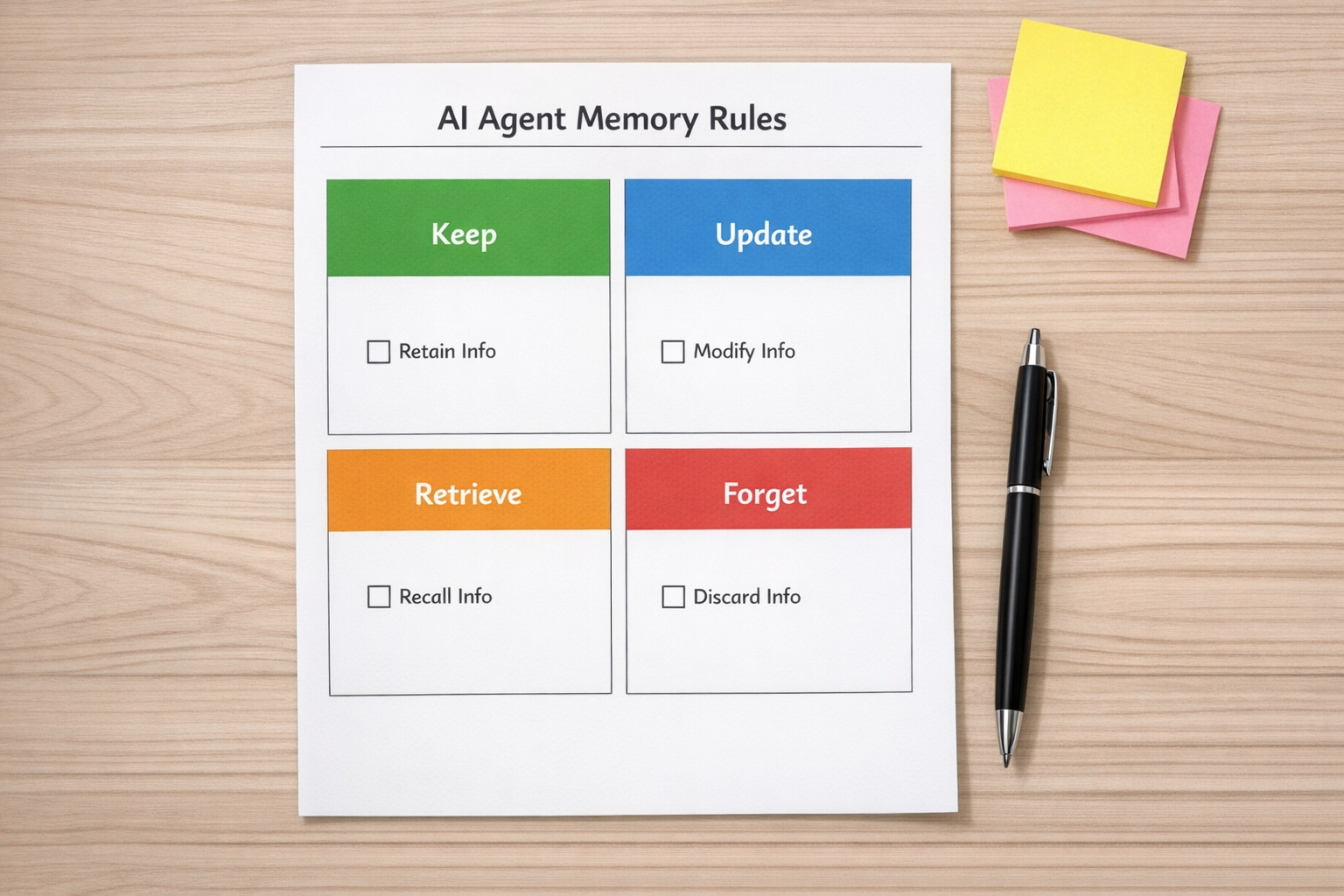
Use four simple categories:
- Keep: What facts should become durable memory?
- Update: What facts can change, and what counts as a newer source of truth?
- Retrieve: When should the agent use this memory?
- Forget: What should expire, be ignored, or never be stored?
For a customer-facing agent, durable memory might include confirmed preferences, account constraints, delivery requirements, and agreed next steps. Temporary memory might include a one-time discount discussion, a short-term outage workaround, or a preference that was only relevant to one project.
The difference matters. If the agent treats everything as permanent, it will eventually act on stale information.
Define the write moment
One of the most important design choices is deciding when the agent is allowed to write memory.
Should it remember something as soon as a user says it? Only after the user confirms it? Only after a workflow status changes? Only after a human approves it?
There is no single right answer. It depends on risk.
Low-risk preferences, such as preferred meeting times or formatting choices, may be safe to capture automatically. Higher-risk details, such as billing instructions, customer commitments, compliance notes, or operational policy changes, should usually require confirmation or human review.
This is where automation design and process design meet. A good AI agent does not just collect information. It respects the business rules around that information.
Plan for conflicts
Business information changes. A customer moves to a new package. A lead changes priorities. A team updates its fulfillment process. A support workaround becomes obsolete.
If your agent remembers both the old and new version, how does it know which one to trust?
Your memory design should include conflict rules. For example:
- CRM fields override conversation notes for account status.
- Recently approved SOPs override older internal comments.
- Human-reviewed notes override automatically extracted summaries.
- Project-specific instructions override general preferences only inside that project.
These rules prevent the agent from guessing. They also make debugging much easier when the agent gives a strange answer or takes the wrong action.
Use memory to improve handoffs
One of the best places to apply agent memory is the handoff between sales, support, fulfillment, and operations. Handoffs often fail because important context is scattered across calls, emails, CRM notes, task comments, and chat threads.

An AI agent can reduce that manual copy-paste work if it is designed carefully. For example, when a deal closes, the agent could prepare a structured handoff summary that includes:
- Customer goal and expected outcome
- Confirmed scope
- Key contacts and communication preferences
- Known risks or blockers
- Important dates
- Internal owner and next action
But the agent should also know what not to include. Unconfirmed assumptions, casual comments, and outdated notes should not be treated as truth.
This is why memory rules matter. They help the agent create operational clarity instead of just producing longer summaries.
Build a review loop
Agent memory should not be invisible. Teams need a way to review what the agent remembered, correct it, and understand why it used certain context.
At minimum, consider adding:
- A visible memory summary for each customer, project, or workflow.
- A way to mark memories as approved, outdated, or incorrect.
- A simple log of important memory updates.
- Clear ownership for who maintains the source of truth.
This is especially important when the agent is connected to CRM workflows, project tasks, support systems, or automation platforms. The more action the agent can take, the more important it is to validate the information behind those actions.
The practical takeaway
AI agent memory is not just a technical feature. It is an operational design decision.
If you are building an agent for sales, support, Shopify operations, ClickUp workflows, HubSpot or GoHighLevel processes, or internal automation, start with the memory policy before the tool selection.
Ask:
- What does the agent need to remember to remove real work?
- What should remain in the CRM, task system, or knowledge base?
- What information needs approval before it becomes memory?
- What should expire?
- How will the team review and correct memory?
Once those answers are clear, the technology choices become much easier.
At ConsultEvo, we help teams design AI agents and automation workflows around real operations, not tool hype. If you are planning an agent that needs to remember customer context, workflow rules, or internal decisions, we can help you map the process, define the memory rules, and build the right automation around it.