

AI agent memory is not the starting point
AI agent memory is getting a lot of attention, and for good reason. If an agent can retain useful context across interactions, it can become much more helpful in sales, support, operations, and internal admin work.
For example, an agent might remember that a lead came from a specific campaign, that they asked about a certain service, that they already spoke with support, or that they were previously marked as a poor fit. That context can reduce repetitive questions and help the next action feel more informed.
But memory is not automatically useful. In operations, memory can just as easily preserve confusion.
If your CRM is messy, your deal stages are unclear, your lead qualification rules live in someone’s head, and your handoffs are inconsistent, an AI agent with memory may simply carry that mess forward. It may sound confident, but confidence is not the same as operational accuracy.
The better starting point is not “How do we give the agent memory?” It is “What information should the agent trust?”
The agent can only be as clear as the workflow
AI agents are often discussed as if they sit above the business process. In practice, they sit inside it.
An agent that qualifies inbound leads still needs a definition of a qualified lead. An agent that routes support requests still needs categories, priorities, ownership rules, and escalation paths. An agent that updates CRM records still needs clean fields and a clear source of truth.
This is why process comes before tools. Before building an agent workflow in Make, Zapier, HubSpot, GoHighLevel, or any other system, the business needs to answer a few operational questions:
- What event starts the workflow? A form submission, booked call, email, chat message, order, ticket, or task?
- Where does the agent get reliable information? CRM, form data, helpdesk history, order details, internal database, or a knowledge base?
- What decision is the agent allowed to make? Score, categorize, summarize, draft, route, enrich, or update?
- What should the agent never decide alone? Pricing exceptions, refunds, legal responses, complex qualification, or sensitive customer issues?
- Where does the workflow end? CRM update, task creation, Slack message, email draft, pipeline movement, or human review?
These answers matter more than the agent itself. Without them, the agent is operating in a fog.
A simple memory planning worksheet
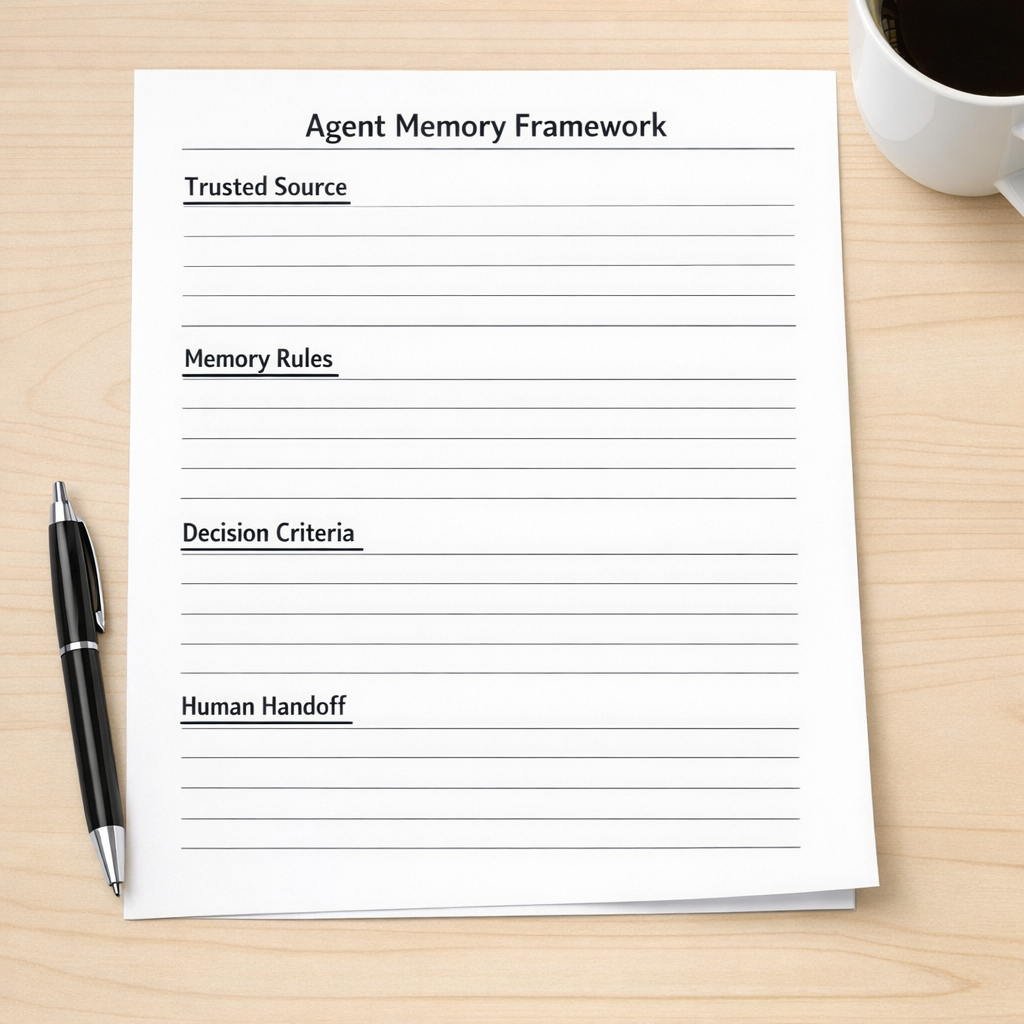
When we help clients think through AI-assisted workflows, we like to separate memory into practical categories. This keeps the build grounded and prevents the agent from storing or relying on information that does not help the outcome.
1. Trusted source
Define which system wins when information conflicts. If the CRM says one thing and a form submission says another, which one should the agent trust? If a customer record has duplicate entries, should the agent continue or flag the record for review?
This is especially important in CRM cleanup projects. AI can help work around imperfect data, but it should not become a bandage for broken structure.
2. Memory rules
Decide what the agent should remember and for how long. Some context is useful, such as customer preferences, previous objections, product interest, or open issues. Other context may be outdated, irrelevant, or risky to reuse.
A good memory rule sounds like this: “Remember the most recent qualification summary and update it when new form data or call notes are added.”
A weak memory rule sounds like this: “Remember everything about the lead.”
3. Decision criteria
The agent needs explicit rules for making decisions. For lead qualification, that might include budget range, company type, service need, urgency, location, or internal fit criteria. For support routing, it might include issue type, customer plan, urgency, and whether the issue has happened before.
If the criteria are vague, the agent will fill in the gaps. That is where inconsistent outcomes start.
4. Human handoff
Every good agent workflow needs a stopping point. The agent should know when to route something to a person, create a review task, or ask for confirmation before updating a record.
This is not a weakness. It is good workflow design. Automation should remove repetitive work, not hide uncertainty.
Example: inbound lead qualification

Let’s say a business wants an AI agent to qualify inbound leads.
A clean workflow might look like this:
- A new form submission enters the CRM.
- The automation checks for an existing contact or company.
- The agent reviews the form answers and trusted CRM fields.
- The agent creates a short qualification summary.
- The agent applies a fit category based on clear criteria.
- The workflow creates a sales task or routes the lead to nurture.
- If key data is missing or conflicting, the lead is flagged for human review.
Notice that the agent is not just “being smart.” It is working inside defined boundaries. The quality comes from the combination of automation design, CRM structure, memory rules, and handoff logic.
The operator test
Before adding memory to an agent, use this simple test:
If a new team member used the same information and rules, would they make the right decision?
If the answer is no, the workflow probably needs cleanup before it needs an agent.
This test is useful because it brings the conversation back to operations. AI does not remove the need for clear process. It makes unclear process more visible.
Build the memory after the process makes sense
AI agent memory can be valuable. It can reduce repeated questions, preserve context between steps, and help teams move faster without losing important details.
But the order matters.
First, define the workflow. Then clean the data. Then write the decision rules. Then decide what the agent should remember. Then build the automation.
That sequence is slower at the beginning, but it usually saves time later. Fewer broken handoffs. Fewer confusing CRM updates. Fewer exceptions that nobody understands. Fewer automations that work in a demo but fail in daily operations.
At ConsultEvo, we help teams design and repair workflows across CRM, ClickUp, Make, Zapier, HubSpot, GoHighLevel, Shopify, and custom AI agent systems. If your team is exploring AI agents and wants the workflow to be practical, reliable, and maintainable, we are happy to help.