


Write the Workflow Spec Before You Build the AI Agent
AI agents and automation tools are making it easier for teams to build internal systems quickly. A sales team can route leads. A support team can summarize tickets. An operations team can create tasks from forms. A founder can ask an agent to prepare meeting notes, draft follow-ups, or check whether a CRM record is missing key information.
That is useful progress. But it also creates a new operational problem: unclear workflows can now be automated faster than ever.

At ConsultEvo, we often find that the biggest automation issue is not the tool. It is not whether the team chose Make, Zapier, ClickUp, HubSpot, GoHighLevel, Shopify, or a custom AI agent. The real issue is that the workflow was never clearly defined before the build started.
When that happens, automation creates motion without clarity. Tasks appear in the wrong place. CRM fields update too early. Notifications go to the wrong person. The AI summary is technically correct but not useful. The team then spends time reviewing, correcting, and explaining the same problems the system was supposed to remove.
A simple workflow spec can prevent a lot of that rework.
What is a workflow spec?
A workflow spec is a short plain-language document that explains how a process should work before anyone builds the automation. It is not a long technical requirements document. It does not need perfect formatting. It just needs to make the operating logic visible.
The goal is to answer a few practical questions:
- What starts the workflow? For example, a new form submission, a closed deal, a paid order, a missed call, or a task status change.
- What information is required? The automation cannot make good decisions if the source data is incomplete or inconsistent.
- What should happen next? Define the normal path before you define the edge cases.
- What exceptions should be handled? Missing email, unclear request type, duplicate contact, failed payment, no assigned owner, or conflicting statuses.
- Who owns the result? Every automation needs a human owner for review, improvement, and escalation.
- How will success be judged? This could be fewer manual steps, faster handoff, cleaner CRM data, fewer missed tasks, or less copy-paste work.
Once those answers are clear, the tool decision becomes easier. Sometimes the answer is a simple Zap. Sometimes it is a Make scenario. Sometimes it is a CRM workflow. Sometimes it is a ClickUp structure change, not an automation. Sometimes an AI agent makes sense, but only after the workflow has boundaries.
Why AI agents need better instructions than normal automations
Traditional automations usually follow fixed rules. If this happens, do that. AI agents can work with more flexible inputs, which makes them powerful for drafting, summarizing, classifying, checking, and routing work.
That flexibility is also why they need a better spec.
If an AI agent is asked to “summarize customer requests,” it may produce a decent paragraph. But if the real operational need is to identify urgency, product area, account type, missing context, and recommended next owner, the agent needs that instruction. Otherwise, it creates content instead of operational value.
A good workflow spec turns the agent from a general helper into a useful worker. It tells the agent what matters, what to ignore, what to flag, and when to stop.
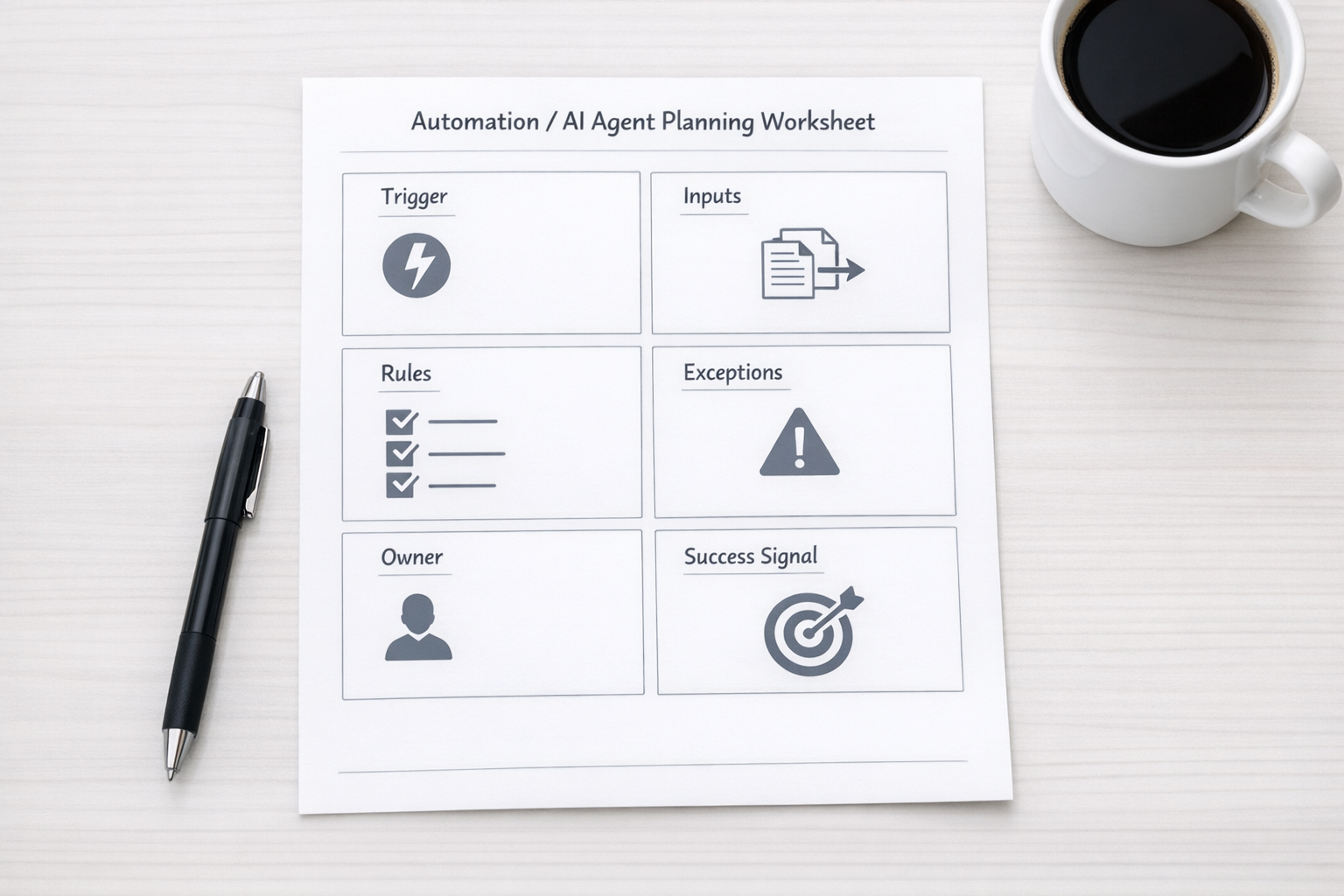
A simple workflow spec template
Here is a practical structure you can use before building your next automation or AI agent:
- Workflow name: Give it a specific name, such as “New inbound lead qualification” or “Support ticket handoff to product.”
- Current manual process: Write the steps the team follows today, even if they are messy.
- Work to remove: Identify the copy-paste, checking, rewriting, routing, or status updating that should disappear.
- Trigger: Define the exact event that starts the workflow.
- Required inputs: List the fields, files, messages, or records the system needs.
- Decision rules: Explain how the system should classify, route, create, update, or notify.
- Exception handling: Decide what happens when something is missing, duplicated, unclear, or risky.
- Human review point: Define where a person should approve, correct, or take over.
- Success signal: Choose the operational outcome you want to improve.
This template is intentionally simple. The point is not documentation for its own sake. The point is to reduce guessing before the build starts.
Validate the workflow with real examples
Before building anything, test the spec against real examples. Take five recent leads, tickets, orders, requests, or tasks and walk them through the proposed workflow.
Ask:
- Would the automation know what to do with this?
- Is the required data actually available?
- Where would the workflow fail?
- Would the assigned person trust the output?
- Does this remove work or just move work somewhere else?
This is where many automation ideas get better. You may realize that a CRM field needs cleanup first. You may need a better intake form. You may need to standardize task statuses in ClickUp. You may need to separate two different workflows that were previously treated as one.
That is not a delay. That is the work that makes automation reliable.
Build small, then expand
Once the workflow spec passes a few real examples, build the smallest useful version. Do not start with the most complex edge case. Start with the repeated manual step that everyone understands.
For example:
- Create a CRM task when a qualified form submission arrives.
- Summarize a support request and suggest a category before a human reviews it.
- Route Shopify order issues based on a few clear conditions.
- Create a ClickUp task from an approved request with the right owner and due date.
- Send a Slack or email alert only when a record meets specific criteria.
Then review the first outputs. Look for false positives, missing context, duplicate records, confusing notifications, and ownership gaps. Improve the spec as you learn.

The best automation teams treat specs as living assets
A workflow spec should not disappear after launch. It should become the operating reference for that process. When the team changes the CRM pipeline, adds a new service, updates a support policy, or changes ownership, the spec should be updated too.
This matters because automations and AI agents are not one-time projects. They are part of the operating system of the business. If the process changes but the automation logic does not, the system slowly becomes unreliable.
A living spec helps everyone understand what the workflow is supposed to do. It also makes future improvements easier. A new team member can read it. A consultant can audit it. An AI agent can use it as context. A manager can review whether the workflow still matches reality.
Process before tools is still the right order
There are many useful tools available now. That is not the constraint for most teams. The constraint is knowing what should happen, why it should happen, who owns it, and what good output looks like.
Before you build the agent, write the spec. Before you connect the apps, validate the handoff. Before you automate the task, make sure the task should exist.
That order is less exciting than jumping straight into tools, but it saves time. It also creates systems your team can trust.
If you want help turning messy operations into clear workflows, ConsultEvo can help. We design and build practical automation systems across ClickUp, Make, Zapier, HighLevel, CRM workflows, Shopify operations, WordPress systems, and AI agents. The goal is simple: remove real work without adding confusion.