


AI Agents Need Workflow Boundaries, Not Just Tool Access
When teams start building AI agents, the first technical conversation often becomes a permissions conversation. Which systems should the agent connect to? Which CRM objects can it read? Can it write tasks? Can it send emails? Can it update orders, tickets, or contact records?
Those questions matter, but they are not enough.
An AI agent is not the same as a simple automation. A traditional automation usually follows a predictable path: a trigger happens, a few actions run, and the workflow ends. An agent may interpret the request, decide which information it needs, choose tools, summarize context, create outputs, and sometimes trigger additional actions. That flexibility is useful, but it also creates a different operational risk.
If the agent has broad access, it may be technically allowed to do something that does not fit the current request. That is where teams need to move from simple tool access to workflow boundaries.

The real issue is permission drift
Permission drift happens when a workflow, user, or agent gradually accumulates access because each small addition seems reasonable in isolation.
For example, a sales assistant agent might start with permission to read lead records and summarize notes. Later, someone adds email drafting. Then task creation. Then proposal document access. Then the ability to update deal stages. Each change may make sense at the time.
But after a few months, the agent may have a much wider operating area than the original workflow requires. The problem is not that anyone acted irresponsibly. The problem is that the permissions were added around tools instead of being governed around purpose.
A better design asks: what is the agent trying to do in this session?
Tool access is not the same as task permission
Let’s say an agent has access to a CRM. That does not mean every CRM action should be available for every request.
If the user asks, “What happened with this lead last week?”, the agent may need to read notes, activities, and deal status. It probably does not need to update the deal, send an email, or create a quote.
If the user asks, “Prepare a follow-up for this lead,” the agent may need to read the CRM record, draft an email, and create a task. But sending the email may still require human approval.
If the user asks, “Clean up duplicate contacts,” the agent may need an entirely different workflow, with stricter review steps before merging or deleting anything.
This is why agent design should separate access into practical layers:
- Read: What information can the agent view for this request?
- Draft: What outputs can it prepare but not execute?
- Create: What records, tasks, notes, or summaries can it add?
- Update: What existing records can it change?
- Send or execute: What external actions can it take, and when is approval required?
This structure is simple, but it prevents a common mistake: giving an agent the broadest access it might ever need and then hoping it uses that access wisely.
Start with an intent and action scope sheet
Before connecting an AI agent to HubSpot, GoHighLevel, ClickUp, Shopify, email, Make, Zapier, or internal tools, create a one-page scope sheet. This is not bureaucracy. It is the operating manual for the workflow.
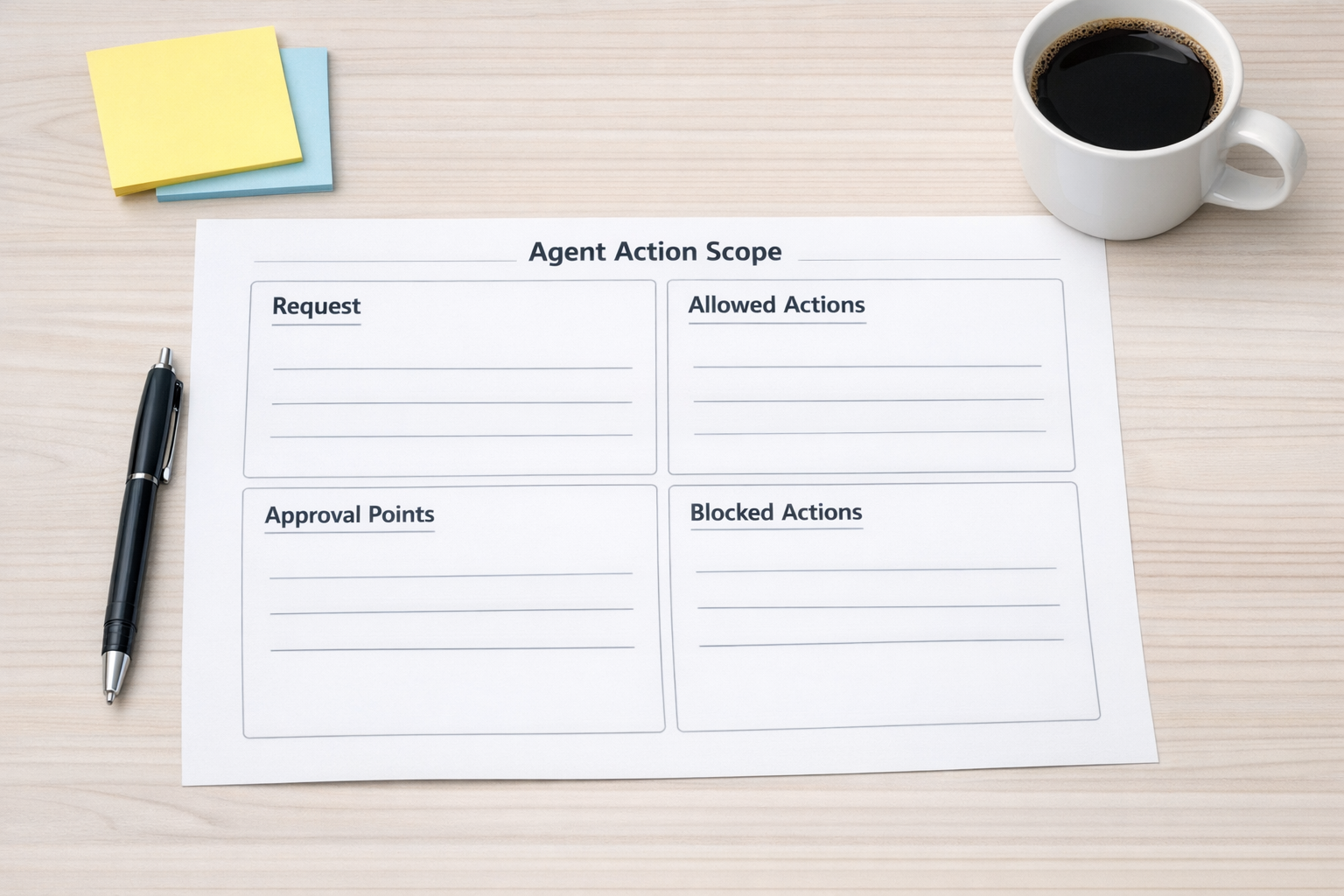
The sheet should answer five questions:
- Intent: What job is the agent being asked to complete?
- Allowed systems: Which tools can it use for this workflow?
- Allowed actions: Can it read, draft, create, update, send, delete, or trigger?
- Approval points: Where should a person review the output before execution?
- Stop rules: Which actions are always out of scope?
For a support triage agent, the scope may allow reading the ticket, summarizing the issue, suggesting a category, drafting a reply, and creating an internal escalation task. It may block refunds, subscription changes, account closures, and public replies without approval.
For a Shopify operations agent, the scope may allow reading order information, identifying fulfillment delays, drafting customer updates, and creating internal tasks. It may block inventory changes, refund actions, and supplier emails unless a manager approves them.
For a CRM cleanup agent, the scope may allow identifying duplicates and suggesting merge candidates. It may block automatic merging until a human confirms the match.
Approval gates make agents more useful, not less
Some teams worry that approval steps will slow everything down. In practice, the right approval gates often make agents easier to trust.
There is a big difference between an agent that says, “I changed the deal stage and emailed the client,” and an agent that says, “Here is the recommended deal stage update and the draft email. Please approve before I send.”
The second version still removes work. It gathers context, prepares the output, and reduces manual copy-paste. But it keeps the final decision in the right place.
Not every action needs approval. Low-risk internal actions, such as creating a task or adding a private summary note, may be safe to automate fully. Higher-risk actions, such as sending customer messages, editing billing data, merging records, or changing fulfillment information, usually deserve a review step.
Design the handoffs before building the automation
Good agent workflows are not only about what the agent does. They are also about where the work goes next.
If an agent finds a billing issue in a support ticket, who receives the task? What information should be included? Should the customer success manager be notified? Should the ticket status change? Should the agent wait for a human response before drafting the customer reply?
These handoffs are where many automations become messy. The agent may do its part correctly, but if the next owner is unclear, the workflow still creates confusion.

For each handoff, define:
- Who owns the next step
- What information they need
- Where the task or record should be created
- What status should change
- What should happen if the agent is unsure
This is especially important when agents interact with operational systems like ClickUp, CRMs, helpdesks, ecommerce platforms, and automation tools. The workflow should reduce ambiguity, not spread it faster.
A practical implementation approach
If you are planning to use AI agents in your business operations, start small and validate the workflow before expanding access.
A practical rollout can look like this:
- Pick one narrow workflow. Choose a task with clear inputs and outputs, such as lead summary, ticket triage, order delay review, or meeting follow-up.
- Map the current manual process. Document what a person checks, decides, writes, updates, and sends.
- Define the agent’s purpose. Be specific. “Help with sales” is too broad. “Summarize new inbound leads and draft the first follow-up” is better.
- Limit actions by purpose. Give the agent only the actions needed for that workflow.
- Add approval gates for risky steps. Sending, deleting, merging, refunding, and updating sensitive fields should be treated carefully.
- Log the workflow output. Keep a clear record of what the agent did and what the human approved.
- Review after real usage. Adjust the workflow based on actual edge cases, not assumptions.
Process before tools
The main lesson is simple: AI agents need operational design, not just API access.
Before you connect an agent to every tool in your stack, define the intent, the boundaries, the handoffs, and the approval points. This makes the automation safer, but it also makes it more useful. A well-scoped agent can remove repetitive work without creating a new layer of operational risk.
At ConsultEvo, we help businesses design and implement automation workflows, AI agents, CRM processes, ClickUp structures, Make and Zapier scenarios, and operational handoffs that are clear enough to run in the real world.
If you are considering an AI agent for sales, support, operations, CRM cleanup, Shopify workflows, or internal task management, start with the workflow boundary. The technology comes after that.