


AI agents are getting closer to daily operations

AI is moving from distant cloud tools into the devices and systems people use every day. More laptops, CRMs, helpdesks, project tools, ecommerce platforms, and automation platforms will support AI agents that can assist with real work.
That sounds convenient, and in many cases it will be. An agent that can summarize a sales call, prepare a follow-up, classify a support request, check a customer record, or draft a task description can remove a lot of small manual steps.
But there is a difference between an AI tool that helps and an AI agent that acts.
For operators, founders, and team leads, the useful question is not only “What can this agent do?” The better question is:
What should this agent be allowed to do without a human reviewing it?
Autonomy without process creates new work
Automation projects often fail in quiet ways. The system technically works, but the team does not trust it. People double-check everything. Exceptions pile up. Someone has to clean up wrong fields, duplicate tasks, bad handoffs, or messages sent with missing context.
AI agents can create the same problem faster if they are connected to a weak workflow.
A simple example: an agent that drafts a customer reply is low risk if a person reviews it before sending. The same agent becomes higher risk if it can send emails, apply discounts, update deal stages, and close tickets on its own.
The model may be capable, but the workflow may not be ready.
This is why process design matters before tool selection. Better AI hardware and better models do not remove the need for operating rules. They make those rules more important.
Start by defining the agent’s job
Before giving an AI agent access to business systems, define the job in plain language. Avoid vague instructions like “manage support” or “handle sales follow-up.” Those are too broad.
Instead, choose a narrow workflow:
- Summarize new support tickets and suggest a category.
- Review CRM records and flag missing required fields.
- Draft a follow-up email after a booked sales call.
- Create a ClickUp task from a form submission.
- Check Shopify orders for conditions that need human review.
- Prepare a handoff summary when a lead moves from sales to onboarding.
Each of these jobs has a clear start and finish. That makes it easier to measure quality, spot errors, and decide what the agent can do automatically.
Use an approval map before connecting systems
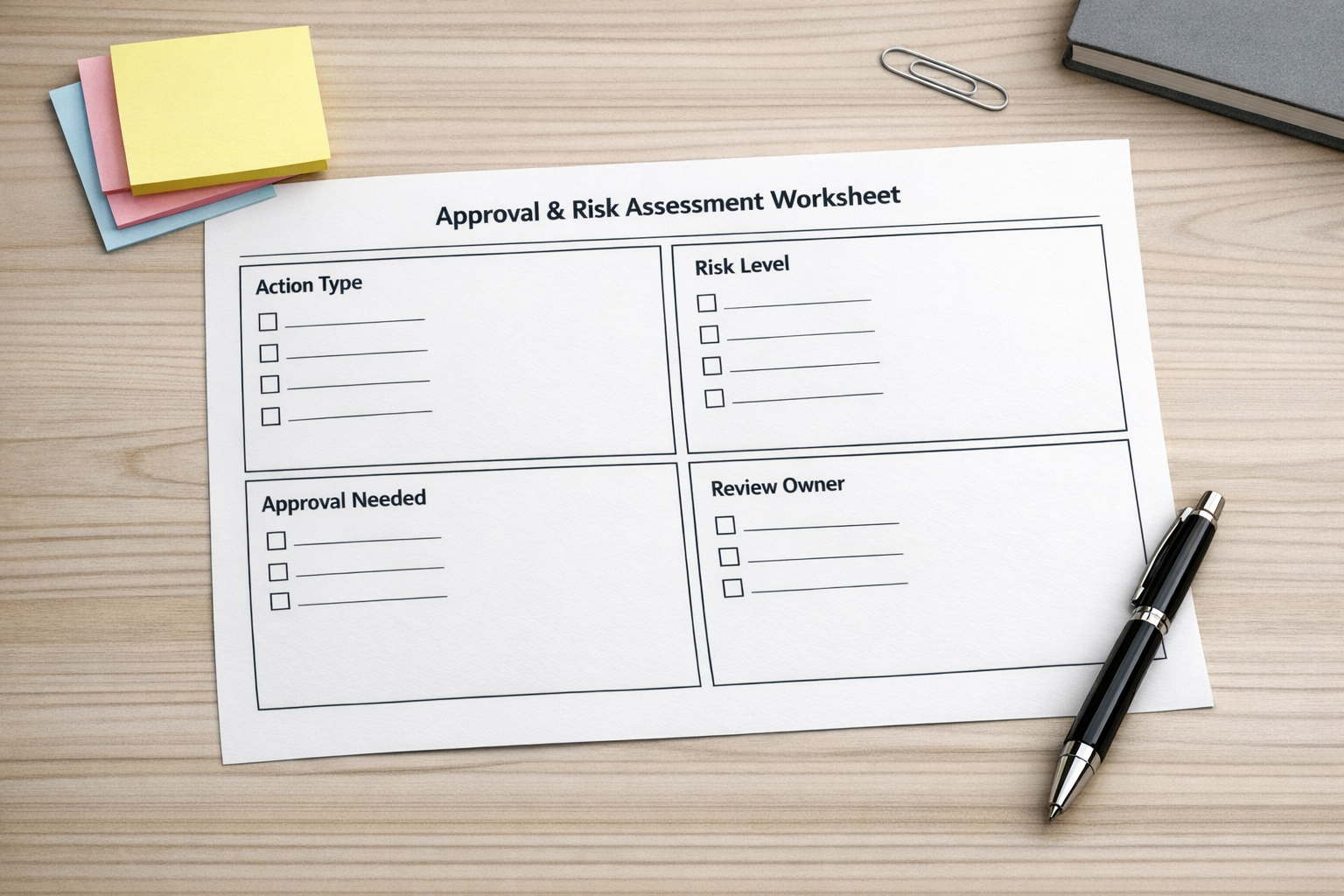
An approval map is a simple way to decide how much freedom an agent should have. It does not need to be complicated. The goal is to separate low-risk actions from actions that need review.
1. Draft only
In this mode, the agent prepares work but does not publish, send, delete, purchase, or update important records. This is a strong starting point for most teams.
Examples include:
- Drafting email replies
- Writing meeting summaries
- Preparing task descriptions
- Suggesting CRM notes
- Creating internal summaries for support or sales
This removes blank-page work while keeping a human in control.
2. Low-risk automatic action
Some actions are safe enough to automate if the rules are clear. For example, an agent might tag a ticket, add a note, assign a category, or move a task into a review list.
These actions should be reversible and easy to audit. If a mistake happens, the cleanup should be small.
3. Approval required
Certain actions should pause for human review, especially during the first version of the workflow.
Common approval points include:
- Sending external messages
- Changing prices or discounts
- Issuing refunds
- Purchasing inventory or supplies
- Deleting records
- Changing ownership of deals or accounts
- Making exceptions to policy
If the action has financial, customer, legal, or data integrity impact, require approval until the workflow has been tested properly.
4. Never automatic
Some boundaries should be firm. An AI agent should not bypass compliance rules, impersonate a team member, hide its actions, or make decisions outside its assigned workflow.
Clear limits protect both the business and the people working inside it.
Build a review loop into the first version
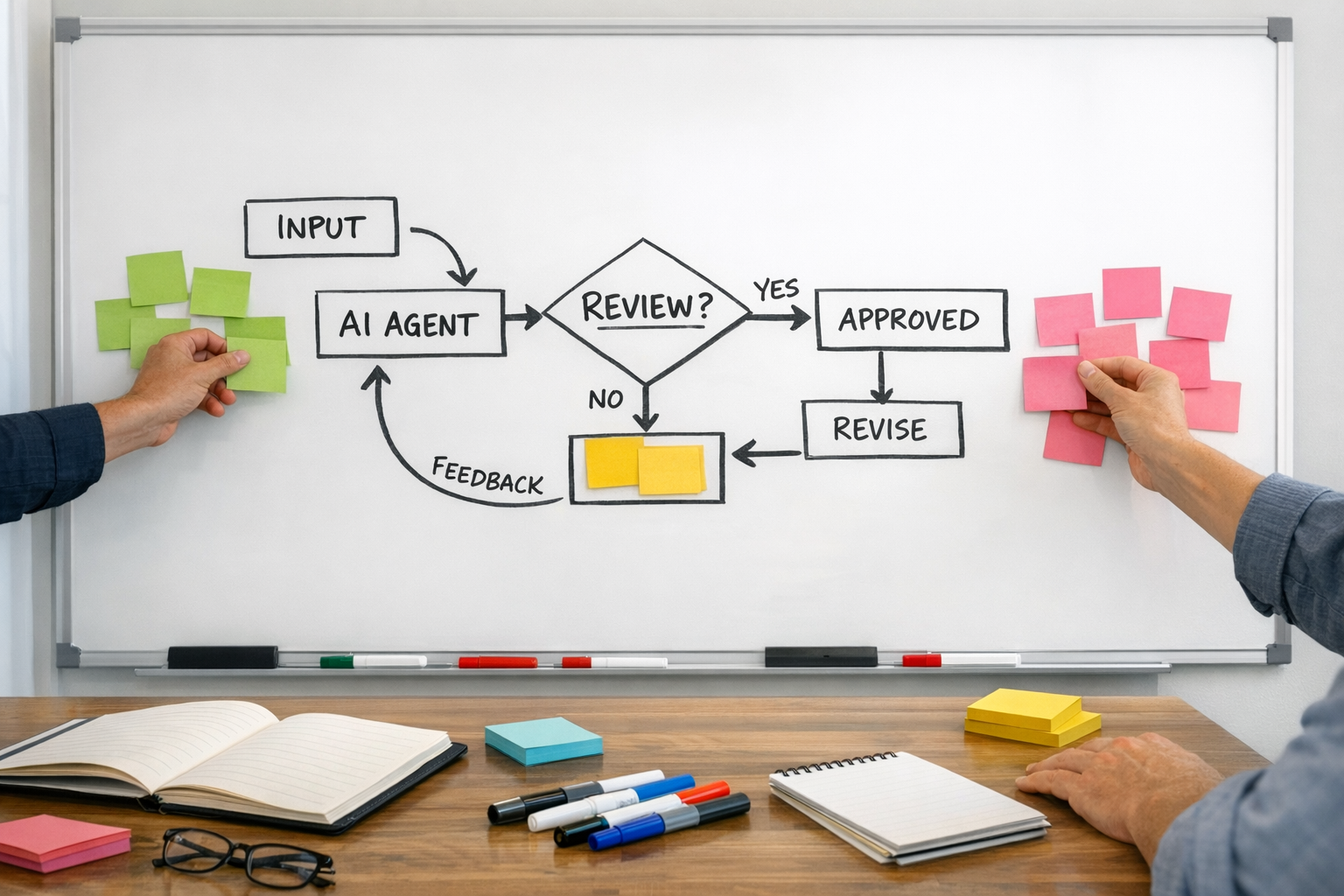
The first version of an AI agent workflow should be treated like a validation period, not a finished system.
Review the first 20 to 50 actions. Look for patterns:
- Was the input clear enough?
- Did the agent have the right context?
- Did it misunderstand any edge cases?
- Were the approval rules too loose or too strict?
- Did the output save time for the team?
- Did anyone still need to copy and paste information manually?
This review loop is where the real improvement happens. You may discover that the agent is fine, but the form is missing a required field. Or the CRM stages are unclear. Or the handoff between sales and support needs a better checklist.
In other words, AI often exposes the process problems that were already there.
Measure the workflow, not the novelty
An AI agent should be judged by operational value. Did it reduce manual work? Did it improve response speed? Did it reduce missed handoffs? Did it make records cleaner? Did it help the team make better decisions?
A practical scorecard might include:
- Time saved: Which manual steps were removed?
- Error rate: How often did a human need to correct the output?
- Adoption: Is the team actually using it?
- Exception volume: How many cases still need manual handling?
- Auditability: Can you see what the agent did and why?
If you cannot measure the impact, the workflow may still be too vague.
A practical starting point
If your team is considering AI agents, start with one workflow where the pain is visible. Look for repetitive work that already has a known process.
Good candidates include CRM cleanup, support ticket triage, sales follow-up preparation, task creation, ecommerce order review, and internal handoff summaries.
Then design the workflow in this order:
- Map the current manual process.
- Identify the repetitive decision points.
- Define the agent’s exact role.
- Set approval rules and hard limits.
- Test with real examples.
- Review early outputs before expanding.
This approach is less exciting than giving an agent broad access on day one, but it is much safer and usually more effective.
More power is not the same as better operations
As AI becomes more available on everyday devices, many teams will be tempted to add agents everywhere. Some of that will be useful. Some of it will create noise.
The teams that benefit most will not be the ones that connect AI to the most tools. They will be the ones that define the clearest workflows.
At ConsultEvo, we help businesses design automation and AI agent systems around real operations: CRM workflows, ClickUp structures, Make and Zapier automations, HighLevel systems, Shopify processes, and support or sales handoffs.
If you are planning to add AI agents into your business, start with the process. The tool should come after the workflow is clear.