


AI Agents Need Workflows Before They Need More Tools

The AI conversation is very focused on infrastructure right now. Better chips, faster models, bigger hiring moves, more powerful systems, and agents that can use tools in the background.
That infrastructure matters. But for a business owner or operations lead, it is not the whole question.
The more useful question is:
What work should the AI agent actually remove from the team?
Not what can it generate. Not how impressive the demo looks. Not whether it can open a browser, read a file, or write a message. Those are capabilities. The business value comes from something more specific: a well-defined workflow where the agent can receive context, make a safe decision, complete a task, and hand the result to the right system or person.
Without that workflow, an AI agent often becomes another tool that needs managing.
The model is only one part of the system
When teams first explore AI agents, they often start with tool comparisons. Which model should we use? Which platform has the best agent features? Should this connect to our CRM, ClickUp, inbox, or support desk?
Those are fair questions, but they are not the best starting point.
An agent does not operate in a vacuum. It sits inside your business process. If the process is unclear, the agent inherits that confusion.
For example, imagine a sales inquiry comes in through a form. A simple AI agent could summarize the message and draft a reply. That might save a few minutes.
But a better operational design would ask:
- Should the agent check whether this person already exists in the CRM?
- Should it classify the inquiry by service type, urgency, or budget fit?
- Should it create a task for sales, support, or delivery?
- Should it update a lifecycle stage?
- Should it ask for human approval before sending anything?
- What happens if the contact data is incomplete?
That is where the real work is. The agent is only valuable when the surrounding workflow is clear enough for it to act reliably.
Bad workflows do not improve when AI touches them
One of the easiest mistakes to make is adding AI to a process that already frustrates the team.
If leads are already being assigned inconsistently, an AI agent may assign them inconsistently faster. If CRM fields are messy, the agent may make decisions from poor context. If nobody agrees on what counts as a qualified request, the agent will struggle to route requests correctly.
This is why process design should come before tool selection.
Before you automate, slow down and document the current handoff. Where does the work start? Who touches it? Which systems are involved? Where does copy-paste happen? Where do delays happen? Where does the team ask the same clarification questions repeatedly?
These friction points are usually the best candidates for AI-assisted automation. Not because they are glamorous, but because they are expensive in daily attention.
Use a validation sheet before building
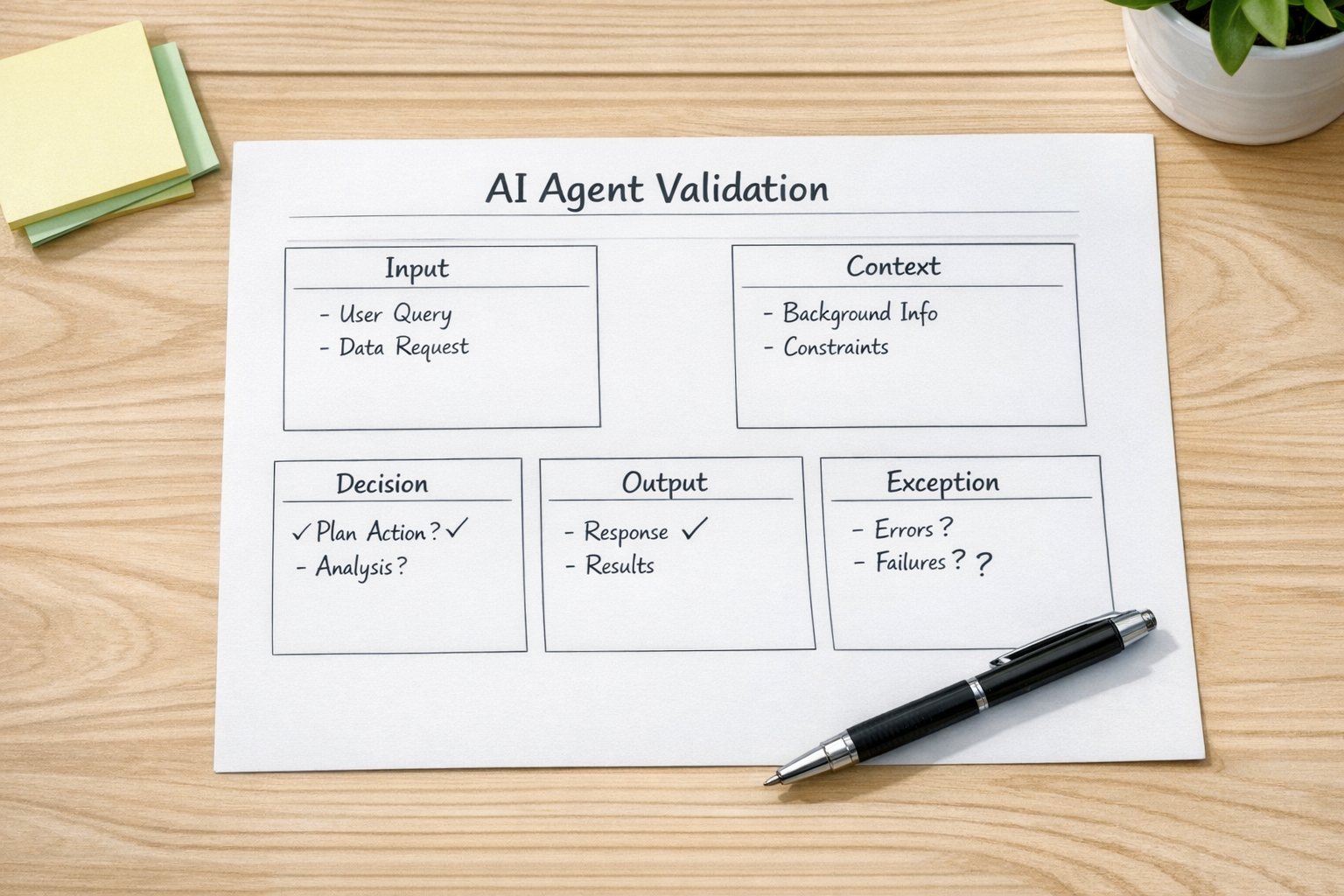
Before connecting an AI agent to live systems, create a simple validation page. This can be a document, worksheet, ClickUp task, or whiteboard section. The format does not matter as much as the thinking.
Include these five parts:
- Input: What exact event starts the agent? A new form submission, email, CRM stage change, support ticket, order issue, or task comment?
- Context: What information should the agent review before acting? CRM fields, order data, previous messages, files, notes, or task history?
- Decision: What is the agent allowed to decide? Classification, priority, routing, summary, draft response, data cleanup suggestion, or next action?
- Output: What should the agent create or update? A task, comment, CRM note, Slack message, email draft, field value, or internal summary?
- Exception: When should a human step in? Missing data, low confidence, sensitive topic, high-value lead, refund issue, angry customer, or unclear intent?
This one page prevents a lot of rework. It also helps the team see whether the use case is ready for automation or still needs process cleanup.
Start with a narrow operational handoff
The best first agent workflows are usually not huge. They are narrow, repetitive, and connected to a clear business outcome.
Good starting points include:
- Turning client emails into structured ClickUp tasks
- Summarizing support requests and assigning the correct owner
- Checking new leads against CRM data before routing
- Preparing response drafts for approval on common support issues
- Reviewing Shopify order problems and creating an internal action note
- Cleaning up duplicate or incomplete CRM records for human review
Each of these examples has a defined input and a practical output. That makes testing easier. It also makes ROI easier to understand because you can compare the old manual step with the new assisted workflow.
Design the handoff, not just the prompt
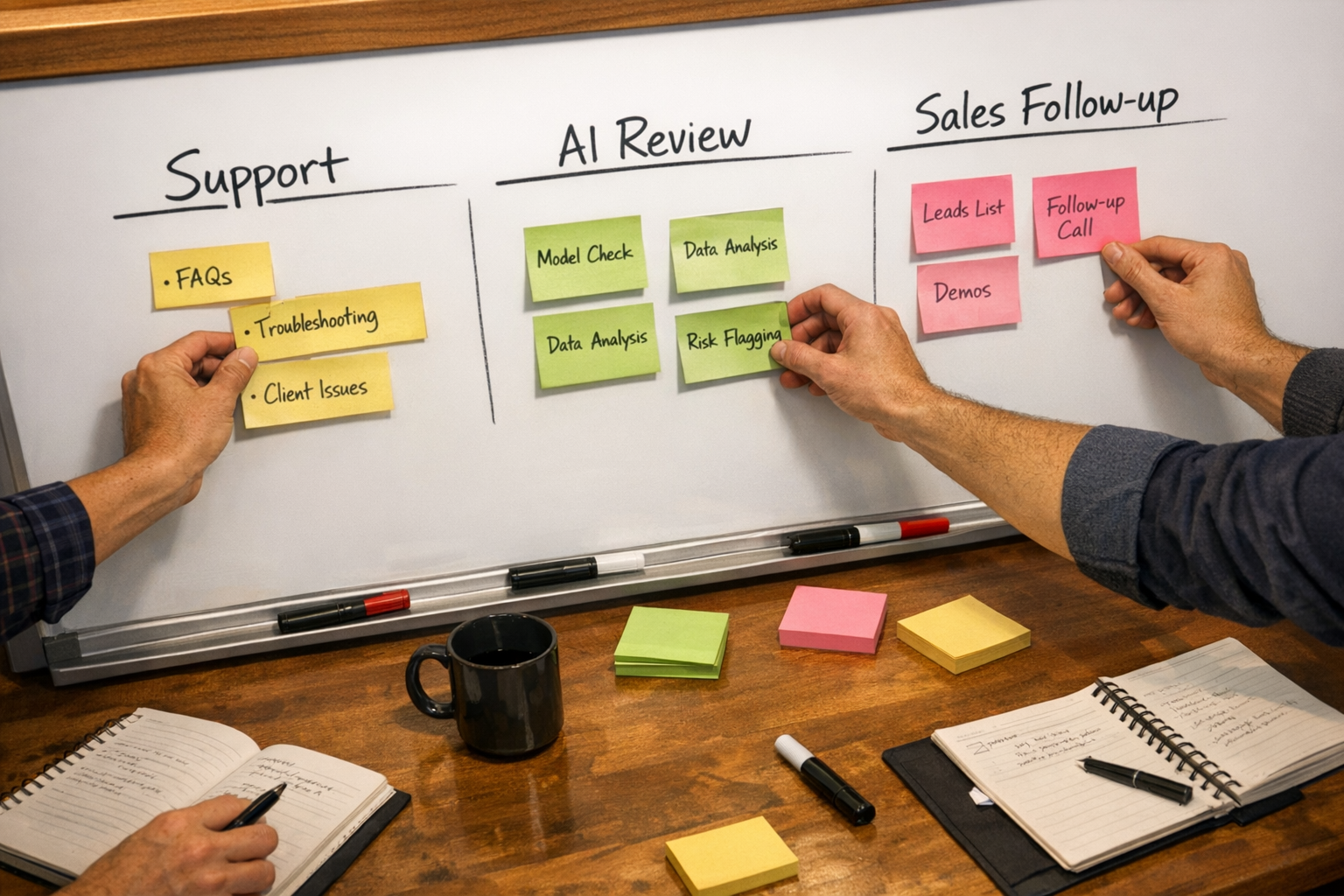
Prompt quality matters, but prompt quality alone will not fix a weak handoff.
If an AI agent creates a great summary but posts it in the wrong place, the team still loses time. If it drafts a useful reply but nobody knows who should approve it, the work still stalls. If it updates the CRM but does not create the next task, the process still leaks.
A strong agent workflow should answer these questions:
- Where does the agent get reliable information?
- Which tool is the source of truth?
- What is the agent allowed to change automatically?
- What requires approval?
- How will errors be reviewed?
- How will the team know the work is complete?
This is where platforms like Make, Zapier, ClickUp, HubSpot, GoHighLevel, Shopify, and custom APIs become useful. They are not just connectors. They are the operational layer that helps AI-generated work move into the right place.
Measure saved work, not AI activity
It is easy to measure the wrong thing. Number of agent runs, number of generated summaries, or number of prompts sent can look productive without proving much.
Better measures are closer to operations:
- How many manual copy-paste steps disappeared?
- How many requests were routed correctly without human sorting?
- How much faster did the team respond?
- How many tasks were created with complete context?
- How many exceptions needed review?
- Did the workflow reduce mistakes or just move them elsewhere?
These questions keep the project grounded. AI agents should not create more operational noise. They should remove work, reduce uncertainty, and make handoffs cleaner.
A practical way to begin
If you are considering an AI agent inside your business, do not start by trying to automate a whole department.
Pick one repeatable workflow. Map the current version. Identify the manual steps. Decide what the agent can safely handle. Add human review where the risk is higher. Then test it with real examples before connecting it to live customer or sales workflows.
That approach is less flashy, but it is much more likely to work.
ConsultEvo helps businesses design and build practical automation systems across ClickUp, Make, Zapier, HubSpot, GoHighLevel, Shopify, WordPress, CRM workflows, and AI agent operations. If your team is exploring AI agents but the process still feels messy, we can help you map the workflow, validate the use case, and build it properly.