

AI Agents Need an Operating Boundary Before They Need More Tools

It is easy to get excited about AI agents because the first demo usually looks simple. Give the agent a goal, connect a few tools, and watch it complete work that used to take a person several minutes or hours.
That is a useful starting point, but it is not enough for a real business workflow.
Once an AI agent can update CRM records, create ClickUp tasks, trigger Make or Zapier automations, send messages, classify support requests, or touch Shopify order data, it is no longer just producing text. It is operating inside the business.
At that point, the most important question is not only whether the agent can complete the task. The better question is: what operating boundary does this agent need so the work stays useful, visible, and controlled?
The prompt is only one part of the system
Many agent projects start with prompt improvement. That makes sense. Clear instructions matter. But prompts do not solve everything.
A prompt might tell the agent to be careful with customer data, but it does not automatically define which records the agent can access. A prompt might tell the agent to escalate uncertain cases, but it does not create the escalation workflow. A prompt might ask the agent to log its work, but it does not decide where that log should live or what details should be captured.
This is why operational design matters before tooling. A useful AI agent needs a surrounding workflow that defines:
- What the agent is responsible for
- What systems it can access
- What actions it can take without review
- What actions require human approval
- Where the agent records decisions and outcomes
- How exceptions are handled
Without that layer, the agent may still work. But the business will struggle to trust it, troubleshoot it, or scale it.
Think in terms of a work harness
A practical way to design AI agent workflows is to think in terms of a work harness. Not a single software feature. Not a long policy document. A work harness is the operational layer around the agent that keeps the task clear and the result traceable.
For a small business workflow, this does not need to be complicated. It can be a simple set of rules and automations that answer five questions:
- Identity: What is this agent acting as?
- Authority: What can it read, write, update, or trigger?
- Context: What information should it use to make decisions?
- Intervention: When should it pause and ask a human?
- Evidence: Where do we see what it did and why?
These questions apply whether the agent is simple or complex. A lead qualification agent needs them. A support triage agent needs them. A CRM cleanup agent needs them. An internal operations assistant needs them.
A simple worksheet before implementation
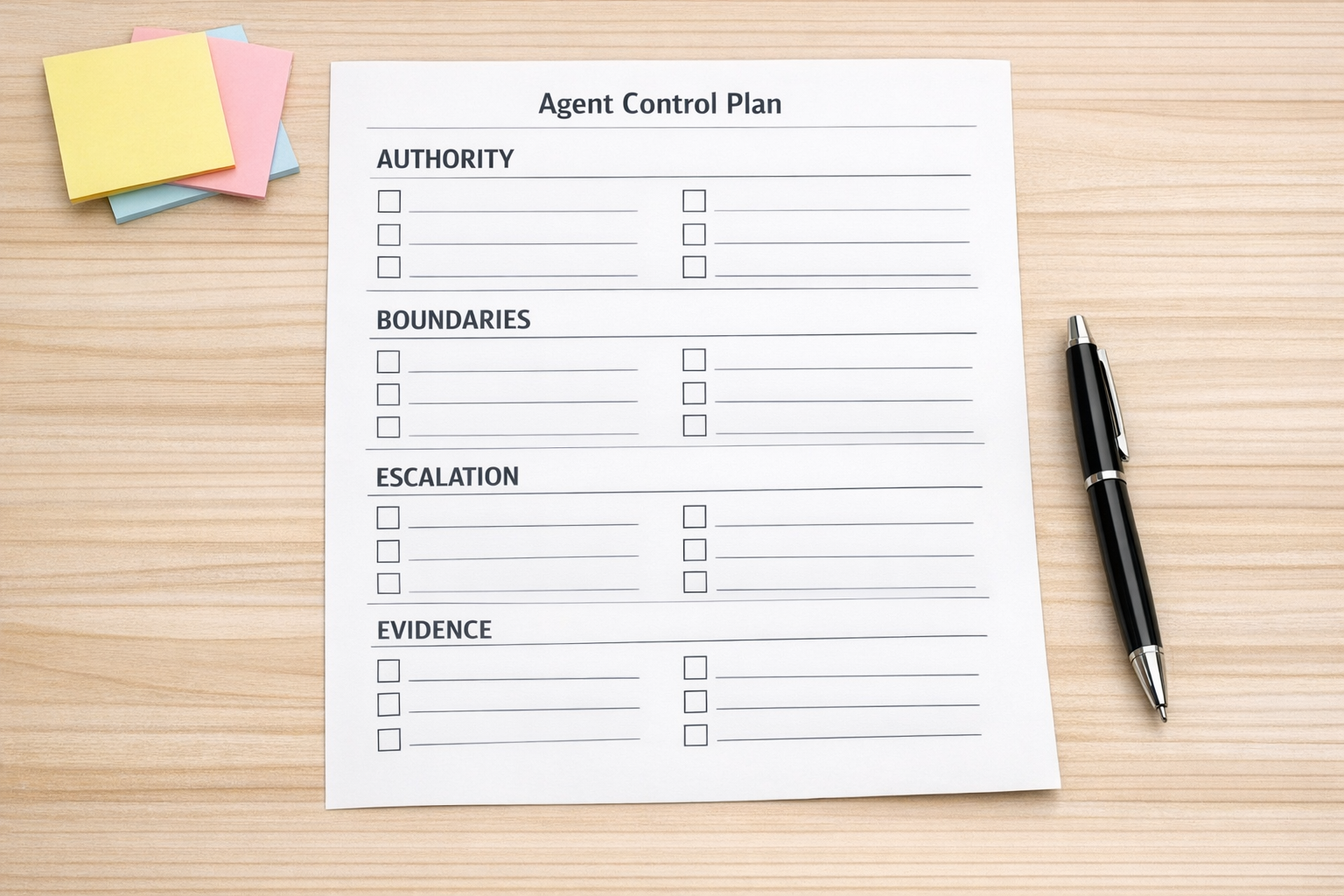
Before building an AI agent, it helps to complete a lightweight control worksheet. This is especially useful when the agent will connect to live business systems.
1. Define the job clearly
Start with one narrow outcome. For example, do not begin with “manage sales operations.” Start with “review new inbound leads and suggest the correct pipeline stage.”
The narrower the job, the easier it is to validate the workflow and spot edge cases.
2. Separate read access from write access
An agent that can read data is very different from an agent that can change data. Treat those permissions separately.
For example, an agent might be allowed to read lead source, company size, form answers, and previous notes. But it may only be allowed to update a qualification field or create a draft task for review.
This small distinction prevents a lot of accidental workflow damage.
3. Decide what requires review
Not every action needs approval. If every tiny step waits for a human, the agent will not remove much work. But some actions should pause.
Common review points include:
- Deleting or merging records
- Sending external messages
- Changing deal stages
- Issuing refunds or discounts
- Updating high-value customer records
- Triggering multi-step downstream automations
The goal is not to slow everything down. The goal is to place review where mistakes are expensive.
4. Create a visible activity trail
If an agent changes a record or triggers a workflow, the team should be able to understand what happened later.
That does not mean creating a massive audit system for every small automation. It can be as simple as adding a note to the CRM record, creating a ClickUp comment, writing to an internal log table, or storing the decision reason in a field.
The key is that the activity trail should answer practical questions:
- What did the agent receive?
- What decision did it make?
- What action did it take?
- Was a human involved?
- What happened next?
Where this shows up in real workflows

This operating boundary is not only for large enterprises. It matters in very normal automation projects.
Sales handoffs
An AI agent can summarize a discovery call, update CRM fields, and create a follow-up task. But it should have clear rules for what it can change directly and what should be left as a recommendation.
Support routing
An agent can classify incoming tickets and suggest priority. But escalation rules should be explicit, especially for billing issues, angry customers, legal topics, or urgent service failures.
CRM cleanup
An agent can identify duplicates, incomplete records, or inconsistent field values. But automatic merging or deletion should usually be handled with extra caution.
Shopify operations
An agent can flag suspicious order patterns, summarize customer order history, or prepare support responses. But refunds, cancellations, and customer-facing messages may need approval depending on the business rules.
ClickUp and project workflows
An agent can create tasks, summarize updates, and route requests. But changing deadlines, owners, or priorities should follow the team’s agreed operating process.
Start smaller than you think
The safest way to build AI agents into operations is to start with a narrow workflow and a clear boundary.
A good first version might only classify, draft, recommend, or prepare. Once the team trusts the output, the agent can take on more direct actions.
This staged approach helps you validate the workflow before increasing automation depth. It also gives your team time to understand where the agent performs well and where human judgment is still needed.
A practical implementation sequence
If you are planning an AI agent workflow, use this order:
- Map the current process: identify the manual steps, decision points, and handoffs.
- Choose one agent responsibility: keep the first version narrow.
- Define permissions: separate read, draft, update, and trigger actions.
- Set pause points: decide where human review is required.
- Design the log: make decisions and actions visible.
- Test with real examples: use actual workflow cases, not only clean demo data.
- Review exceptions: improve the workflow before expanding the agent’s authority.
This is not about making AI projects slower. It is about avoiding the kind of messy automation that creates more cleanup than it removes.
Good agents remove work without hiding the work
The best AI agents do not feel mysterious. They remove repetitive effort while still making the process understandable.
You should know what the agent is allowed to do. You should know when it will ask for help. You should know where to inspect its actions. And you should be able to adjust the workflow as the business changes.
That is the difference between an impressive demo and a useful operating system.
If you are exploring AI agents inside your CRM, ClickUp, Make, Zapier, HighLevel, Shopify, or internal operations, ConsultEvo can help you design the workflow, permissions, review steps, and automation structure before you scale it.