


Your AI Prompts Need a Source of Truth Before They Need More Tools

A lot of teams are getting better at writing AI prompts. Fewer teams are getting better at managing them.
That difference matters. Once a prompt, agent instruction, brand rule, sales script, or workflow playbook is used by more than one person, it stops being a personal note. It becomes part of the operating system of the business.
And operating assets need structure.
Without structure, the pattern is familiar. Someone creates a strong prompt for sales follow-up. Someone else improves it and saves a copy. A freelancer gets last month’s version. A new hire asks where the approved instructions live. The answer is a mix of Slack messages, folders, docs, and memory.
At that point, the business is not using one process. It is using several quiet versions of the same process.
This is not really an AI problem
When AI output becomes inconsistent, the first instinct is often to blame the model or rewrite the prompt again. Sometimes that helps. Often, it misses the real issue.
The issue is usually operational:
- No single source of truth
- No clear owner for the instruction
- No review step before changes go live
- No history of what changed and why
- No easy way to return to the previous version
- No clear access rules for employees, contractors, or agencies
This is why process has to come before tools. You can store your AI instructions in GitHub, ClickUp, Notion, Google Drive, a private knowledge base, or another internal system. The tool matters, but the operating rules matter more.
If your team does not know which version is approved, where it lives, and who can change it, the storage tool will not save you.
AI instructions are living workflow assets
Traditional documents can sit untouched for months. AI instructions are different. They are used repeatedly, refined often, and directly affect the quality of work being produced.
Think about the instructions behind:
- A brand voice assistant
- A sales email drafting agent
- A CRM cleanup workflow
- A support ticket summarizer
- A ClickUp task creation standard
- A Make or Zapier automation step that formats data
- A GoHighLevel follow-up workflow
- A Shopify order exception process
These are not random snippets. They tell the business how work should happen. If five people use five versions, the output starts drifting. The business may still feel organized because everyone is using AI, but underneath, the operating logic is fragmented.
The minimum structure every team needs
You do not need to overbuild this. A small team can start with a simple control model.
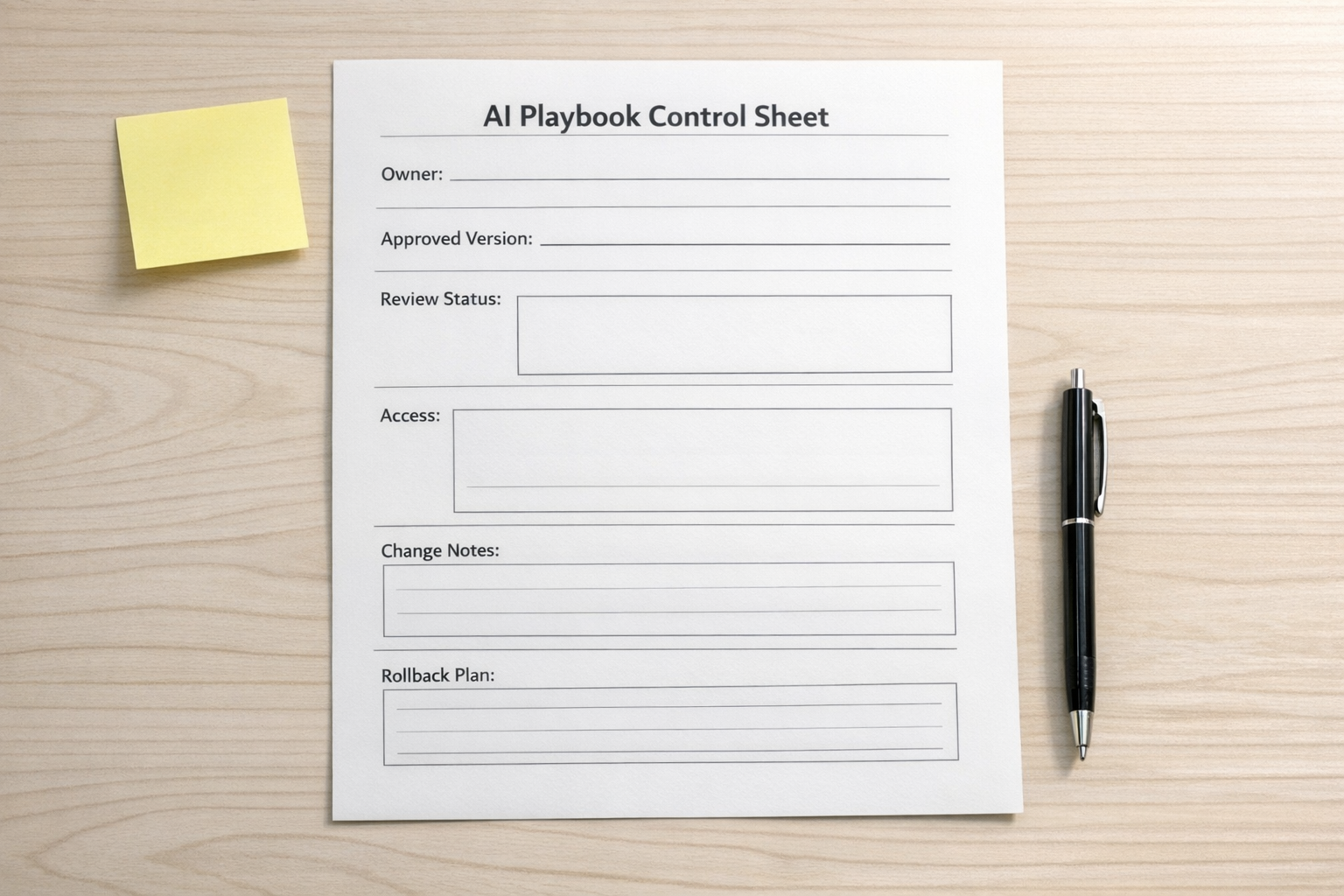
For each important AI instruction or workflow playbook, define five things:
- Home: Where does the approved version live?
- Owner: Who is responsible for keeping it useful and current?
- Status: Is it a draft, under review, approved, or archived?
- Change note: What changed, and why?
- Rollback plan: If the change makes the output worse, how do you return to the last good version?
This is simple, but it changes behavior. Instead of editing prompts casually and hoping the team keeps up, updates become deliberate. People know which version to use. They also know when something is still being tested.
Where version control thinking helps
Developers have worked with version control for a long time because code breaks when people overwrite each other’s work. Business workflows have the same problem, but it has often been hidden inside shared folders and file names.
AI makes the issue more visible. A small instruction change can affect hundreds of future outputs. That makes version history useful, even for non-technical teams.
You do not have to turn every operator into a developer. But you can borrow the useful thinking:
- Keep approved instructions separate from experiments
- Record meaningful changes
- Review important updates before they affect the team
- Give different access levels to different people
- Archive old versions instead of letting them circulate
For some teams, GitHub is a good fit because it was built around version history and controlled changes. For other teams, ClickUp or a structured documentation system may be enough. The right choice depends on team size, technical comfort, security needs, and how often the instructions change.
Start with one high-use workflow
The best first move is not to organize every prompt your team has ever written. That usually turns into a cleanup project nobody finishes.
Start with one workflow that is used often and affects visible work. For example:
- Your sales follow-up prompt
- Your content brief template
- Your support handoff summary
- Your CRM field cleanup rules
- Your new lead qualification instructions
Move that instruction into one approved location. Add an owner. Add a short note explaining what it is for. Decide who can edit it. Then tell the team: this is the live version.
That small decision creates more clarity than adding another AI tool.
Design the review path

A practical review path can be very light:
- Draft: Someone proposes an improvement.
- Test: The updated instruction is tried on a few real examples.
- Review: The owner checks whether the output is better.
- Approve: The new version becomes the team standard.
- Archive: The previous version is kept for reference or rollback.
This is especially useful when AI instructions touch customer communication, sales follow-up, brand voice, compliance-sensitive wording, or operational handoffs. You do not want every experiment instantly becoming the standard.
The real ROI is less drift
Good automation does not only save clicks. It reduces drift.
Drift is what happens when the process in someone’s head slowly separates from the process the company believes it is running. AI can reduce that when instructions are shared, approved, and maintained. It can increase it when every person builds their own private prompt library.
The goal is not to make prompt management complicated. The goal is to make the approved way of working obvious.
If your team is building AI agents, CRM workflows, ClickUp systems, Make or Zapier automations, or support and sales handoffs, start by asking one question: where does the live instruction live?
If the answer is unclear, fix that before you build the next layer.
ConsultEvo helps teams design practical operating systems for AI, automation, CRM, ClickUp, Make, Zapier, HighLevel, Shopify, and workflow handoffs. If your tools are growing faster than your process, we can help you bring the structure back.