


Better AI Agent Workflows Start With Better Thinking
AI agents are often treated like a tool problem. Choose the model, write the prompt, connect the app, test the output, and hope the workflow behaves.
But in real operations, the tool is rarely the first problem. The bigger issue is that the business has not defined the thinking the agent is supposed to repeat.
If a human team member needs unclear context, changing standards, and three Slack messages to complete a task, an AI agent will struggle too. It may move faster, but it will still be working inside a weak operating system.

The practical question is not “How do we use AI here?” The better question is: What repeated thinking, decision, or handoff should this workflow make easier?
Why prompts are not enough
Prompts matter. Clear instructions, examples, constraints, and output formats can improve an AI workflow quickly. But prompts alone cannot fix a messy process.
A prompt is usually just the visible layer. Underneath it, the workflow still needs:
- The right context at the right moment
- A clear definition of a good result
- Rules for what the AI can and cannot decide
- A destination for the output
- A feedback loop to improve the system
Without those pieces, teams often create long prompts that try to explain the whole business every time. That creates fragile workflows. One missing field, one unclear instruction, or one edge case can break the quality of the output.
This is why we like to design the thinking layer before the automation layer.
The thinking layer behind a useful AI workflow
A useful AI workflow does not just generate text or move data. It supports a specific decision or action. That means the team needs to define the thinking that normally happens around the task.
For example, if an AI agent helps qualify inbound leads, it should not only summarize the form submission. It should know what context matters, what makes a lead a good fit, which details are missing, when to create a follow-up task, and when to flag the lead for human review.
If an AI workflow helps with customer support, it should know which tone to use, which policies matter, what it can answer confidently, and when to escalate.
If an AI workflow helps with content operations, it should know the audience, the standard, the approval path, and the difference between a rough draft and something ready to publish.
The tool can assist with the work, but the business still has to define the standard.
A simple framework before building
Before building an AI agent or automation, it helps to map five parts of the workflow.
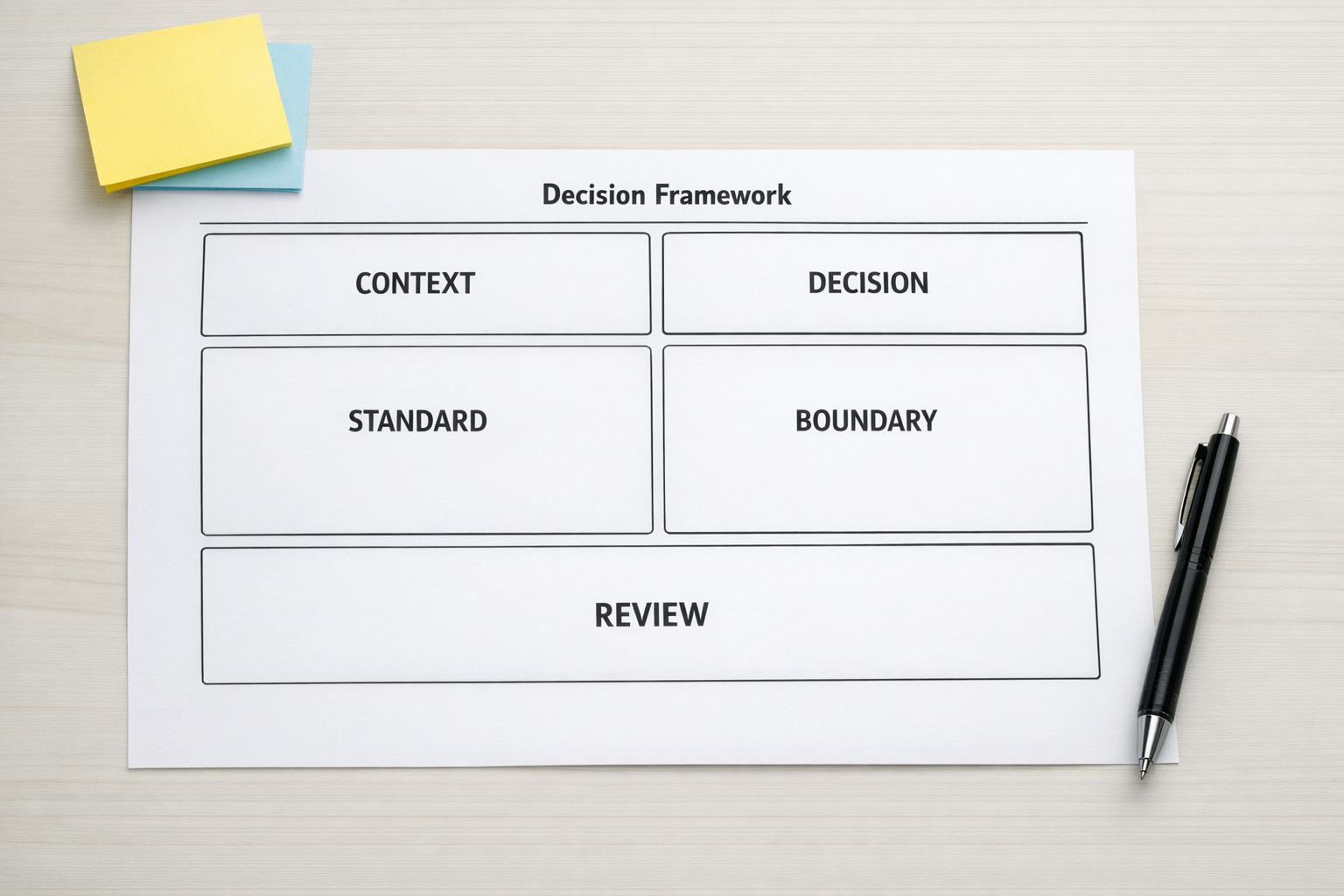
1. Context
What information should the AI receive every time? This might include CRM fields, customer history, project notes, product details, internal policies, previous messages, or task instructions.
The key is to avoid relying on the user to remember everything. If the same context is needed repeatedly, it should become a reusable block or be pulled automatically from the right system.
2. Decision
What is the AI helping decide? This could be classification, prioritization, routing, summarizing, drafting, checking, or recommending a next step.
A vague task like “analyze this” is harder to control than a specific task like “classify this request as billing, technical, onboarding, or sales, then explain what information is missing.”
3. Standard
What does good look like? The workflow should include a quality standard, not just an instruction.
For example, a sales follow-up might need to be concise, specific to the prospect’s request, free from unsupported claims, and include one clear next step. A support reply might need to be helpful, accurate, and careful about promises.
When the standard is explicit, the AI has something to aim for and the human reviewer has something to check against.
4. Boundary
Where should the AI stop? This is one of the most important design questions.
Some decisions should stay with a person. Some outputs should require approval before being sent. Some situations should trigger escalation automatically. Clear boundaries make AI workflows safer and easier to trust.
5. Review
How will the workflow improve? Even a good first version needs review. Teams should look at the outputs regularly and ask what failed, what was unclear, what context was missing, and what instruction should become part of the system.
This is how a workflow gets better without constant improvisation.
Turn repeated thinking into reusable assets
Once the thinking layer is clear, it can become part of your operations stack.
For example:
- Context blocks can become reusable prompt components.
- Approval rules can become CRM stages or ClickUp task statuses.
- Quality standards can become review checklists.
- Escalation rules can become Make or Zapier automation paths.
- Repeated summaries can become structured notes inside HubSpot, HighLevel, or another CRM.
This is where AI becomes operationally useful. The value is not just in producing an answer. The value is in reducing repeated explanation, copy-paste, rechecking, and avoidable handoff confusion.

An example: inbound request handling
Consider a business that receives inquiries through a website form. The team wants AI to help review each request and prepare the next step.
A rushed version might send the form submission to an AI model and ask it to “summarize and recommend a response.” That may work sometimes, but it leaves too much undefined.
A stronger version would define the workflow like this:
- Context: Form submission, source page, selected service, company size if available, previous CRM activity if available.
- Decision: Identify inquiry type, urgency, fit, and missing information.
- Standard: Produce a short internal summary, not a customer-facing promise.
- Boundary: Do not quote pricing, make guarantees, or send a reply without approval.
- Review: Sales reviews the AI note weekly and updates the rules when patterns appear.
Now the AI is not being asked to guess the whole sales process. It is supporting a defined part of the process.
Build the workflow after the thinking is clear
Once the thinking is mapped, the technical build becomes easier. You can decide where the workflow should live, which data should be passed between tools, what should happen automatically, and where a person should stay involved.
This might become a ClickUp intake workflow, a CRM enrichment process, a Make scenario, a Zapier automation, a HighLevel follow-up process, or a custom AI agent connected to your internal tools.
The tool choice matters, but it should follow the operating logic. Otherwise, the automation may simply move confusion faster.
A practical test for your AI workflow idea
Before building, ask these questions:
- Can we describe the job of the AI in one sentence?
- Do we know what context it needs every time?
- Do we have a clear quality standard?
- Do we know when a human must review the output?
- Can the result be stored, routed, or acted on without manual copy-paste?
- Will we review failures and improve the workflow?
If the answer is no, the next step is not a better prompt. The next step is workflow validation.
Final thought
Strong AI workflows are built on clear thinking. The prompt is only one part of the system. The real leverage comes from turning repeated judgment into reusable context, standards, boundaries, and review loops.
If your team is exploring AI agents, automations, CRM workflows, or internal operations improvements, ConsultEvo can help you map the process before building the tools. We design practical systems that reduce manual work and make daily operations easier to manage.