


Connecting AI is easy. Controlling the workflow is the real work.
AI connectors are becoming more accessible. Teams can now connect assistants to internal tools, knowledge bases, CRMs, HR systems, project workspaces, and other operational data sources with less engineering effort than before.
That sounds useful, and it can be. But the ease of connection creates a trap.
When a tool makes it simple to connect AI to company data, the implementation conversation often jumps straight to setup. Where is the connector? Who has the API key? Which assistant are we using? Can it read the system?
Those are valid questions, but they are not the first questions.
The first question should be: What should the AI be allowed to see, suggest, and change?

Why the permission layer matters
AI connected to business systems is not just a smarter search box. Depending on the setup, it may be able to retrieve records, summarize sensitive information, draft updates, trigger automations, create tasks, or write data back into another system.
That is where the operational risk appears.
If the workflow is not clearly defined, the AI can become another unclear layer on top of already unclear processes. A messy CRM becomes easier to query, but still messy. A vague support handoff becomes faster, but still vague. An inconsistent HR process becomes more accessible, but not more controlled.
Good automation does not start with connection. It starts with boundaries.
Start with read-only use cases
For most businesses, the safest first step is read-only access. This means the AI can retrieve and interpret information, but cannot directly change records or trigger actions.
Read-only use cases can still be valuable. For example, an AI assistant might:
- Summarize a customer record before a sales call
- Find missing CRM fields that need human review
- Compare a support ticket against internal process notes
- Prepare a draft project handoff from existing task data
- Search a policy library and summarize relevant sections
- Identify duplicate records or inconsistent naming patterns
These workflows remove manual searching, copying, and summarizing without immediately giving the AI permission to update systems.
This is especially useful when teams are still validating the workflow. Before an AI agent writes to a CRM, creates ClickUp tasks, updates a pipeline stage, or triggers a Make or Zapier scenario, it should prove that it can consistently find the right information and present it in a useful format.
Use a permission worksheet before connecting tools
A simple planning worksheet can prevent a lot of future cleanup. It does not need to be complex. It just needs to make the important decisions visible.
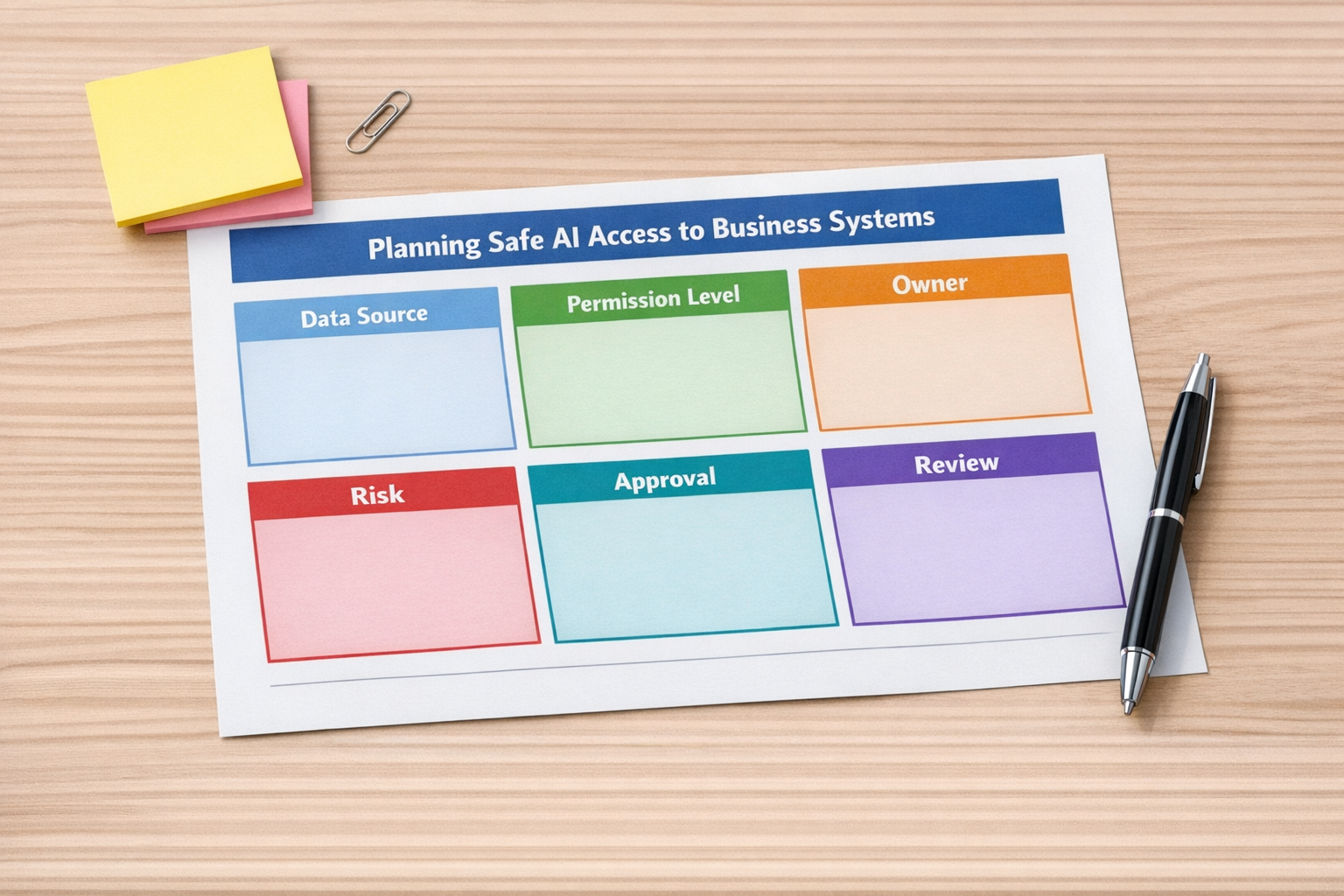
Before connecting an AI assistant to any business system, document the following:
- System: Which tool or database will the AI connect to?
- Business purpose: What work should this connection reduce?
- Access level: Is it read-only, draft-only, approval-based, or direct write access?
- Data sensitivity: Which fields, files, or records should be excluded?
- Workflow owner: Who is responsible for approving the use case?
- Technical owner: Who manages authentication, permissions, and security review?
- Human review point: Where does a person check the AI output?
- Audit trail: Where can the team see what happened later?
This kind of worksheet may feel basic, but it forces the team to slow down just enough to avoid careless automation.
Decide what “write access” really means
Write access should not be treated as one broad permission. There are levels.
An AI assistant that drafts a CRM note for a human to approve is very different from an AI assistant that automatically updates a deal stage. An AI that prepares a task description is different from one that creates and assigns tasks without review.
When considering write access, separate it into practical categories:
- Draft only: The AI prepares content, but a human submits it.
- Suggest changes: The AI recommends field updates, but does not apply them.
- Approval-based action: The AI can act after a person confirms.
- Limited automatic action: The AI can update specific low-risk fields under defined conditions.
- Full write access: The AI can create, update, or trigger actions more broadly. This should be rare and carefully reviewed.
Most teams do not need to begin with full write access. In many cases, draft-only or approval-based action creates enough value while keeping control in the hands of the operator.
Map the workflow around the connector
The connector is only one part of the system. The surrounding workflow matters just as much.
For example, if an AI assistant is connected to a CRM, the team should know what happens before and after the AI is used. Who asks the question? What data does the AI inspect? What output format is expected? Who approves the next step? What automation runs after that?
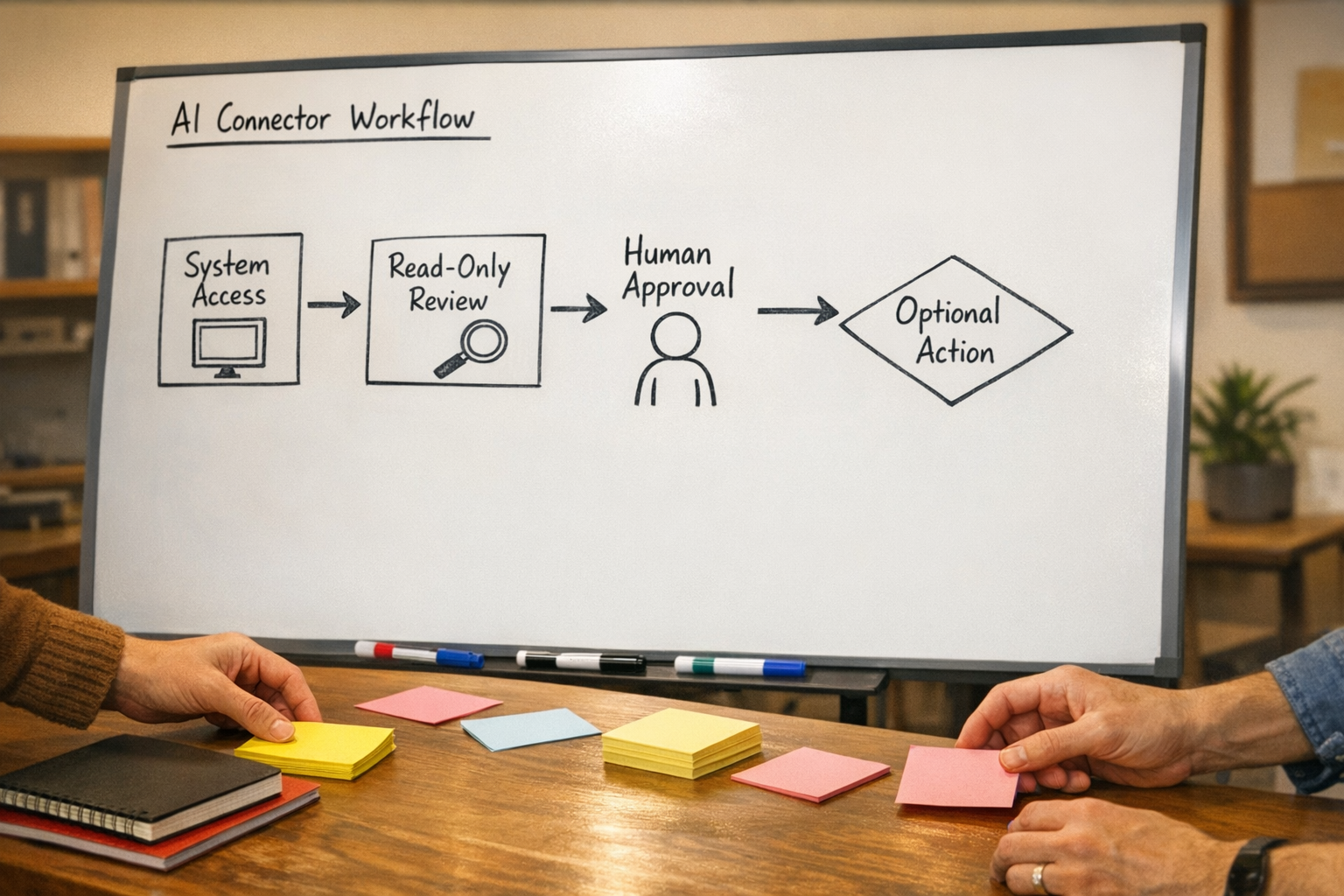
A useful workflow map might include:
- The trigger that starts the process
- The systems the AI can read from
- The fields or documents it should ignore
- The response format the team expects
- The human review step
- The action that happens after approval
- The place where the result is logged
This is how AI agents become operationally useful. They are not just connected to tools. They are placed inside a clear process.
Validate the workflow before automating it
One practical approach is to run the workflow manually with AI assistance before automating the whole thing.
For example, if you want an AI assistant to prepare sales handoff notes, start by letting it read the CRM record and generate a draft. Have the sales or operations team review the output. Track what they edit. Notice what the AI missed. Improve the source data. Clarify the prompt. Adjust the required fields.
Only after the team trusts the output should you consider connecting that step to a Make scenario, Zapier automation, ClickUp task creation flow, HubSpot workflow, or GoHighLevel pipeline update.
This reduces the chance of building automation around a workflow that has not been proven yet.
A practical starting framework
If you are considering AI connectors, use this simple sequence:
- 1. Pick one narrow use case. Avoid connecting everything at once.
- 2. Clean the source data. AI cannot reliably fix messy inputs on its own.
- 3. Start read-only. Let the AI retrieve, summarize, and flag.
- 4. Add human review. Keep approval close to the action.
- 5. Log the outcome. Make the workflow visible after it runs.
- 6. Expand permissions slowly. Move from read-only to draft, then approval-based actions, then limited automation if needed.
This is not the flashiest way to implement AI, but it is the safer way to build something your team can actually rely on.
Process first, connector second
AI connectors can reduce manual work, especially when teams spend too much time searching, copying, summarizing, and moving information between systems. But the value depends on the workflow design around the connector.
Before connecting AI to HR tools, CRMs, support platforms, project systems, or operations data, define the permissions. Decide what read-only means. Decide who approves write actions. Decide where the audit trail lives.
At ConsultEvo, this is the approach we use when designing AI agents and automation workflows: process first, permissions second, tools third.
If you want help planning safe AI-connected workflows, CRM cleanup, ClickUp structure, or Make and Zapier automation, ConsultEvo can help you design the system before you connect the tools.