

How to Turn Product Updates Into Useful Operational Decisions
Every business tool now changes constantly. AI platforms ship new capabilities. CRMs adjust features. Automation tools add triggers and actions. Ecommerce platforms change workflows. Project management tools add views, fields, permissions, and reporting options.
For a founder or operator, the hard part is not access to information. The hard part is knowing what matters.
A product update is only useful if it leads to a better decision. Otherwise, it becomes another tab, another newsletter, another “we should look at this later” item that quietly disappears.
This is where a small AI-assisted workflow can be surprisingly valuable. Not a giant knowledge system. Not a complicated internal portal. Just a daily or weekly update brief that reads relevant sources and turns changes into operational recommendations.
The goal is not to track everything
The goal is to reduce the delay between “something changed” and “we know what to do about it.”
That distinction matters. Many teams try to solve update overload by collecting more information. They subscribe to more emails, join more communities, bookmark more release notes, and forward more links into Slack.
But collecting updates does not create clarity. It often creates more noise.
A better update system should filter each change through your business context. For example:
- Does this affect our sales process?
- Does this change how support tickets should be handled?
- Does this create a better automation option?
- Does this require a CRM cleanup?
- Does this affect a client workflow we manage?
- Is this update interesting, but irrelevant?
The last question is important. A good operational system should help the team ignore things confidently.
A simple update brief structure
The most useful version of this workflow is usually very plain. Each update should be translated into a decision format.
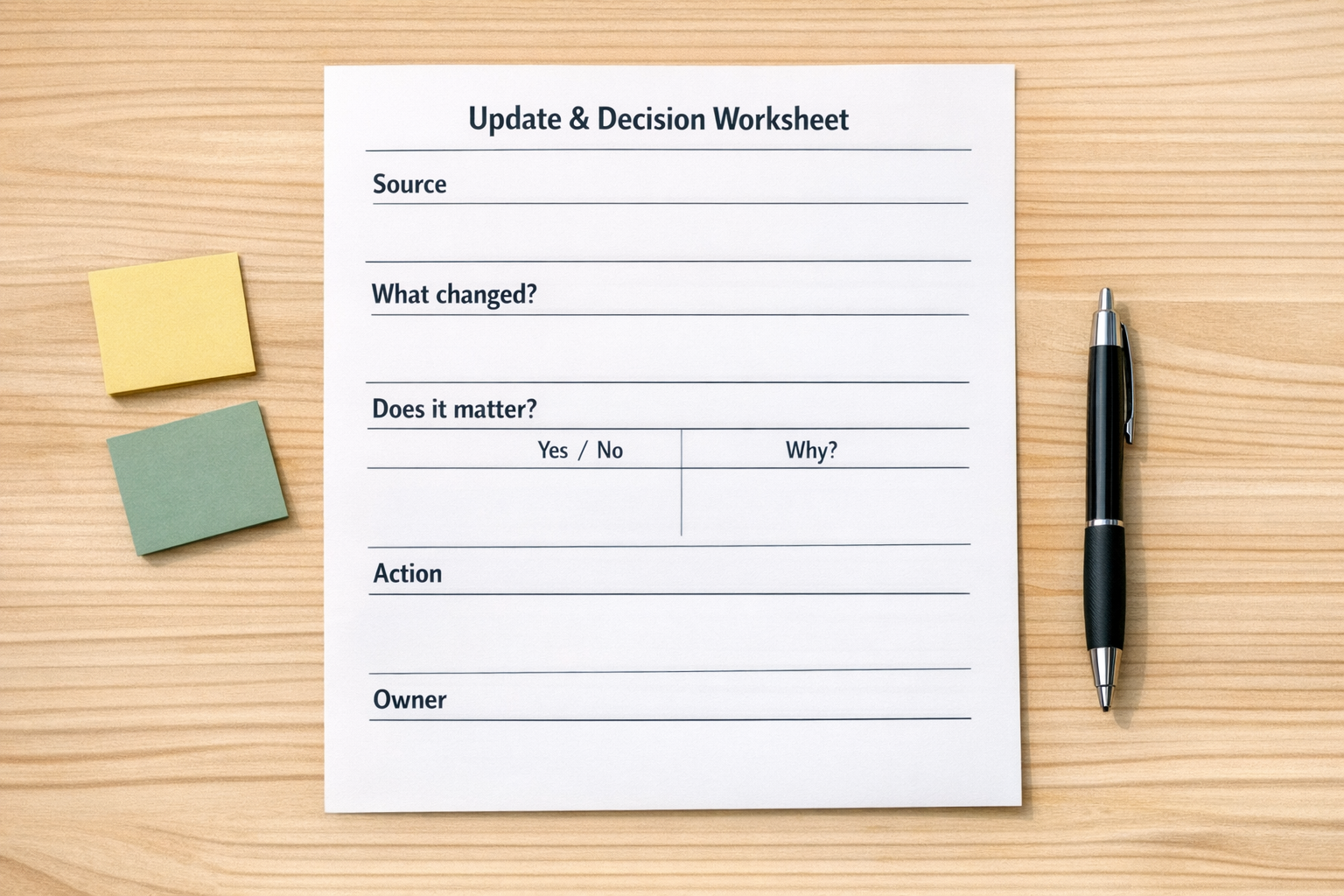
Here is a simple structure that works well:
- Source: Where did this update come from?
- Plain English summary: What changed, without the vendor language?
- Business area affected: Sales, support, delivery, finance, marketing, operations, or none.
- Relevance level: Ignore, monitor, test, implement, or escalate.
- Recommended action: What should happen next?
- Owner: Who should review or act on it?
- Due date: Is there a real deadline, or can it wait?
This structure keeps the brief practical. It also prevents AI from producing a long summary that nobody uses.
Where AI fits
AI is useful here because it can do the first pass of reading, filtering, and formatting. It can compare a new update against a short description of your business, your tools, your workflows, and your priorities.
For example, you might give the agent context like:
- We use HubSpot for sales pipeline management.
- We use ClickUp for project delivery and internal tasks.
- We use Make for form routing, CRM updates, and client onboarding automations.
- We sell implementation services to small service businesses.
- We care about updates that reduce manual copy-paste or improve handoffs.
With that context, the AI can produce a much better brief. It can flag an update as relevant because it may reduce manual sales admin. It can recommend testing a new automation trigger. It can suggest updating a ClickUp template. It can also say, “No action needed.”
That last output is underrated.
Start manual before you automate
It is tempting to build the full automation immediately. RSS feeds, scraped changelogs, AI summaries, ClickUp task creation, Slack notifications, CRM notes, and weekly reports.
Sometimes that is the right build. But not first.
Start by validating the workflow manually for one or two weeks. Pick three to five sources that matter. Have AI help summarize them. Review the output yourself. Track which recommendations were actually useful.
After that, automate only the parts that proved valuable.
This is the same principle we use in broader automation work: process before tools. If the decision logic is unclear, automation will only move confusion faster.
What the workflow can become
Once the update brief is validated, it can become part of your operating rhythm.
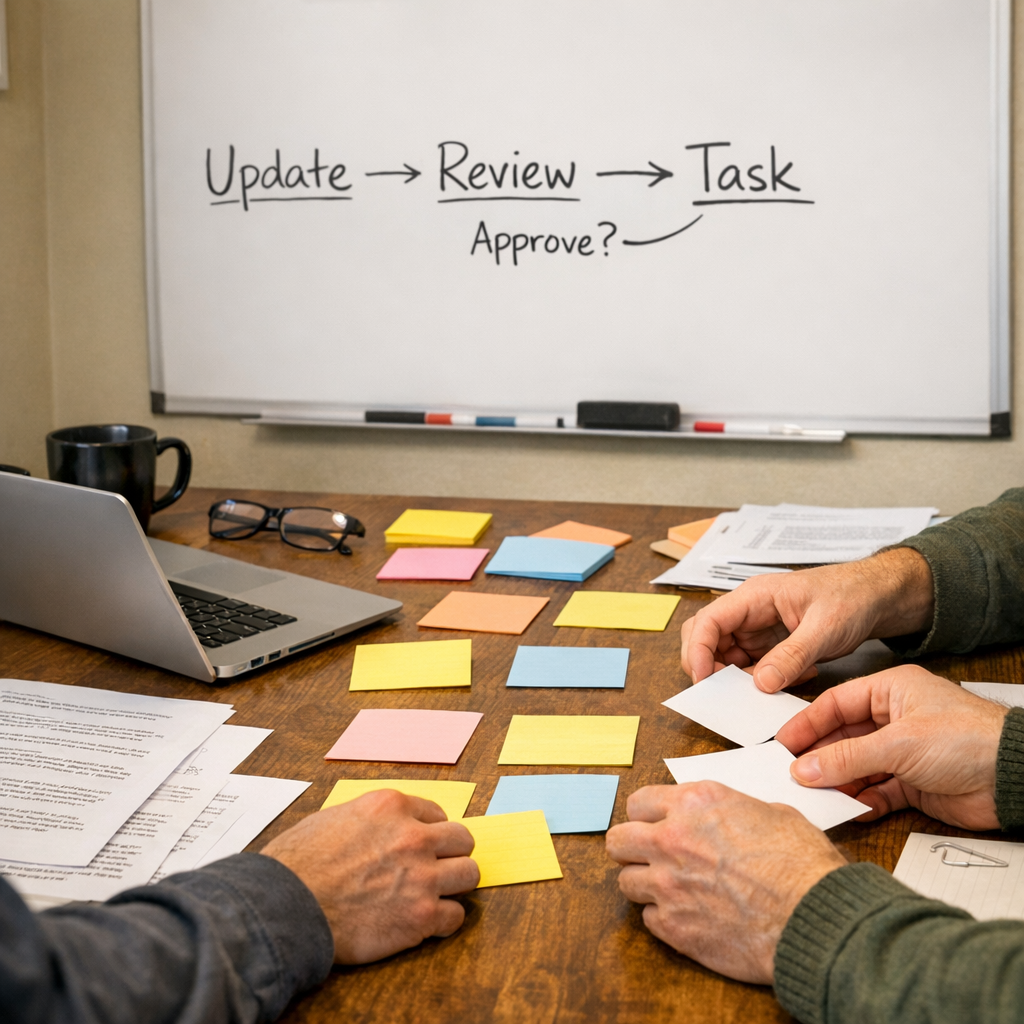
A practical setup might look like this:
- New updates are collected from selected sources.
- AI summarizes each update in plain language.
- AI compares the update against your business context.
- Relevant updates are added to a review list.
- High-value actions become tasks in ClickUp or another project tool.
- CRM-related changes are routed to the sales or operations owner.
- Ignored updates are archived with a short reason.
This creates a useful operating loop. The team does not need to chase every announcement. They only need to review filtered decisions.
Good use cases for this workflow
An update brief agent can help in several areas:
- CRM operations: Spot changes that affect fields, workflows, permissions, forms, or reporting.
- Automation maintenance: Identify new triggers, actions, or limits in Make, Zapier, or related tools.
- Client delivery: Notice updates that could improve templates, onboarding, reporting, or support processes.
- Sales offers: Find relevant changes that create a useful service angle for existing clients.
- Internal documentation: Flag SOPs that need to be updated because a tool changed.
The common thread is operational clarity. The update is not the point. The decision is the point.
Keep the system small
The biggest mistake is making the brief too broad. If the AI watches too many sources, every update starts to feel important. Keep the first version narrow.
Choose sources connected to tools your team actively uses or supports. Define what “relevant” means. Decide who reviews the brief. Decide what happens when an item needs action.
A simple rule helps: if nobody owns the next step, the update should not become a task.
Final thought
AI agents do not need to feel dramatic to be useful. Some of the best ones simply remove low-value reading, sorting, and copy-paste from the operator’s day.
A well-designed update brief can help your team stay current without turning every announcement into a distraction. It reads the noise, filters for relevance, and turns the few important items into clear next steps.
If you want help designing this kind of workflow for your tools, ConsultEvo can help you map the process, validate the decision logic, and build the automation inside ClickUp, Make, Zapier, HighLevel, HubSpot, or your existing CRM stack.