

How to Turn AI Uncertainty Into Better Automation Decisions
AI has created a strange problem for business operators. There is more useful information available than ever, but much of it does not turn into action.
A founder reads about a new model. A sales leader forwards a post about AI agents. An operations manager saves a workflow idea. A week later, the team has more links, more opinions, and no clearer decision about what should actually change inside the business.
The issue is not lack of information. It is lack of a decision system.
At ConsultEvo, we see this most often when teams are considering automation. They know AI and workflow automation can reduce manual work. They also know tools are changing quickly. That uncertainty can create hesitation. Nobody wants to build the wrong thing, automate the wrong process, or commit to a workflow that becomes outdated in three months.
The practical answer is not to predict the future perfectly. It is to identify decisions that are useful across several possible futures.
The better question: what will still be useful?
When teams think about AI strategy, they often start with the wrong question: “What is going to happen next?”
That question is impossible to answer with certainty. A better operational question is: “What can we improve today that would still be valuable if several different futures happen?”
For example:
- If AI tools become cheaper and more capable, clean CRM data will still matter.
- If regulations become stricter, documented workflows will still matter.
- If customer expectations rise, faster support and sales handoffs will still matter.
- If your team grows, clear ownership inside ClickUp or your CRM will still matter.
- If your tool stack changes, well-defined processes will still matter.
These are low-regret operational decisions. They are not dependent on one specific tool winning. They make the business easier to run in multiple scenarios.
Start with process before tools
One common mistake is treating uncertainty as a tool-selection problem.
The team asks whether they should use one AI platform, another automation builder, a CRM feature, or a custom agent. Those choices matter, but they should not come first.
The first step is to define the process clearly enough that any tool can be evaluated against it.
Before choosing what to build, answer:
- What work is currently being done manually?
- Where does copy-paste happen?
- Which handoff creates the most delay or confusion?
- Who owns the workflow when something goes wrong?
- What information must be accurate before automation can help?
- What would a successful outcome look like in plain business terms?
When those answers are clear, tool decisions become easier. You are no longer buying software because it sounds promising. You are matching tools to a validated operational need.
Use AI as a workflow validation partner
AI is often used to generate ideas. That is useful, but limited. The bigger opportunity is using AI to validate ideas before implementation.
For example, you can give an AI agent a plain-language description of a sales intake process, a support handoff, or an order fulfillment workflow. Then ask it to identify unclear ownership, missing data, unnecessary manual steps, and points where automation could create risk.
This does not replace human judgment. It gives the operator a structured second pass.
A useful AI validation prompt might ask:
- Where is the workflow unclear?
- Which steps depend on clean data?
- Which parts are safe to automate?
- Which parts should stay human-reviewed?
- What questions should we answer before building?
- What is the smallest useful version of this automation?
That last question is important. Many automation projects get too large too quickly. A small validated workflow that removes one painful manual step is often more valuable than a large half-finished system.
A simple automation validation worksheet
Before building any automation or AI agent, run the idea through a simple worksheet. This prevents teams from jumping from excitement to implementation without checking the basics.
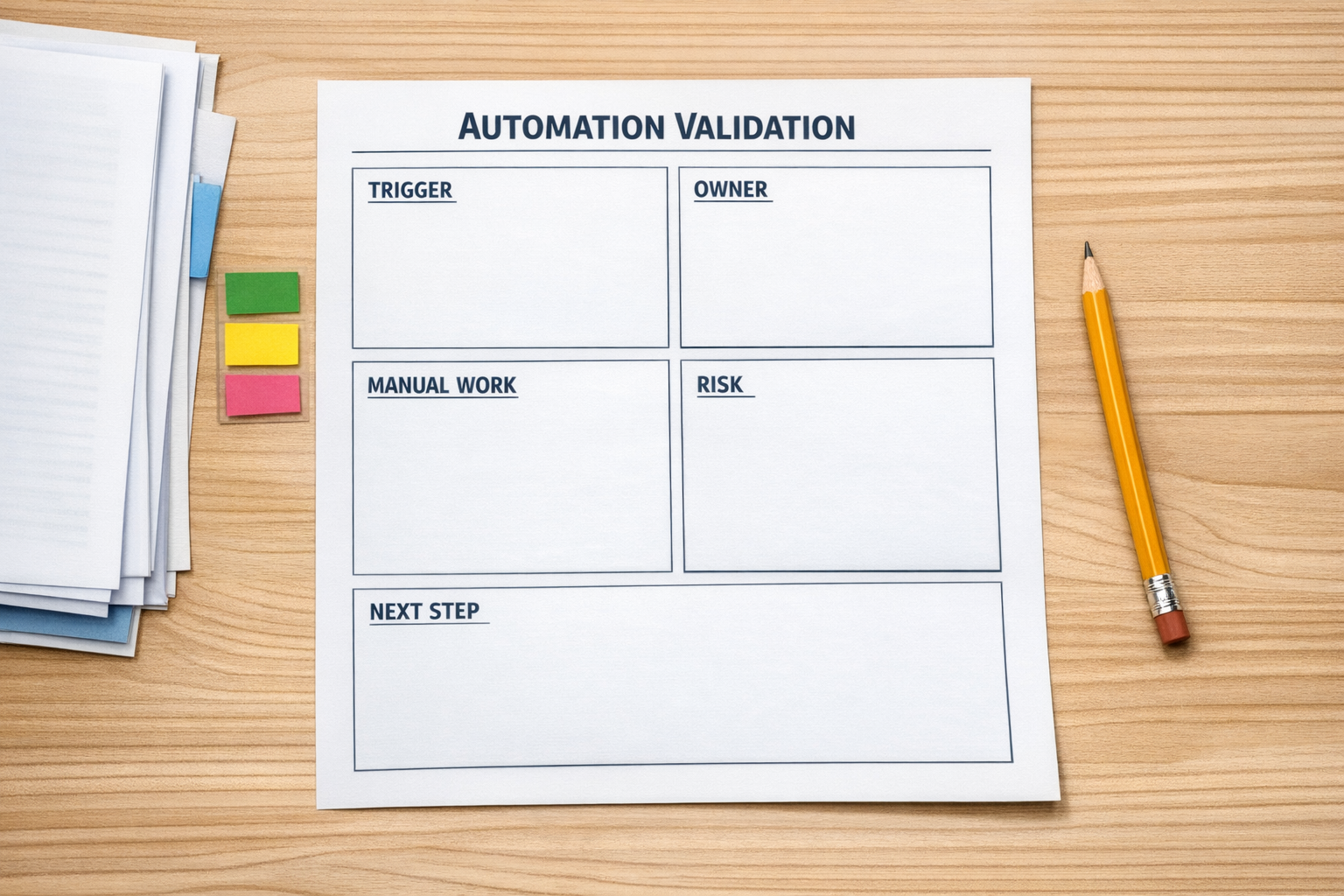
Use these sections:
- Trigger: What starts the workflow?
- Input: What information must be present and accurate?
- Owner: Who is responsible for the workflow?
- Manual work removed: What repetitive task goes away?
- Risk: What happens if the automation runs incorrectly?
- Human review: Where should a person stay involved?
- Low-regret value: Would this improvement still matter if the tool stack changes?
If the team cannot answer these questions, the automation is not ready. That does not mean the idea is bad. It means the process needs more clarity before tools are involved.
Look for durable workflow improvements
Some improvements are more durable than others. If you are unsure where to start, look for areas where better structure will help regardless of what happens next in AI.
Good candidates include:
- CRM cleanup: Removing duplicates, standardizing fields, and making pipeline stages meaningful.
- Sales handoffs: Ensuring every qualified lead has the right context before follow-up.
- Support routing: Sending the right request to the right person without manual triage.
- ClickUp structure: Clarifying spaces, folders, lists, statuses, and ownership.
- Make or Zapier workflows: Reducing repetitive data movement between forms, CRMs, spreadsheets, and project tools.
- Shopify operations: Improving order, inventory, notification, and customer service workflows.
These projects do not require a perfect prediction about the AI market. They require an honest look at where the business is wasting time today.
Turn signals into a weekly decision rhythm
Instead of letting AI news pile up, create a simple weekly rhythm.
Once a week, review the signals your team has collected. Do not discuss everything. Pick one operational question:
- Does this change expose a weakness in our current workflow?
- Does it make a manual process more expensive to ignore?
- Does it create a new automation opportunity worth validating?
- Does it change the risk level of something we already planned to build?
Then decide one next action. That action might be documenting a process, cleaning one CRM field, mapping a handoff, testing a small automation, or rejecting an idea for now.
The goal is not to respond to every signal. The goal is to prevent useful information from becoming passive noise.
Plan implementation like an operator
Once an idea passes validation, implementation should still be careful. Map the workflow, define ownership, build the smallest useful version, test with real examples, and monitor the first runs closely.
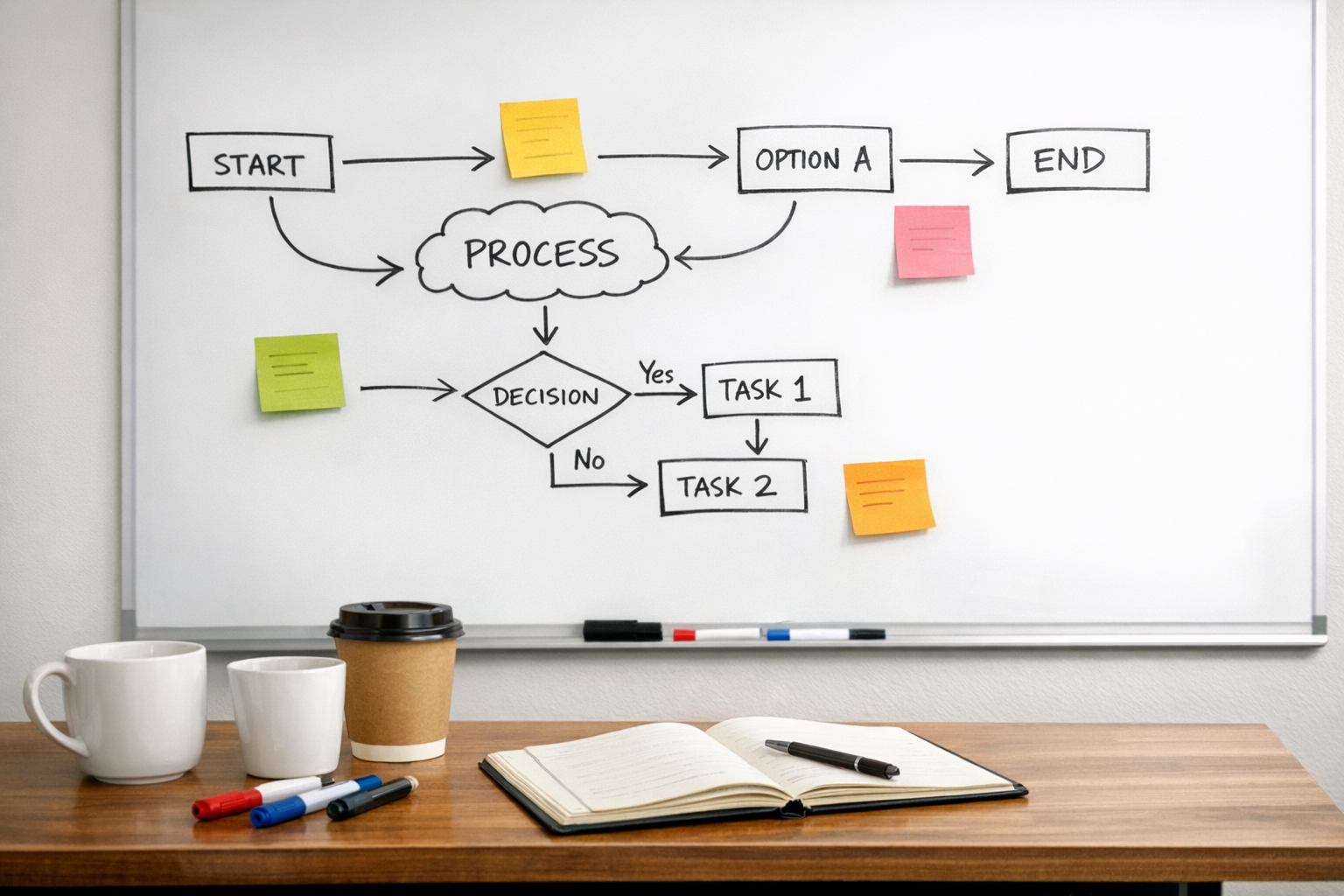
A practical rollout might look like this:
- Document the current workflow in plain language.
- Identify the highest-friction manual step.
- Confirm the data source and destination.
- Define what should happen when data is missing.
- Build a small version of the automation.
- Test it with real historical examples.
- Add alerts or review steps where needed.
- Assign an owner for maintenance.
This approach keeps automation grounded. It also makes future changes easier, because the workflow has been designed intentionally rather than patched together under pressure.
The real advantage is operational clarity
AI uncertainty is not going away. Tools will keep changing. Capabilities will keep improving. Teams will keep hearing about new things they could try.
The businesses that benefit most will not be the ones that chase every update. They will be the ones that turn uncertainty into better questions, better process design, and better operating decisions.
If a decision improves your data, clarifies ownership, reduces manual work, or makes customer handoffs more reliable, it is probably worth considering. Those improvements hold up across many possible futures.
ConsultEvo helps teams validate workflows, design automations, clean up CRMs, and build practical systems in tools like ClickUp, Make, Zapier, HubSpot, GoHighLevel, Shopify, and WordPress.
If your team has too many automation ideas and not enough clarity, we can help you sort the signal from the noise and build the next useful step.