


How to Audit Scheduled Automations Before They Become Operational Noise
Scheduled automation feels productive at first. A weekly AI summary arrives in your inbox. A CRM alert fires every morning. A task reminder appears in ClickUp. A digest pulls research, support issues, sales activity, or order exceptions into one place.
Technically, everything is working.
But there is a quieter question that matters more: does anyone actually use the output to make a decision or take action?

This is where many scheduled workflows start to lose value. They keep producing information, but the business process around that information is weak. The report lands. Someone skims it. Maybe they archive it. Maybe they tell themselves they will review it later. Then the same thing happens next week.
That is not automation ROI. That is operational clutter with good formatting.
The real cost of unused scheduled workflows
An unused scheduled automation is not free just because the tool keeps running in the background. It costs attention. It adds another notification. It creates mild guilt when someone ignores it. It also makes the overall system harder to trust because useful signals get mixed with low-value noise.
Over time, teams become numb to the outputs. They stop opening reports. They ignore alerts. They assume automated tasks are optional because too many of them were never tied to a real operating rhythm.
This is why the first step is not building more automations. The first step is auditing what already exists.
Start with the decision, not the output
A recurring workflow should not exist because it can produce information. It should exist because it supports a decision or removes a specific piece of work.
Before keeping any scheduled automation, ask:
What decision should this help us make, who owns that decision, and what happens after the output is delivered?
If the answer is vague, the workflow needs to be redesigned. For example, “weekly sales summary” is not specific enough. A better version might be: “Every Monday morning, identify deals with no activity in the last seven days and create follow-up tasks for the account owner.”
That version has a purpose, an owner, and a next step.
A simple audit framework: keep, fix, or remove
You do not need a complicated scoring system to review your scheduled automations. Start with three categories.
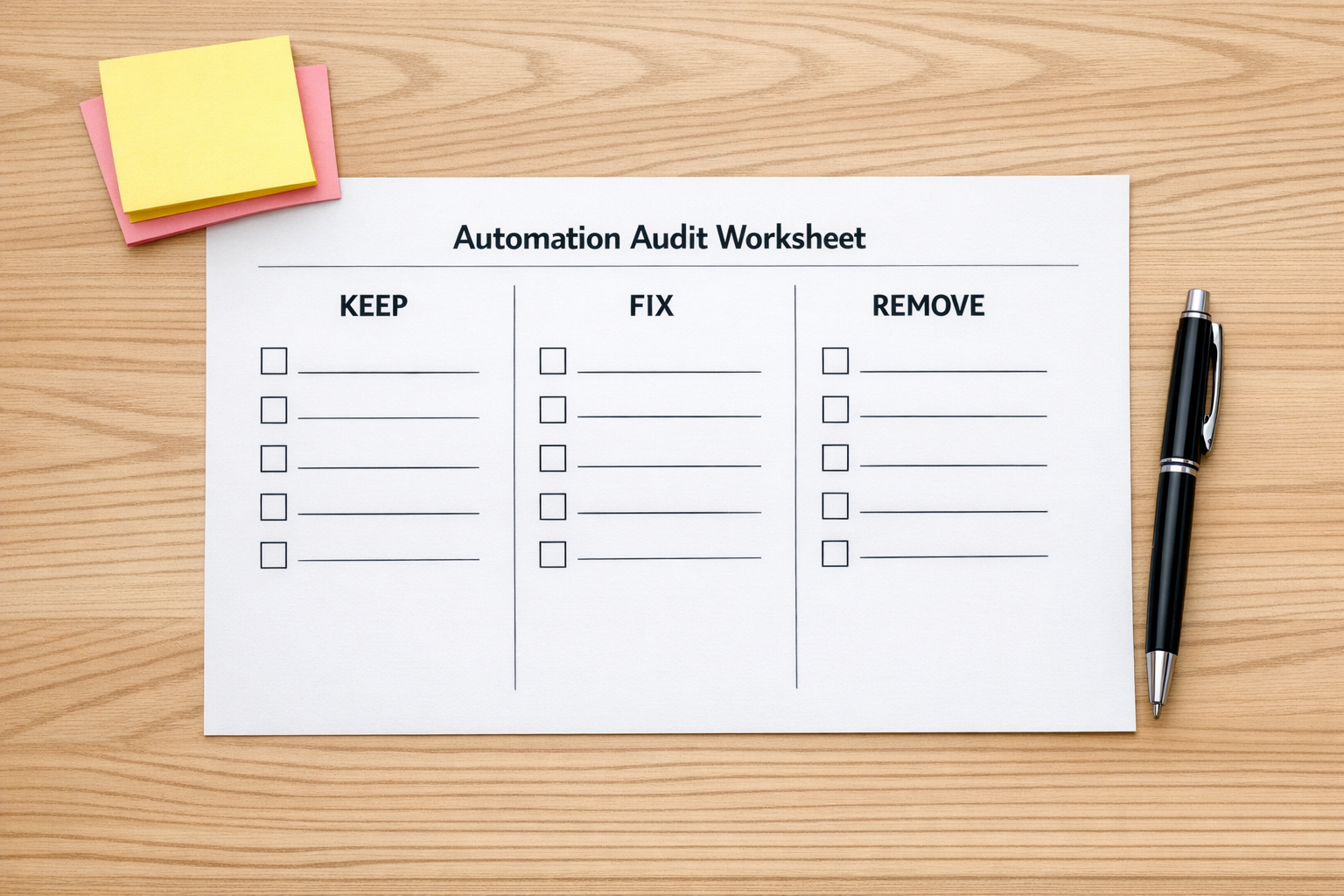
- Keep: The output is reviewed consistently and leads to a clear action, decision, or handoff.
- Fix: The workflow has value, but the timing, format, owner, source data, or follow-up step is wrong.
- Remove: Nobody uses the output, nothing changes because of it, and stopping it would not harm the operation.
This simple review can be applied to AI-generated reports, Make scenarios, Zapier automations, ClickUp recurring tasks, CRM alerts, HubSpot workflows, GoHighLevel follow-ups, Shopify operational checks, and internal dashboards.
The goal is not to reduce automation for the sake of it. The goal is to make every recurring output earn its place.
What a useful scheduled automation includes
A scheduled workflow becomes more valuable when it has a delivery layer. That means the output does not simply appear somewhere. It arrives in the right place, in the right format, with a clear next action.
Strong scheduled automations usually include:
- A trigger: When should this run and why does that timing matter?
- A clear audience: Who needs this output?
- A decision point: What should the person decide after seeing it?
- A next action: Should a task be created, a record updated, a message sent, or an exception escalated?
- A feedback loop: How will you know whether the workflow is still useful next month?
Without these pieces, automation often becomes a nicer-looking version of manual reporting. With them, it starts removing work.
Examples of decision-led scheduled workflows
Here are a few practical examples of how to shift from output-led automation to decision-led automation.
- Instead of: Send a weekly CRM activity summary. Use: Create a list of stale deals and assign follow-up tasks to owners.
- Instead of: Generate a support ticket digest. Use: Identify repeated issue themes and route them to the person responsible for fixing the root cause.
- Instead of: Send a Shopify order report. Use: Flag orders that need manual review and create an operations task with the relevant details.
- Instead of: Produce a content ideas report. Use: Score ideas against current priorities and move approved ideas into a planning board.
- Instead of: Remind the team to clean CRM records. Use: Find incomplete records, assign ownership, and track cleanup status.
The difference is small but important. A report asks someone to interpret and remember. A workflow helps them act.
Plan the handoff before you automate
Many automations fail at the handoff. The AI summary is useful, but it lands in the wrong channel. The CRM alert is accurate, but nobody owns it. The task is created, but it lacks context. The dashboard updates, but no one has a recurring meeting or review habit attached to it.
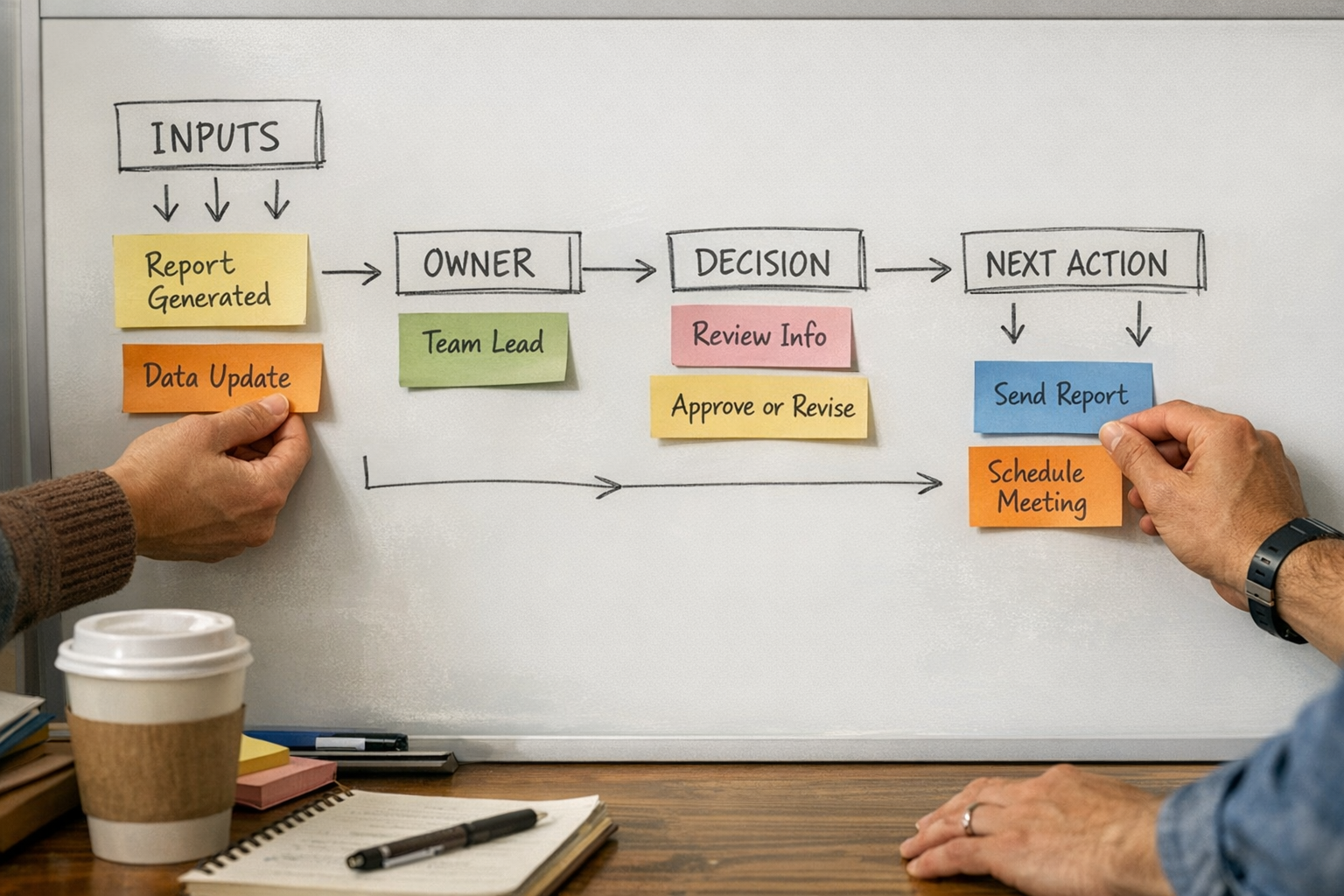
Before building the workflow, map the handoff:
- Where does the output go?
- Who sees it first?
- What should they do with it?
- What information do they need to act without asking follow-up questions?
- How is completion tracked?
This is where tools like ClickUp, Make, Zapier, HubSpot, GoHighLevel, and Shopify automation can be very helpful, but only after the process is clear. The tool should support the operating rhythm, not create a new one that nobody follows.
Set a review cycle
Scheduled automations should not be permanent by default. They should be reviewed like any other operational asset.
A simple monthly or quarterly review is enough. Look at what is still being used, what has drifted, and what should be retired. Ask team members which outputs helped them make decisions and which ones they now ignore.
This keeps your automation stack clean. It also makes future automation easier because the team learns that automated outputs are meant to be useful, not decorative.
The practical takeaway
Do not judge scheduled automation by whether it runs. Judge it by whether it creates action, improves a handoff, reduces manual work, or helps someone make a better decision.
If a workflow is producing output that nobody uses, pause it or redesign it. If an alert is accurate but ignored, change the delivery layer. If a report is interesting but not actionable, rebuild it around the decision it should support.
ConsultEvo helps teams audit, clean up, and rebuild automations around real business workflows. If your scheduled AI tasks, CRM alerts, ClickUp automations, Make scenarios, Zapier workflows, or sales and support handoffs are creating more noise than clarity, we can help you simplify the system and make the outputs useful again.