


Build the Privacy Boundary Before You Build the AI Workflow
AI is becoming easier to add into everyday business operations. A founder can summarize notes, draft emails, classify support tickets, review internal documents, clean up CRM records, or generate first-pass SOPs without much technical setup.
That ease is useful. It is also where teams can get careless.
Before choosing a model, app, automation platform, or AI agent, there is a more practical question to answer: what information is allowed to move where?

This is the privacy boundary. It is not a legal policy document pretending to be an operating system. It is a clear working rule that tells the team which data stays private, which data may be redacted and processed elsewhere, and which outputs are safe to store in business systems.
For small teams, this boundary can be more valuable than another tool subscription. It reduces hesitation, prevents random copy-paste behavior, and gives automation work a safer structure.
The tool question comes second
Many AI workflow conversations start with the same type of question:
- Should we use a local model?
- Should this run through a cloud AI tool?
- Can we connect it to Make, Zapier, ClickUp, HubSpot, or GoHighLevel?
- Should we build an AI agent?
Those are valid questions, but they are not the starting point. The starting point is the data path.
If a workflow starts with sensitive discovery notes, client files, support messages, contracts, internal financial context, or CRM exports, you need to decide how that information is handled before it touches an AI step.
Otherwise the workflow may work technically while being operationally messy. A working automation that moves the wrong data to the wrong place is not a win.
A simple three-bucket privacy rule
You do not need a complicated framework to begin. Most operational AI workflows can start with three buckets.
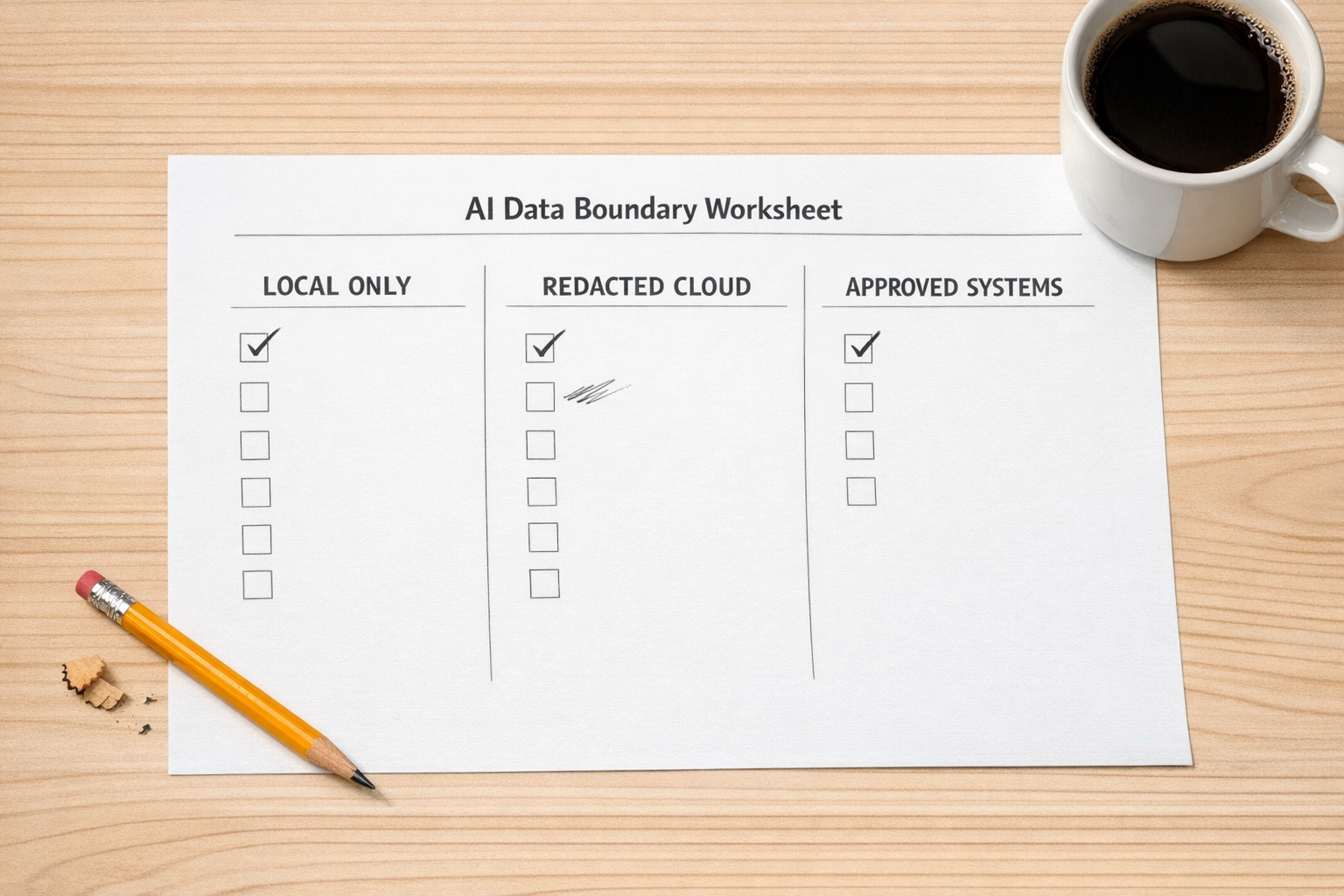
- Local only: This includes raw client documents, private meeting notes, contracts, financial details, sensitive CRM exports, internal strategy, and anything that should not be copied into a cloud AI tool without review.
- Redacted cloud: This includes cleaned summaries, anonymized examples, generic drafts, removed names, removed company details, and pattern-level information that no longer exposes sensitive context.
- Approved systems: This includes reviewed outputs that are safe to store in your CRM, ClickUp workspace, knowledge base, email platform, or automation logs.
This rule creates a useful operating habit. The team no longer has to guess every time they use AI. They can ask, “Which bucket is this in?”
That one question can prevent a lot of sloppy workflow design.
Where the boundary changes the workflow
Let’s say a sales team wants AI to summarize discovery calls and update the CRM. A careless workflow might send the raw transcript directly into a cloud model, generate a summary, and push it into the CRM automatically.
A better workflow might look like this:
- The raw transcript stays in a controlled location.
- A local or approved processing step creates an internal summary.
- Sensitive details are removed or reduced.
- AI creates CRM-ready notes from the cleaned version.
- A human reviews the update before it is saved to the contact record.
The difference is not only privacy. The second workflow is easier to trust. It has a review point. It has a data rule. It has a clear handoff from source material to approved system output.
The same thinking applies to support, operations, project management, and content workflows.
Common places to use this approach
A privacy boundary is especially useful when AI touches business context that was not originally created for public use.
- Support ticket analysis: Classify themes and recurring issues without exposing customer details unnecessarily.
- CRM cleanup: Use AI to identify inconsistent notes, missing fields, or duplicate patterns after deciding which data can be processed.
- Proposal drafting: Turn private discovery notes into a first draft only after defining what should remain internal.
- SOP creation: Convert internal process notes into training material with review before publishing.
- Content validation: Test ideas using anonymized customer language instead of copying sensitive client conversations into prompts.
- AI agents: Limit what the agent can access, where it can write, and when it must ask for approval.
In each case, the privacy boundary makes automation more practical. It tells you where the AI step belongs and where it does not.
Design the handoff, not just the prompt
Prompts matter, but workflows fail more often at the handoff.
Who reviews the AI output? Where does the result go? What happens if the output is uncertain? Can the automation write directly into the CRM, or should it create a draft task first? Should the agent be allowed to email a customer, or only prepare a response for approval?
These questions are operational, not technical. They are also where good automation ROI comes from. A clear handoff reduces rework, avoids cleanup, and gives the team confidence that the system will behave in a predictable way.

For example, an AI support workflow might not need to send replies automatically. The better first version may simply:
- Read a new support request.
- Suggest a category.
- Draft a response.
- Create a review task for a human.
- Log the approved category back into the support or CRM system.
That still removes work. It also keeps judgment in the right place.
A practical checklist before you automate
Before connecting AI to an operational workflow, answer these questions:
- What is the source data? Identify whether it includes client, customer, financial, legal, or internal strategy information.
- Which privacy bucket does it belong to? Local only, redacted cloud, or approved systems.
- What should AI produce? A summary, classification, draft, recommendation, checklist, or structured field update.
- Who validates the output? Decide whether review is required every time or only under certain conditions.
- Where does the output go? CRM, ClickUp, email draft, knowledge base, spreadsheet, ticket system, or internal document.
- What should the automation never do? Define hard limits, such as sending customer messages or overwriting CRM fields without approval.
This checklist keeps the conversation grounded. It also helps avoid building a workflow that looks impressive but creates new risk or cleanup work.
Start narrow and prove the workflow
The safest AI workflows usually start small. Choose one repeatable task with a clear input and a clear output. For example, summarize internal meeting notes into action items, classify support tickets into categories, or turn project notes into a draft task list.
Then run the workflow manually a few times. Check the privacy boundary. Check the output quality. Check the handoff. Only after that should you automate more of the path.
This is the ConsultEvo view of AI operations: process before tools. The right tool matters, but the workflow rule matters more. A clear privacy boundary makes AI easier to adopt because the team understands what is safe, what needs review, and what should stay out of the automation entirely.
If you are planning to add AI into ClickUp, Make, Zapier, HubSpot, GoHighLevel, Shopify operations, or internal support workflows, ConsultEvo can help you map the process, define the handoffs, and build the automation around safer operating rules.